
Ecommerce Customer Feedback Management Automation
Reduce negative feedback response time by 80% through automated feedback monitoring and instant team alerts.
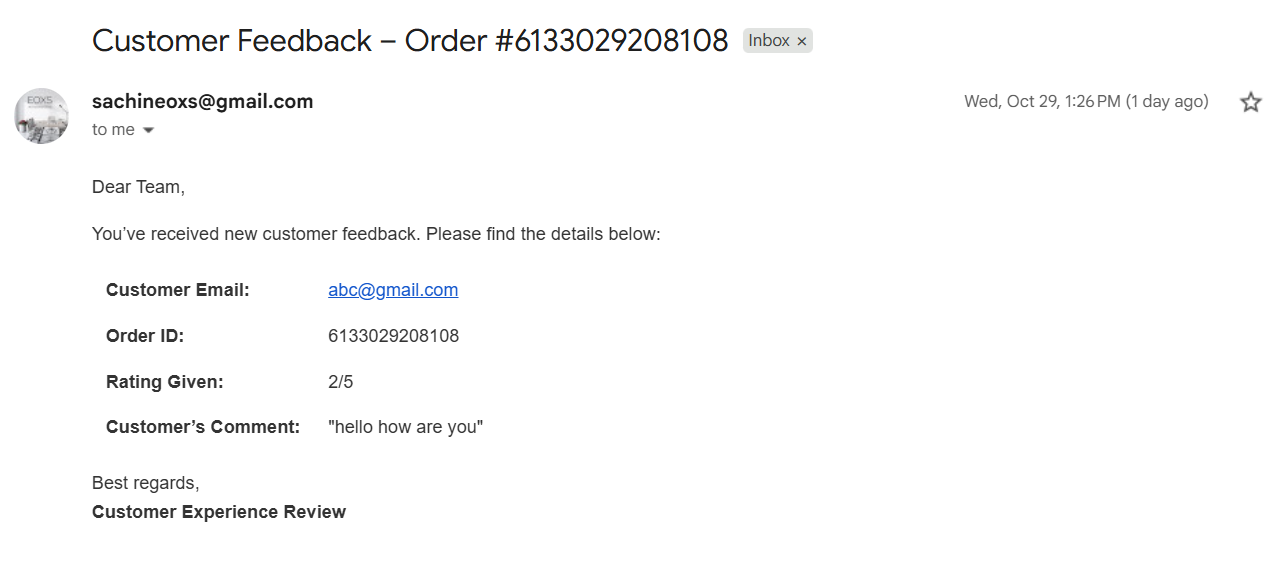
Automatically collects customer feedback from Google Forms and updates corresponding Shopify orders with their comments and ratings. Negative feedback instantly triggers an internal email alert to help your team take quick action and improve customer experience.



Documentation
Description
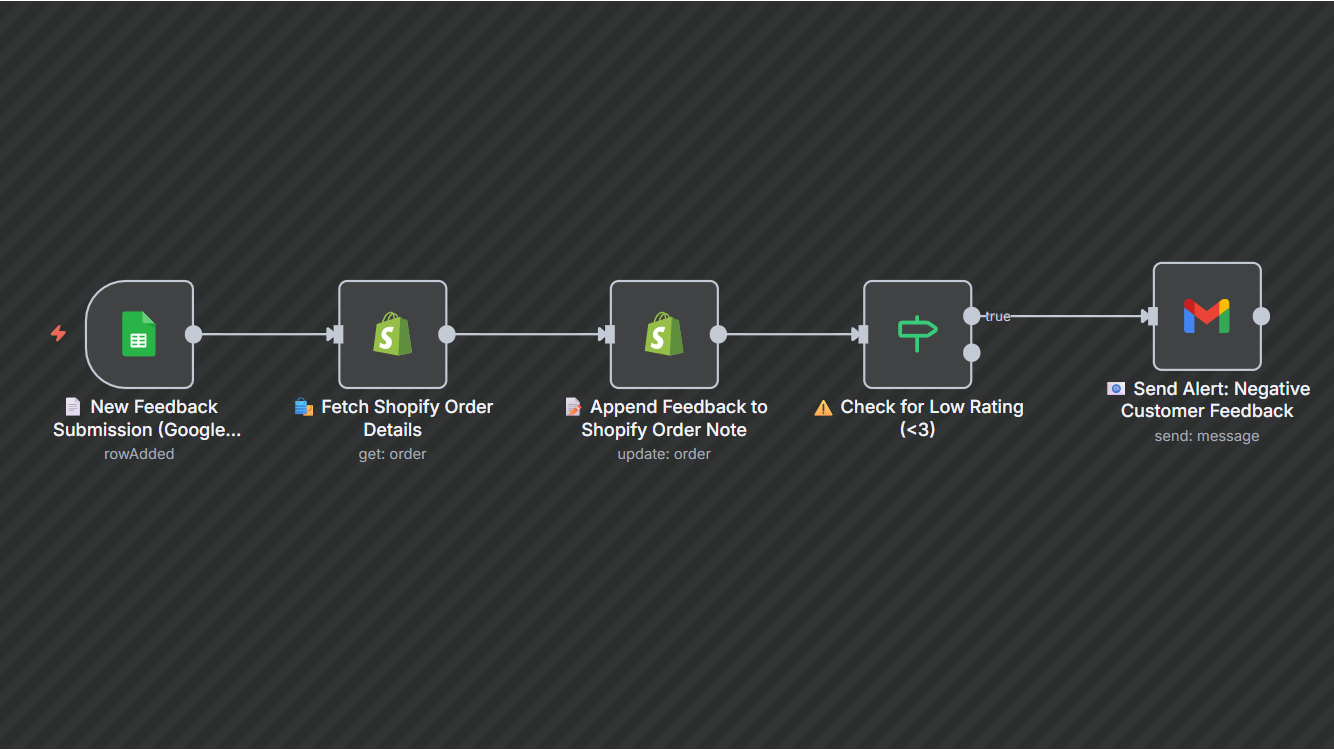
Businesses often struggle to track post-purchase feedback in real-time, causing delays in resolving unhappy customer experiences. This automation bridges that gap by pulling customer feedback from Google Sheets, appending it to the related Shopify order, and alerting your team whenever a low rating is received.By acting instantly, you strengthen brand reputation, improve service quality, and build better customer trust — all without manual effort.Workflow Steps
- Trigger: Google Sheets detects a new feedback entry submitted by a customer.
- Fetch Order Details: The workflow retrieves matching order information from Shopify using the provided Order ID.
- Append Feedback: Customer comments and ratings are added to the Shopify order notes for record-keeping.
- Check Rating: If the rating is below 3, the workflow flags it as negative feedback.
- Send Alert: An automated email alert is sent to your customer service team for immediate follow-up.
Key Benefits
1.Instant visibility: Stay informed about customer sentiment as soon as feedback is received.
2. Faster resolution: Automatically alert your team to act on low ratings before issues escalate.
3. Improved CX (Customer Experience): Maintain a proactive approach to service recovery.
4. Reduced manual effort: Eliminate the need to manually track or review feedback responses.