
Automate Web Scraping & Extract Product Data to Google Sheets
Automate product data collection from any website, reducing manual data entry by 100% and providing instant, up-to-date insights for competitive analysis or inventory management.
Manually collecting product data from websites is tedious and inefficient, leading to outdated information and lost opportunities. This workflow automates intelligent web scraping using Jina AI and OpenAI to extract real-time product details, saving them directly into your Google Sheet for instant analysis.


Documentation
Automated Product Data Extraction to Google Sheets
Manually gathering product data from competitor websites or suppliers is a tedious and error-prone process that can quickly lead to outdated information. This n8n workflow provides a robust solution by automating AI-powered web scraping and intelligent data extraction, delivering real-time product insights directly to your Google Sheets.
Key Features
- AI-Enhanced Web Scraping: Utilizes Jina AI to reliably fetch content from complex and dynamic web pages, overcoming common scraping challenges.
- Intelligent Data Extraction (OpenAI & LangChain): Employs cutting-edge AI to precisely identify and extract specific product attributes like title, price, availability, image URL, and product URL from unstructured text.
- Automated Google Sheets Integration: Seamlessly appends all extracted, structured product data to a designated Google Sheet, creating an organized and instantly accessible database.
- Flexible Data Structuring: Easily customize the extraction schema to collect exactly the product information relevant to your business needs.
How It Works
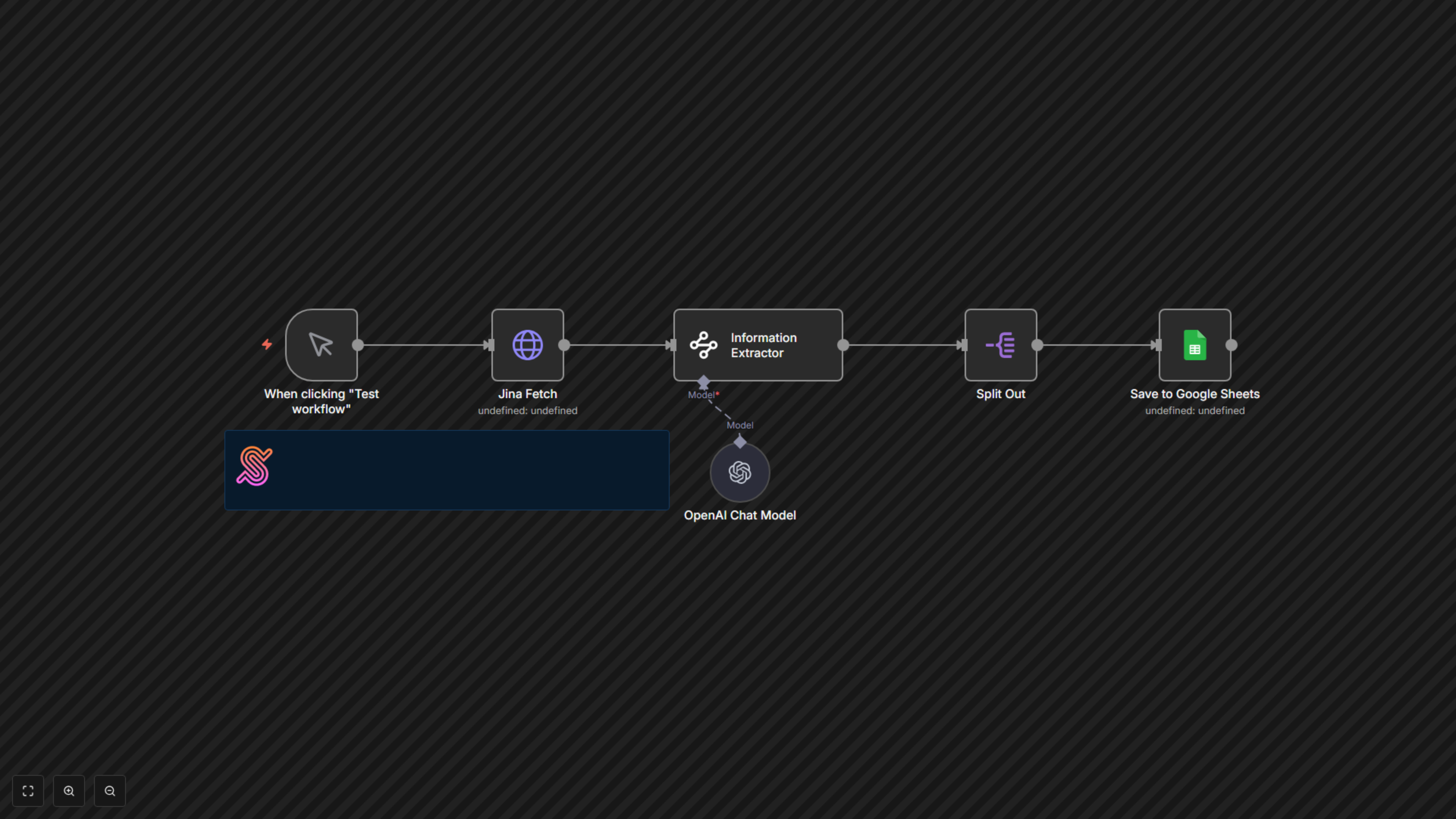
This powerful workflow starts with a manual trigger (or can be configured for scheduled execution). First, the "Jina Fetch" node, powered by Jina AI, visits a specified product page URL and returns its processed content. This content then flows into the "Information Extractor" node, which leverages OpenAI's language model via LangChain to intelligently parse the text. Guided by a predefined JSON schema, the AI accurately extracts key product details. A "Split Out" node ensures each extracted product item is processed individually before the "Save to Google Sheets" node appends this structured data as new rows to your selected Google Sheet, maintaining an always-current record of product information.