
Automate Telegram Bot Interactions & Manage User Events
Instantly process all Telegram bot messages, commands, and events, eliminating manual handling by 100% and ensuring immediate, tailored user responses.
Manually handling diverse Telegram bot interactions across messages, commands, system events, and payments is complex and time-consuming. This n8n workflow centrally routes all incoming Telegram updates, automatically responding to message types, executing commands, handling user registrations, and processing payments through integrated sub-workflows, ensuring efficient, automated bot operation and comprehensive user management.



Documentation
Telegram Bot Event Router
This powerful n8n workflow acts as a central hub for all incoming Telegram bot interactions. It intelligently identifies message types, user commands, system events, and payment requests, routing them to appropriate handlers or sub-workflows for automated, efficient processing.
Key Features
- Automatic classification and routing of all Telegram message types (text, photo, file, voice).
- Intelligent command processing, including custom commands and fallback responses.
- Seamless integration with user registration via Google Sheets and dedicated sub-workflows.
- Comprehensive payment handling, including pre-checkout queries and successful payment notifications.
- Efficient management of callback queries for interactive menus.
How It Works
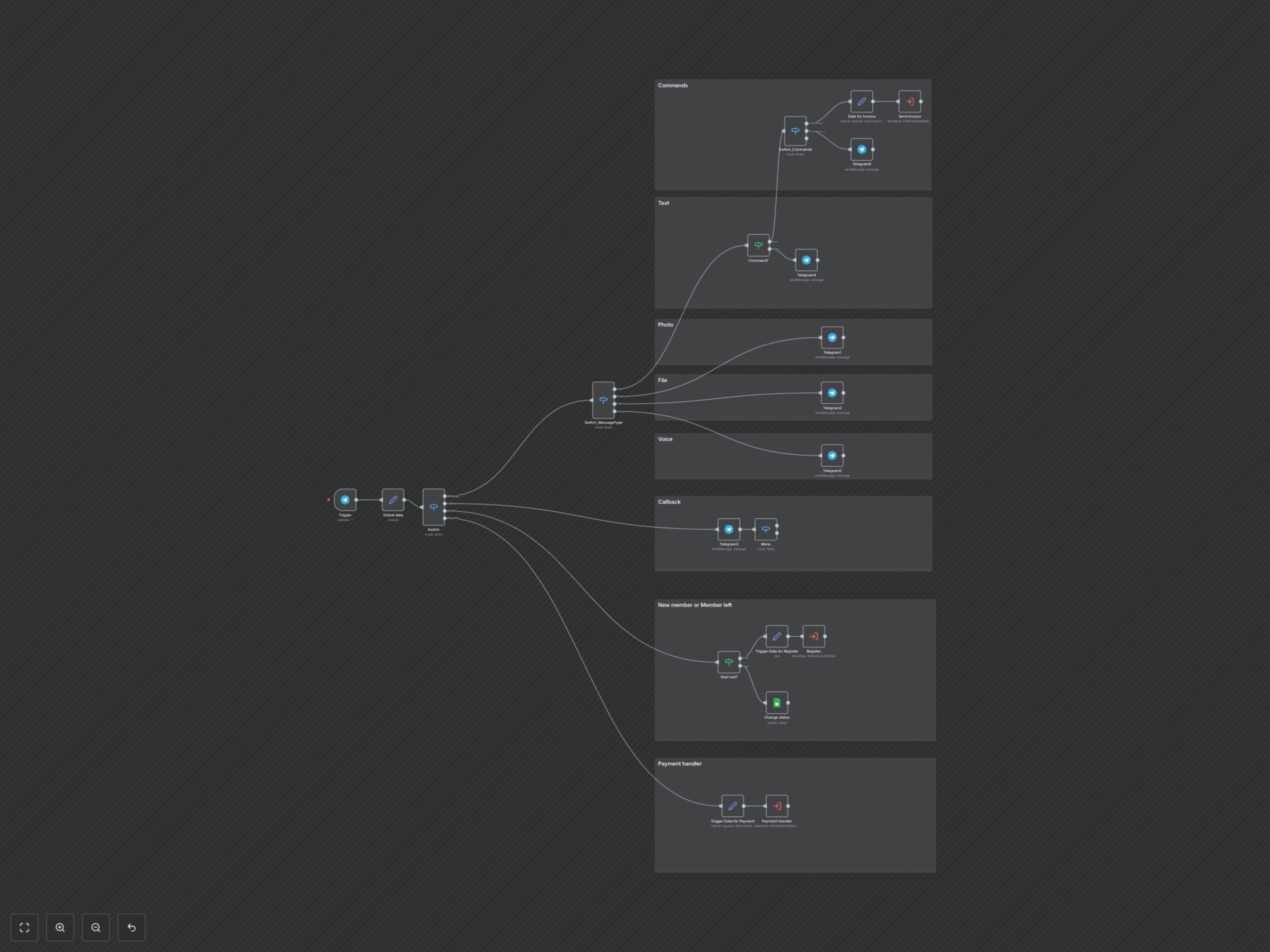
The workflow initiates with a Telegram Trigger, capturing every incoming update. A primary 'Switch' node then categorizes these updates into 'Message', 'Callback', 'System', or 'Payment' types. 'Message' types are further analyzed by a 'Switch_MessageType' node to distinguish between text, photos, files, and voice messages, providing tailored acknowledgments. Text messages are checked for commands; if a command like '/pay' is detected, it triggers a payment invoice sub-workflow, otherwise, a default response is sent. 'Callback' queries are processed to identify menu interactions. 'System' updates, specifically new member additions, prompt a user registration sub-workflow and update user status in Google Sheets. 'Payment' events are directed to a dedicated payment handling sub-workflow, ensuring all financial transactions are managed securely.