
Auto-Assign Stale Jira Issues with AI to Boost Team Efficiency
Automatically assign stale Jira issues, reducing manual triage time by hours weekly and improving project flow and team accountability across your team.
Unassigned Jira issues often become stale, slipping through the cracks and hindering project progress. This n8n workflow leverages AI to intelligently identify the most suitable and available team members, automatically assigning stale issues to ensure timely resolution and elevate overall project velocity.



Documentation
AI-Powered Jira Issue Auto-Assignment
This n8n template provides a sophisticated automation solution to prevent Jira issues from becoming stagnant due to lack of assignment. By intelligently matching unassigned tasks with the most relevant and available team members, it helps maintain project momentum and reduce manual oversight. This ensures critical tasks are addressed promptly, enhancing team productivity and project delivery.
Key Features
- Automated detection of stale, unassigned Jira issues to prevent tasks from being overlooked.
- AI-driven identification of the most relevant team members based on their historical resolution patterns.
- Intelligent capacity checking to assign issues without overloading team members.
- Automatic assignment and notification within Jira for a seamless workflow.
- Dynamic vector store updates to ensure AI recommendations are always relevant and accurate.
How It Works
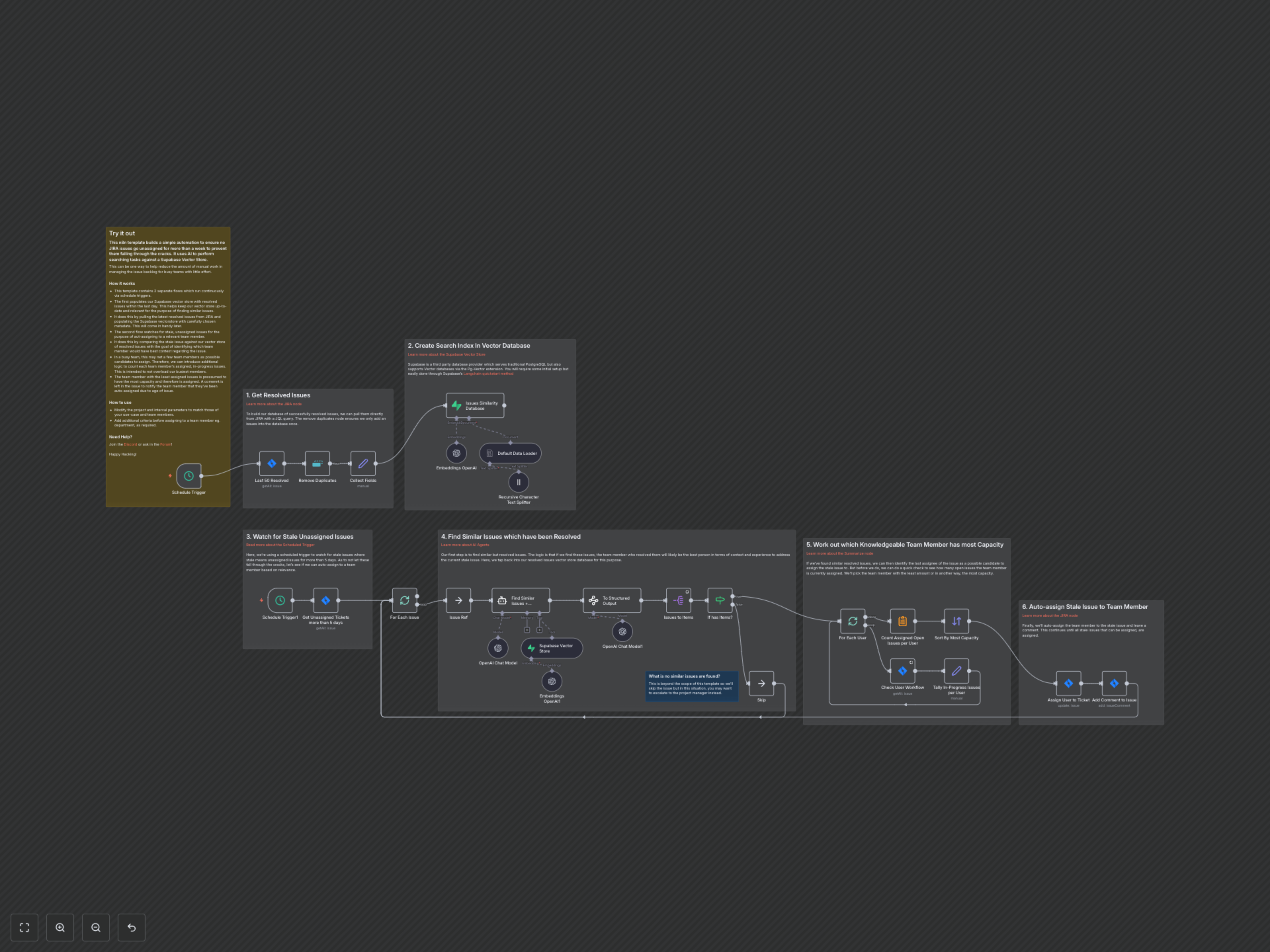
This workflow operates with two distinct, continuously running flows. First, it regularly fetches recently resolved Jira issues and populates a Supabase vector store with their details, including project key, issue key, type, dates, assignee ID, and title. This ensures the AI has a perpetually updated database of past solutions and the team members who provided them. Second, a scheduled trigger monitors your specified Jira project for issues that have been unassigned for more than 5 days. For each identified stale issue, an AI agent queries the vector store to find similar, previously resolved issues, leveraging their assignees as potential candidates. The workflow then dynamically assesses the current workload of these candidates by checking their 'in progress' issues in Jira. Finally, the team member with the least amount of currently assigned 'in progress' issues (indicating highest capacity) is automatically assigned the stale issue, and a comment is added to the Jira ticket to notify them of the auto-assignment.