
Sync Shopify Orders & Invoices to D365 Business Central
Eliminate manual data entry by automatically syncing Shopify orders to D365 Business Central, saving 5+ hours weekly and ensuring real-time financial accuracy.
Manually transferring Shopify sales orders and invoices to D365 Business Central is time-consuming and prone to errors. This workflow automatically syncs new Shopify orders, creating customers and line items in Business Central as sales orders or invoices, ensuring accurate financial records.

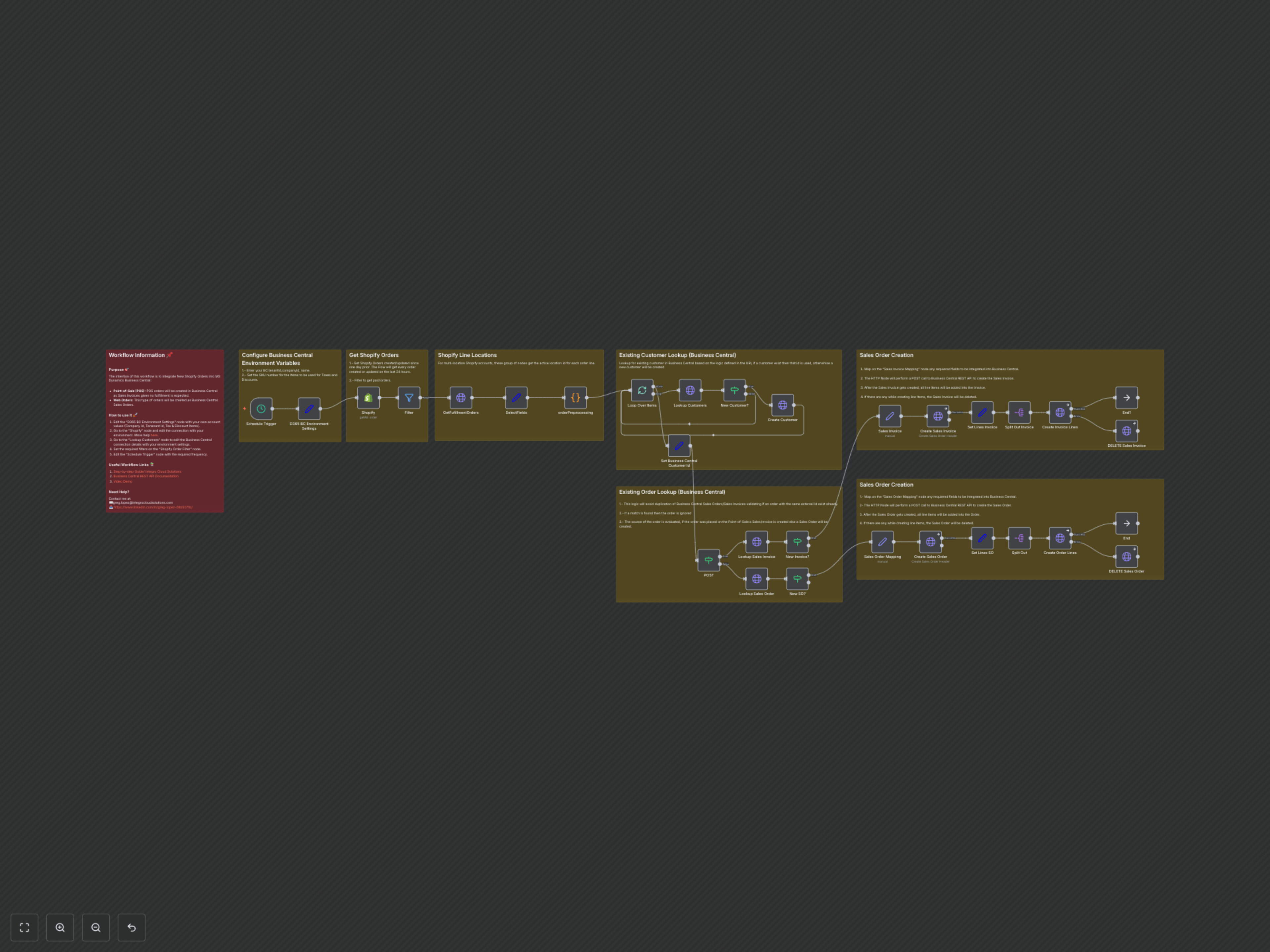

Documentation
Overview
This n8n workflow provides a robust solution for integrating Shopify e-commerce operations directly with Microsoft Dynamics 365 Business Central. It automatically captures new and updated Shopify orders and intelligently processes them into the appropriate Business Central document – Sales Invoices for Point-of-Sale (POS) transactions and Sales Orders for standard web orders.
Key Features
- Automated detection of new and updated Shopify orders.
- Intelligent customer matching in Business Central; new customers are automatically created.
- Dynamic handling: Shopify POS orders convert to Business Central Sales Invoices, while web orders become Sales Orders.
- Accurate transfer of all order details, including line items, shipping costs, taxes, and discounts.
- Duplicate prevention for both sales orders and invoices in Business Central.
How It Works
The workflow is triggered on a schedule (e.g., hourly), fetches all paid Shopify orders created or updated in the last 24 hours. For each order, it retrieves fulfillment location details and preprocesses the data, optionally adding tax and discount items as separate line items. It then checks for an existing customer in Business Central via email; if none is found, a new customer record is created. Depending on whether the Shopify order is from a POS or a web channel, the workflow determines whether to create a Sales Invoice or a Sales Order in Business Central. It first checks for an existing document to prevent duplicates. Finally, the corresponding header (Invoice or Order) is created, and all line items are added. If any error occurs during line item creation, the newly created header in Business Central is automatically deleted to maintain data integrity.