
Instantly Summarize Google Docs & Log Details to Sheets
Automatically summarize new Google Drive documents and log critical data to Sheets, reducing manual processing time by over 50% and centralizing essential document insights.
Manually reviewing and summarizing new Google Drive documents takes valuable time and introduces human error. This workflow automates the extraction and AI-powered summarization of new Google Docs, instantly logging key insights and metadata into Google Sheets for enhanced organization.



Documentation
Instantly Summarize Google Docs & Log Details to Sheets
Manually tracking, reading, and summarizing new documents in Google Drive can be a major drain on productivity and lead to overlooked information. This workflow provides an automated, AI-powered solution, leveraging advanced models to condense document content and systematically record crucial information into Google Sheets, ensuring timely access to vital insights.
Key Features
- Automatic detection of new Google Docs in a specified Drive folder.
- AI-powered content summarization using OpenAI and LangChain tools.
- Automated extraction of document metadata, including author name and email.
- Centralized logging of summarized content and metadata into Google Sheets for enhanced organization.
How It Works
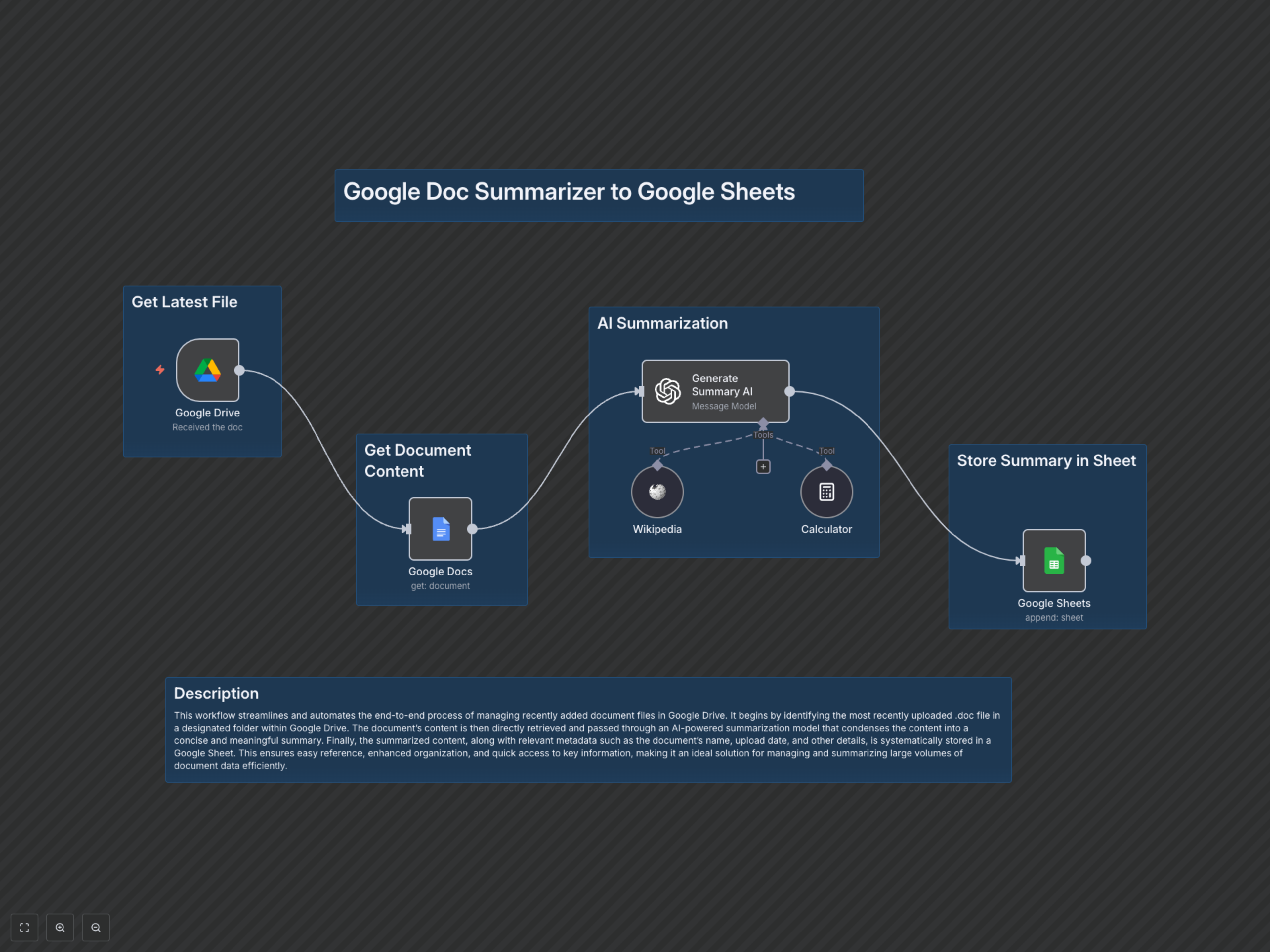
This workflow activates whenever a new document is created in a specified Google Drive folder. It then retrieves the full content of that Google Doc. The content is passed to an AI node (powered by OpenAI and LangChain tools) which intelligently generates a concise summary. Finally, this AI-generated summary, along with details about the document's last modifying user, is automatically appended as a new row in a designated Google Sheet for easy tracking and reference.