
Google Sheets to Offer Letter Automation Workflow
Automate offer letter creation and rejection emails, streamlining hiring and ensuring prompt, professional candidate communication.
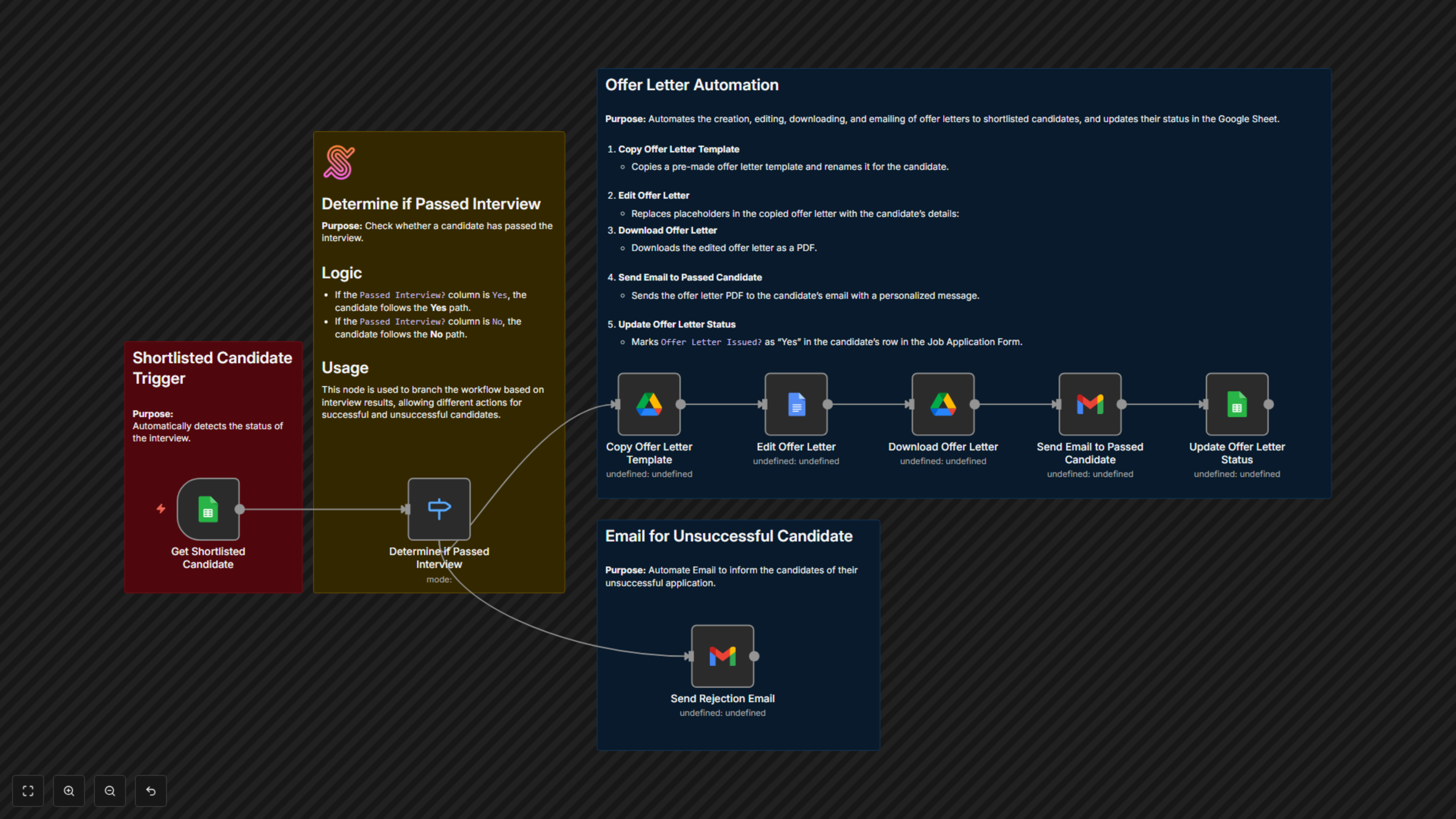
This workflow streamlines recruitment by automatically generating offer letters for successful candidates and sending polite rejection emails to others. It ensures fast, professional communication while keeping hiring records up to date.


Documentation
📖 Documentation
Hiring can be time-consuming, especially when it comes to drafting personalized offer letters and responding to every applicant. This workflow solves that problem by connecting your Google Sheets candidate tracker with Google Docs, Gmail, and Drive. As soon as an interview result is updated, the system instantly creates a tailored offer letter for successful candidates and emails it with a professional message. At the same time, candidates who weren’t selected receive a respectful rejection email. Everything is logged back into your spreadsheet, so your hiring process stays transparent and efficient.
⚙ Workflow Steps
- The workflow monitors your Google Sheet for interview results.
- If a candidate passed, it creates a personalized offer letter, turns it into a PDF, and emails it directly to the candidate.
- If a candidate did not pass, it sends a professional rejection email.
- The candidate’s record in the sheet is automatically updated to reflect that an offer letter was issued.
✅ Key Benefits
- Save hours of manual work by automating offer letters and emails.
- Ensure every candidate—successful or not—receives timely, professional communication.
- Keep your hiring records clean and updated automatically.