
Ecommerce Review Sentiment Analysis Automation
Reduce product improvement time by 80% through automated customer review sentiment analysis
Manually reading and tagging thousands of customer reviews is time-consuming and error-prone. This workflow automates sentiment analysis across all your product reviews, turning raw feedback into actionable insights. It identifies positive and negative trends, updates product records automatically, and logs results for continuous improvement—saving hours each week and improving product decisions.



Documentation
Description
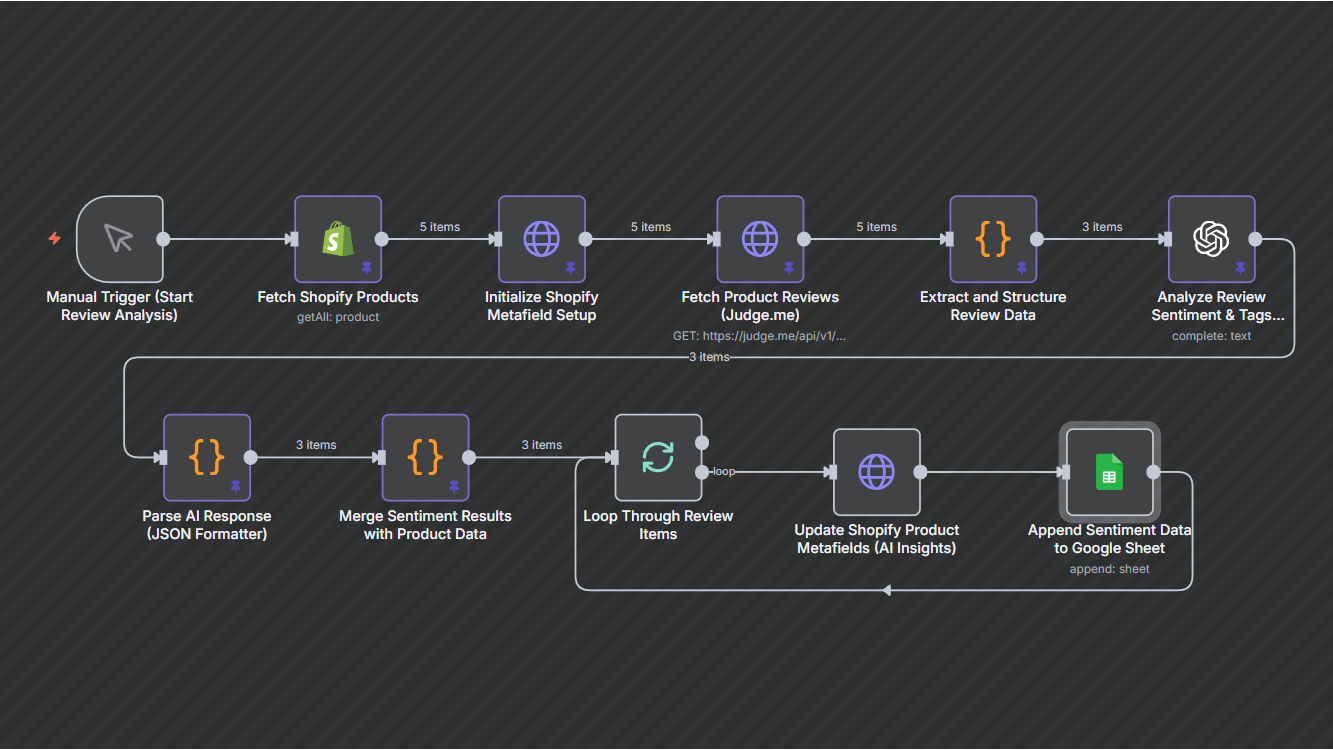
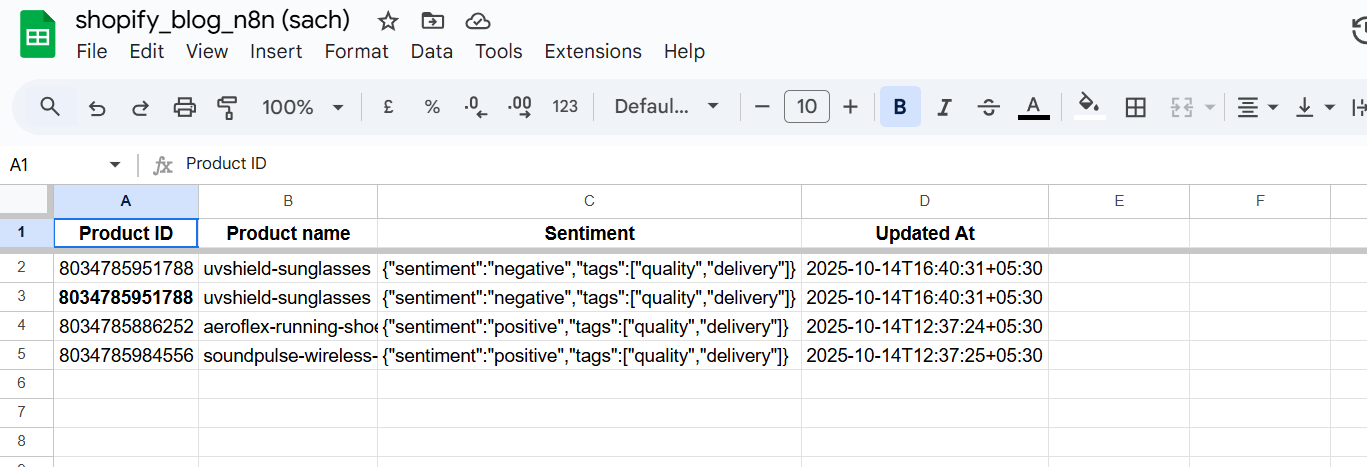
This AI workflow automates how Shopify stores collect and analyze customer reviews. It fetches all recent reviews, processes them through OpenAI to detect sentiment (positive, neutral, or negative), tags feedback themes, and syncs this intelligence back into Shopify metafields and Google Sheets for visibility and reporting.It turns raw feedback into actionable business intelligence—no spreadsheets or manual sorting required.
Workflow Steps
- Fetch all recent product reviews from your store’s review system.
- Analyze each review’s sentiment and extract key topics using AI.
- Store the insights in product metafields for in-dashboard visibility.
- Log all results in Google Sheets for tracking and reporting.
- Schedule the automation to run daily or weekly for continuous insights.
Key Benefits
- Cut manual review analysis time by 80%.
- Get real-time insights into customer satisfaction trends.
- Improve product quality and marketing with data-driven decisions.
- Centralize review intelligence in Shopify and Google Sheets.