
Automate Stripe Payments: Update HubSpot & Notify Slack Instantly
Automate Stripe payment reconciliation, eliminating 100% of manual data entry into HubSpot and notifying teams in real-time, accelerating revenue tracking and sales follow-ups.
Manually tracking Stripe payments, updating CRM deals, and notifying teams consumes valuable time and can lead to outdated information. This workflow automates the entire process, instantly syncing successful Stripe payments with HubSpot and alerting your team in Slack, ensuring real-time revenue visibility and faster follow-ups.



Documentation
Automate Stripe Payment Tracking with HubSpot & Slack
This workflow significantly enhances your financial operations by automating the post-payment process. It ensures your CRM data is always current, and your team is instantly informed of successful transactions.
Key Features
- Real-time monitoring of Stripe invoice payments.
- Automatically updates HubSpot deal status to 'Paid' based on Purchase Order (PO) numbers.
- Instant Slack notifications for successful payments, improving team awareness.
- Alerts for payments missing PO numbers or when a matching HubSpot deal cannot be found, preventing missed updates.
How It Works
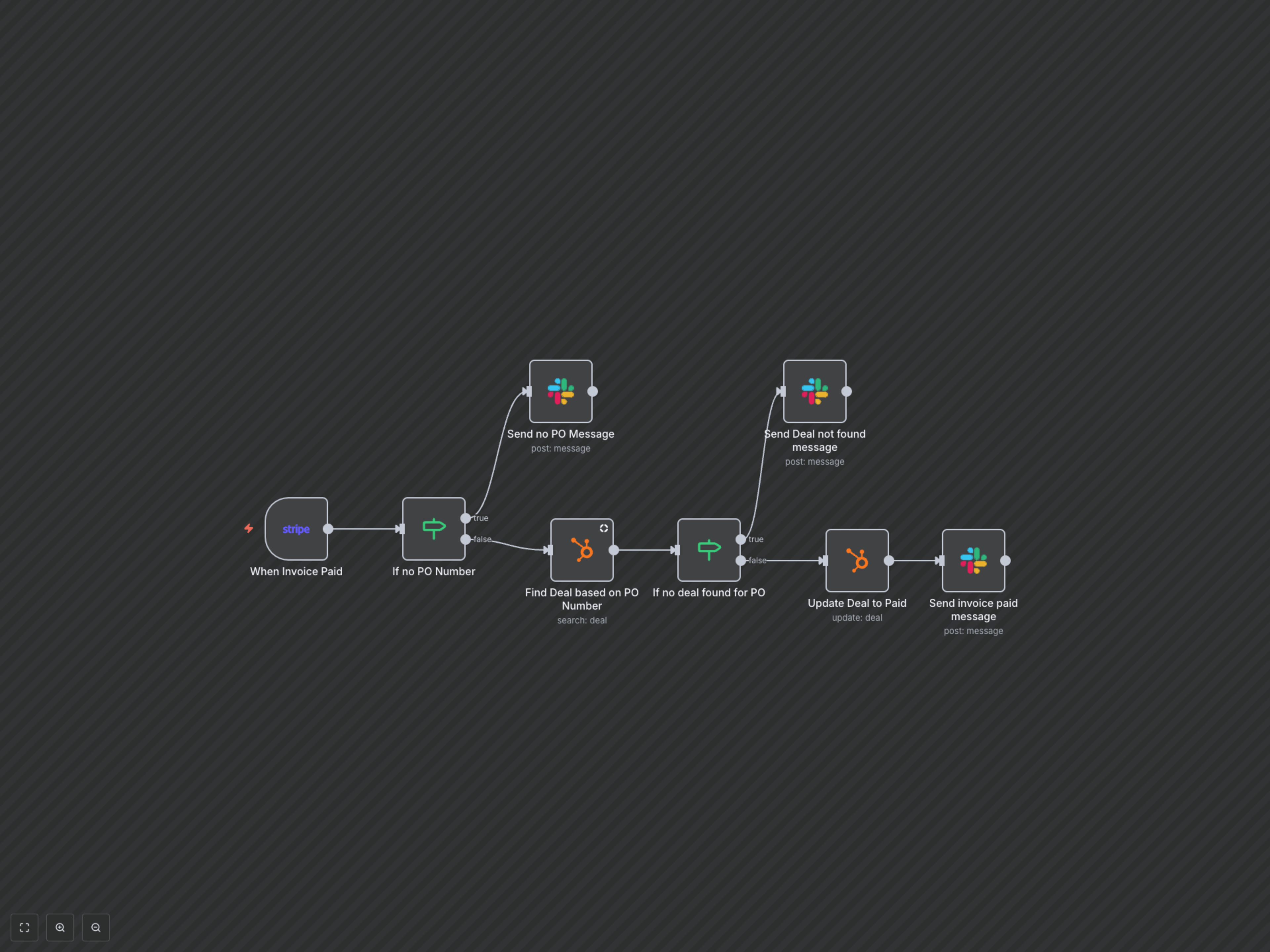
The workflow initiates when a Stripe invoice payment is successfully processed. It first checks if a Purchase Order (PO) number is present in the invoice's custom fields. If no PO number is found, a specific warning message is sent to your designated Slack channel. If a PO number exists, the workflow attempts to locate a corresponding deal in HubSpot. If the deal is found, its status is updated to 'Paid'. If no matching deal is found, an alert is dispatched to Slack, prompting for manual review. Finally, a detailed success notification is sent to your team in Slack, providing all relevant payment and customer information.