
Automate Pre-Meeting Prep with AI-Powered Attendee Insights
Receive AI-generated pre-meeting briefings in minutes, saving hours of manual research and significantly enhancing your meeting readiness and attendee engagement.
Busy professionals often lack time to prepare adequately for meetings, leading to missed opportunities for effective engagement. This workflow uses AI to automate comprehensive attendee research, summarize communications, and deliver personalized pre-meeting briefings directly to your WhatsApp.



Documentation
AI-Powered Meeting Assistant: Smart Pre-Meeting Notifications
This powerful n8n workflow builds an AI meeting assistant that sends information-dense pre-meeting notifications for your upcoming meetings. It's an ideal solution for busy professionals who want to save time, make a strong impression, and be thoroughly prepared for every interaction.
Key Features
- Automated hourly scanning for upcoming Google Calendar meetings.
- Intelligent extraction of attendee contact details and LinkedIn profiles using advanced AI.
- Automated fetching and AI-powered summarization of past email correspondence with attendees.
- Real-time scraping and AI summarization of an attendee's recent LinkedIn activities.
- AI-generated, personalized pre-meeting notifications tailored for quick consumption.
- Instant delivery of meeting briefings directly to your WhatsApp for on-the-go access.
How It Works
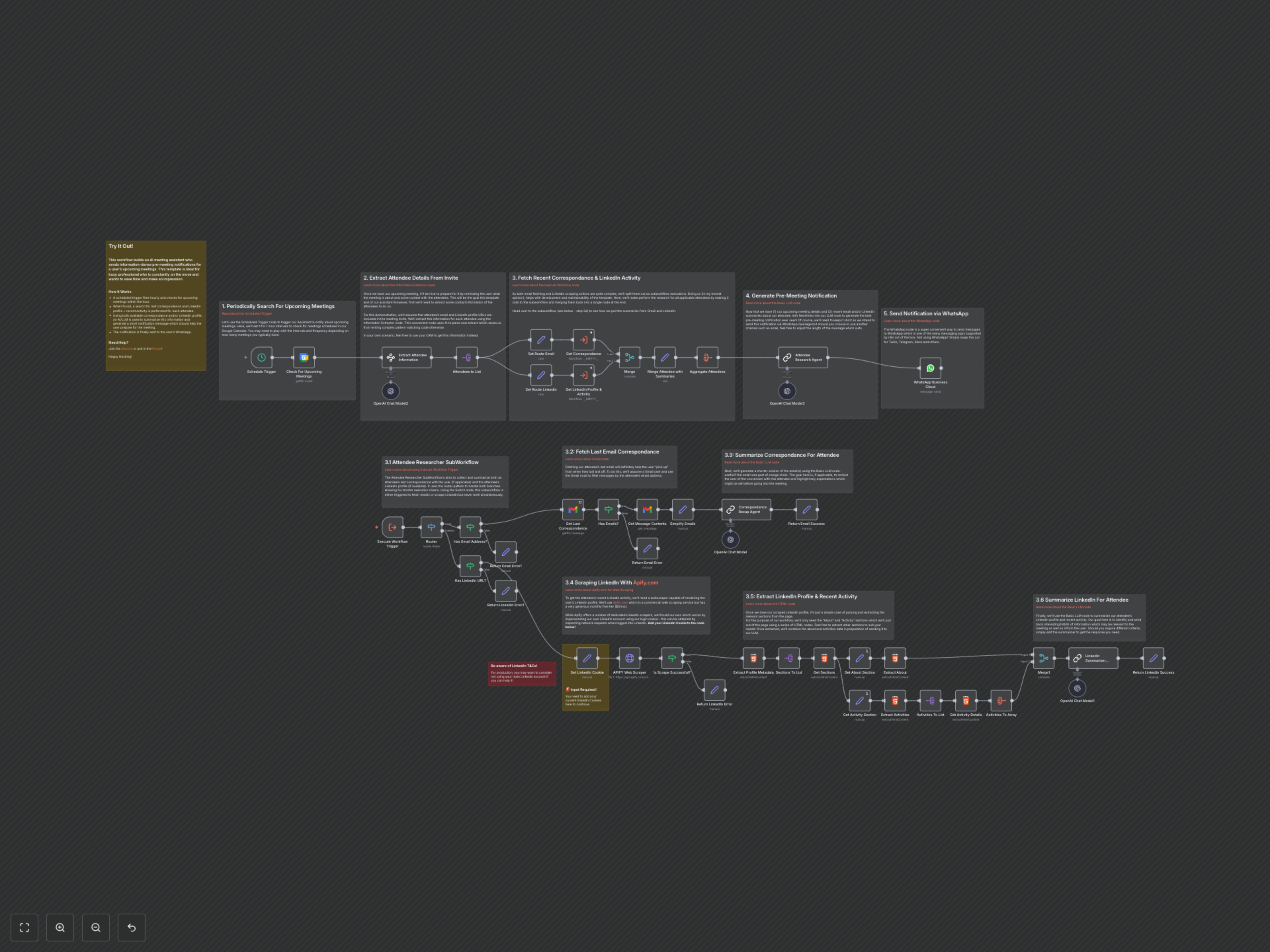
This powerful n8n solution is structured as a main workflow and a dedicated sub-workflow for attendee research. The main workflow handles scheduling, notification generation, and delivery, while the sub-workflow focuses on gathering detailed insights for each attendee. Here’s a step-by-step breakdown:
1. Periodically Scan for Upcoming Meetings
The main workflow initiates with a Schedule Trigger node, configured to run hourly. It then uses the Google Calendar node to check for any meetings scheduled within the next hour. This ensures you receive timely notifications for your immediate commitments.
2. AI-Extract Attendee Information from Meeting Invites
Once an upcoming meeting is identified, the Information Extractor (AI) node, powered by OpenAI, intelligently parses the meeting invitation details. It extracts attendee names, email addresses, and LinkedIn profile URLs. This AI-powered step streamlines data gathering, eliminating manual effort.
3. Research Attendee Insights (Sub-Workflow)
For each extracted attendee, the main workflow triggers a dedicated sub-workflow, referred to as the "Attendee Researcher SubWorkflow," via an Execute Workflow Trigger node. This sub-workflow is responsible for gathering comprehensive insights and uses a Switch node to route requests based on whether email or LinkedIn data is available.
3.1 Fetch Last Email Correspondence and Summarize
If an attendee's email is available, the Gmail node retrieves their most recent email correspondence. This email content is then fed into an AI-powered Correspondance Recap Agent node, which succinctly summarizes the conversation, highlighting key discussion points or expectations relevant to the upcoming meeting. This helps you quickly recall past interactions and prepare effectively.
3.2 Scrape and Summarize LinkedIn Activity
For attendees with a LinkedIn profile, the workflow utilizes the APIFY Web Scraper node to scrape their public profile. Note: This requires your LinkedIn login cookie (specifically the 'li_at' cookie) for authentication, which must be added to the 'Set LinkedIn Cookie' node. The scraped HTML is then processed by HTML nodes to extract key sections like 'About' and 'Activity'. Finally, an AI-powered LinkedIn Summarizer Agent condenses this information into noteworthy achievements and recent activities, providing valuable talking points and context.
4. Generate Personalized Pre-Meeting Notification
After gathering all available attendee insights and merging them back into the main workflow, the Attendee Research Agent (AI/LLM) node crafts a concise, personalized pre-meeting notification. This AI agent leverages the meeting details, email summaries, and LinkedIn insights to generate a compelling message, optimized for quick consumption via mobile.
5. Send Notification via WhatsApp
The final step involves delivering the generated pre-meeting notification. The WhatsApp Business Cloud node sends the personalized message directly to your specified WhatsApp number, ensuring you receive timely and actionable intelligence right before your meetings. You can easily swap this node for other messaging platforms like Twilio, Telegram, or Slack if preferred.