
Automate Outlook Email Categorization with AI for Instant Inbox Organization
Automatically categorize hundreds of Outlook emails daily, reducing manual inbox management by up to 90% and ensuring critical communications are never missed.
Manually sorting and categorizing Outlook emails consumes valuable time and clutters your inbox. This n8n workflow leverages an intelligent AI agent to automatically categorize and organize incoming emails, ensuring a clean and productive workspace.


Documentation
Auto-Categorize Outlook Emails with AI
This powerful n8n workflow automates the tedious task of email organization in Microsoft Outlook. By integrating a local AI model (Ollama via LangChain), it intelligently sorts incoming messages into predefined categories, saving you significant time and effort in managing your inbox.
Key Features
- Intelligent Email Categorization: Automatically assigns categories like 'Action', 'Junk', 'Receipt', 'SaaS', 'Community', 'Business', or 'Other' using an AI model.
- Automated Email Movement: Moves categorized emails to designated Outlook folders for streamlined organization.
- Contextual Sub-Categorization: Utilizes AI to add secondary categories (e.g., "SaaS" with "action") for more granular sorting.
- Processes Unread & Uncategorized Emails: Efficiently filters and processes only relevant emails, avoiding duplicates or already managed messages.
- Clean Email Content for AI: Sanitizes email bodies by removing HTML and irrelevant data, ensuring accurate and focused AI analysis.
How It Works
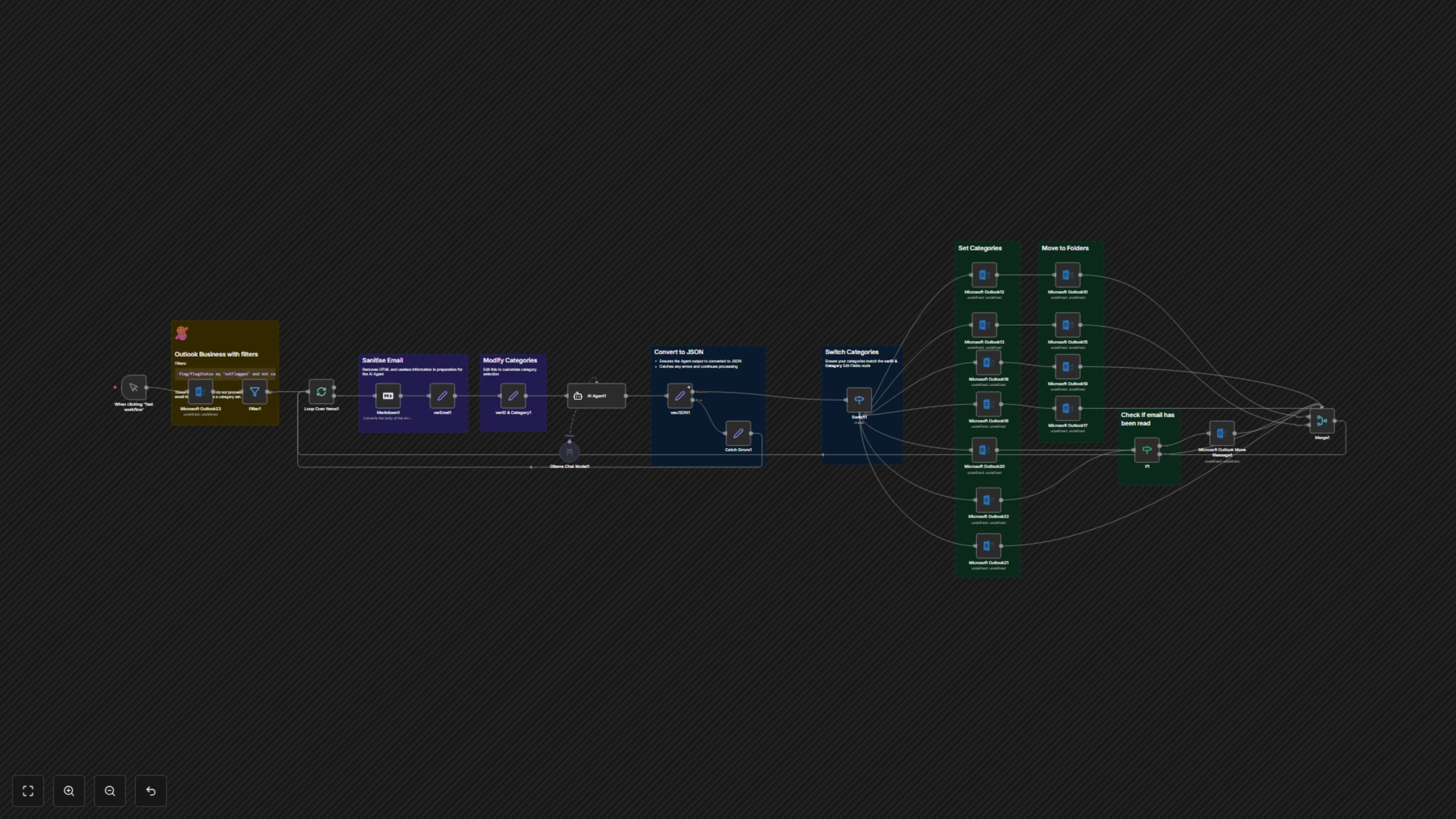
The workflow initiates by fetching unflagged and uncategorized emails from your specified Outlook inbox. Each email's body is then converted to clean Markdown format, and critical details (subject, sender, body) are extracted. An AI Agent, powered by the Ollama `qwen2.5:14b` model via LangChain, analyzes this sanitized content to determine the most suitable primary and sub-category for the email. Based on the AI's output, the workflow updates the email's categories in Outlook and then moves it to the appropriate folder, such as 'Junk Email', 'Receipt', 'SaaS', 'Community', or 'Actioned', enhancing your email management efficiency.