
Automate Local File Sync & Build AI Q&A with Qdrant
Achieve instant, AI-powered knowledge retrieval from local files, reducing manual document processing and research time by over 90%.
Manual tracking of local document changes and building intelligent Q&A systems are time-consuming and prone to errors. This workflow automates the synchronization of local files with a Qdrant vector store, instantly creating a powerful AI Q&A agent powered by Mistral AI for rapid insights and improved knowledge accessibility.



Documentation
AI-Powered Local Document Q&A with Qdrant and Mistral
Seamlessly transform your local file repositories into dynamic knowledge bases. This workflow ensures your AI assistant always has the most current information, eliminating manual updates and dramatically improving access to insights.
Key Features
- Real-time synchronization of local file additions, changes, and deletions with your Qdrant vector store.
- Automatic document processing and chunking using LangChain for optimal embedding.
- Generate high-quality vector embeddings with Mistral AI, enhancing search accuracy.
- Deploy an interactive AI Q&A agent powered by Mistral AI, providing instant answers from your private documents.
- Maintain a clean and relevant vector store by automatically purging deleted document data.
How It Works
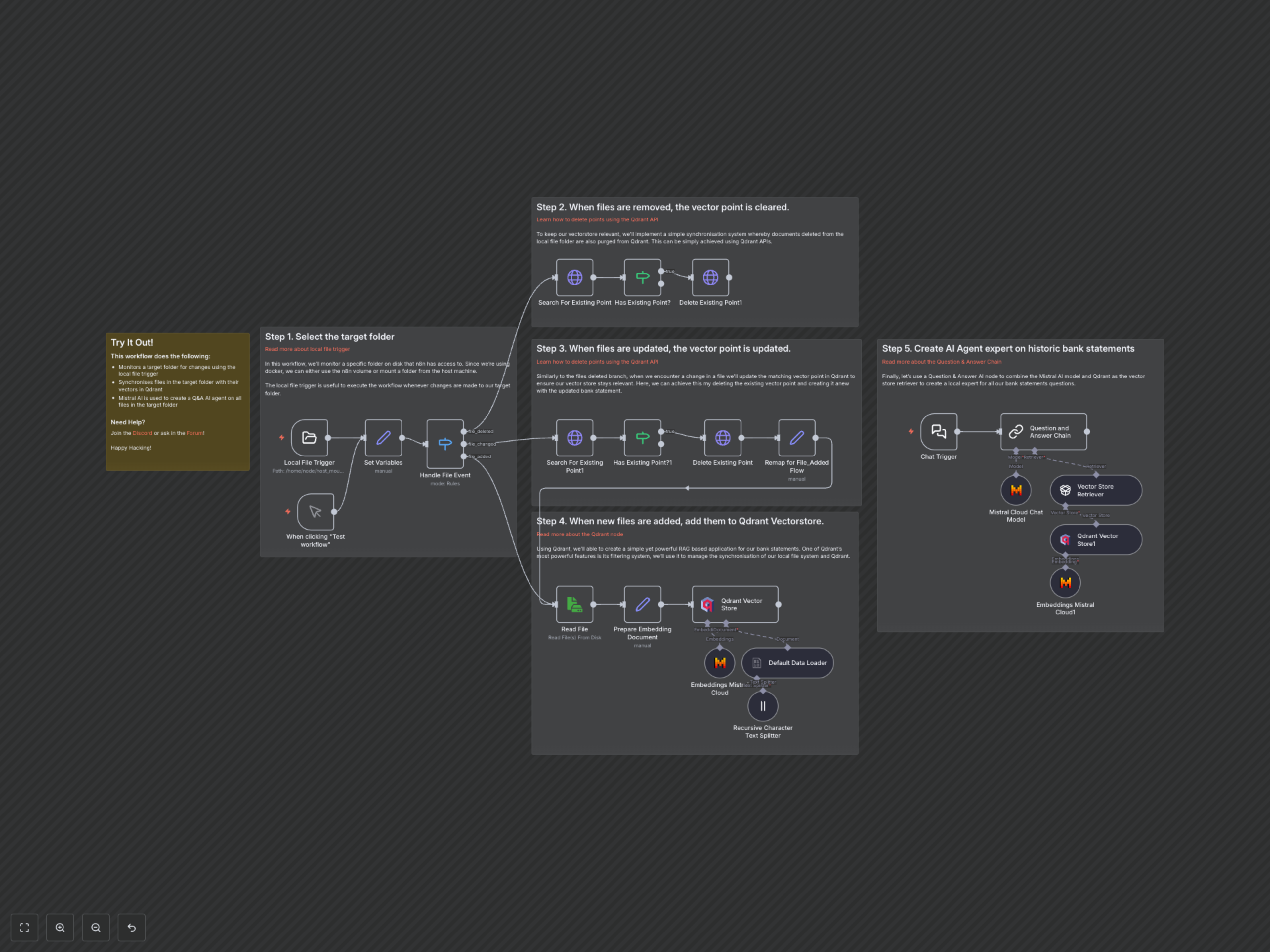
This workflow continuously monitors a specified local folder for any file system events (new files, modified files, deleted files). When a change is detected, it intelligently updates your Qdrant vector database. Newly added or changed files are read, processed through a text splitter, embedded using Mistral AI, and then stored as vectors in Qdrant with relevant metadata. If a file is deleted, its corresponding vectors are removed from Qdrant, ensuring data hygiene. Finally, a dedicated Chat Trigger activates a Question & Answer Chain, allowing users to query the vector store via a Mistral AI language model to get instant answers based on the synchronized document content.