
Automate AI Note Generation & Accelerate Document Understanding
Automatically transform any source document into three types of structured AI-generated notes, drastically reducing document analysis time by up to 80% and improving knowledge retention.
Manually extracting key information and creating structured notes from various documents (PDFs, DOCX, TXT) is time-consuming and inefficient. This workflow automates the entire process, leveraging AI to summarize, vectorize, and generate multiple types of ready-to-use notes like study guides, timelines, and briefing documents instantly.



Documentation
AI-Powered Document Analysis and Smart Note Generation
This n8n workflow revolutionizes how you interact with your documents by automating the extraction of key information and the generation of diverse, structured notes. Designed for anyone needing to quickly distill complex information, it transforms raw files into actionable insights without manual effort.
Key Features
- Automated Document Ingestion: Watches a local folder for new PDF, DOCX, or text files and automatically processes them.
- AI-Powered Summarization: Generates concise summaries of your documents for quick overviews.
- Intelligent Vectorization: Stores document contents in a Qdrant vector store, enabling advanced retrieval-augmented generation (RAG) for highly accurate AI responses.
- Multi-Format Note Generation: Automatically creates three distinct types of notes: comprehensive study guides, chronological timelines, and executive briefing documents.
- Customizable Templates: Easily extend the workflow to generate additional document types tailored to specific needs.
- Seamless Export: Exports all AI-generated notes as Markdown files to your local filesystem, organized alongside the original source.
How It Works
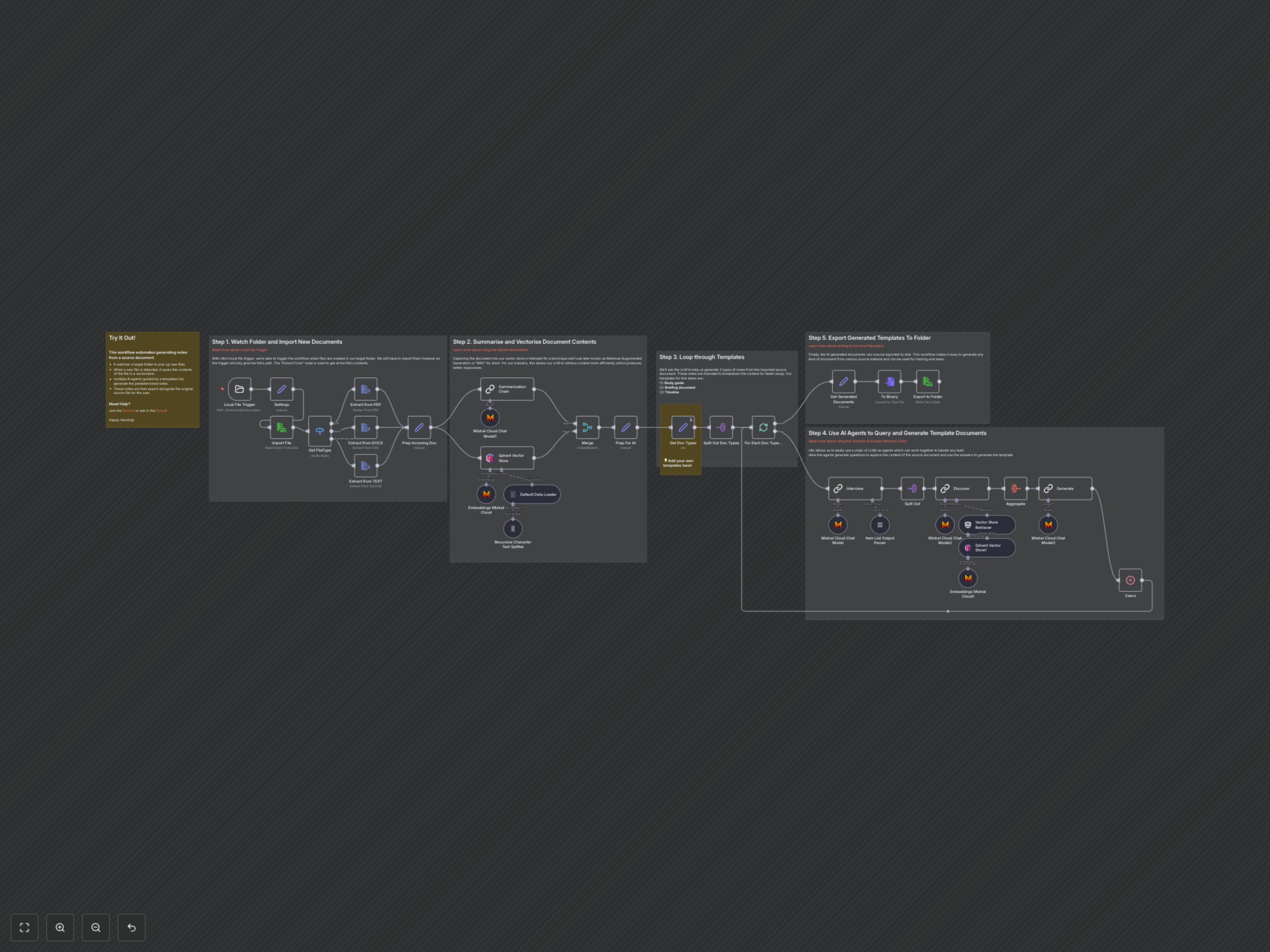
1. Monitor and Import: The workflow continuously monitors a specified local folder. When a new file (PDF, DOCX, or TXT) is added, it's automatically detected, imported, and its type is identified.
2. Extract and Prepare: The content of the imported document is extracted, prepped, and then a comprehensive summary is generated using a Mistral AI chat model.
3. Vectorize for RAG: The document's content is chunked, embedded using Mistral AI, and stored in a Qdrant vector database. This prepares the data for efficient retrieval by subsequent AI agents, ensuring contextually rich responses.
4. Template-Driven Generation Loop: The workflow iterates through a predefined list of document templates (e.g., Study Guide, Timeline, Briefing Doc). For each template, it engages a series of AI agents.
5. AI Agent Orchestration: An initial Mistral AI chat model generates targeted questions based on the document summary. These questions are then used by a retrieval-augmented generation (RAG) chain to query the vector store for relevant context and formulate detailed answers.
6. Synthesize and Format: A final Mistral AI chat model synthesizes the gathered information and generated answers, transforming them into the desired note format (e.g., study guide, timeline) using Markdown for clear structure.
7. Export to Filesystem: The newly generated notes are converted into Markdown files and exported back to the local folder, making them immediately accessible and ready for use.