Airtable Invoice Data Extraction Workflow
Users can automate invoice data entry—turning raw invoice files into organized records in Airtable with success or failure alerts sent through Slack.
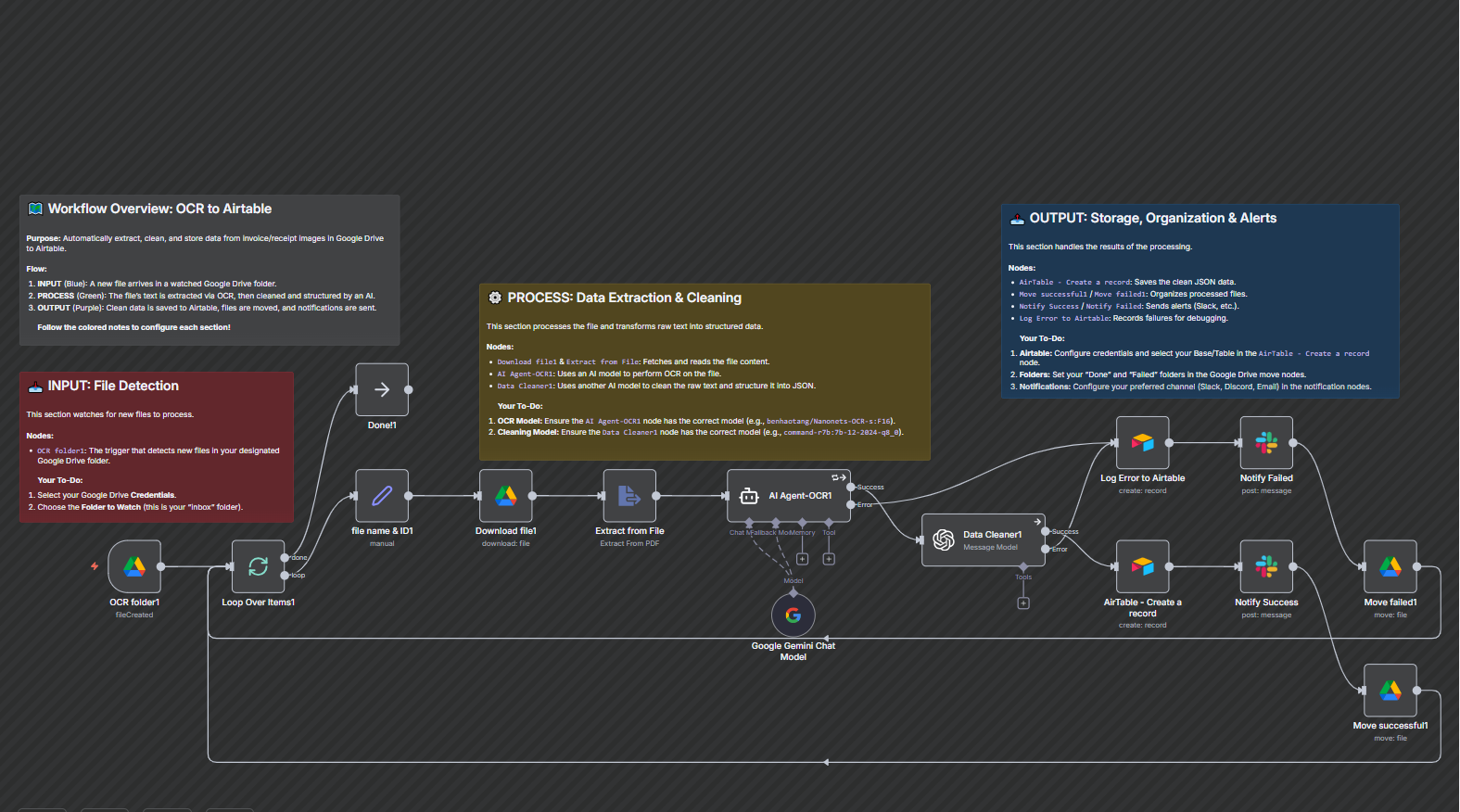
This workflow automatically extracts invoice data from files in Google Drive using AI-powered OCR, cleans the data into a structured format, and saves it to Airtable.



Documentation
DescriptionTired of manually entering invoice data? This workflow automates the entire process — from reading invoices in Google Drive to storing clean, structured data in Airtable. It uses AI to extract key details like vendor, amount, and date, then organizes everything automatically. Say goodbye to data entry errors and wasted time — this workflow keeps your finance records accurate and up to date effortlessly.
Workflow Steps
- Detects new invoices: The workflow automatically scans your Google Drive for new invoice files.
- Reads and extracts details: AI technology reads each invoice and pulls out important data such as supplier name, invoice number, total amount, and due date.
- Cleans and formats data: The extracted information is neatly organized into a consistent format.
- Stores records in Airtable: Clean data is saved into your Airtable base for easy tracking and reporting.
- Sends notifications: You’ll receive a Slack message confirming successful uploads or alerts if any invoice fails to process.
Key Benefits
- Save Hours of Manual Work – Automatically extract and organize invoice data without lifting a finger.
- Improve Accuracy – Reduce costly human errors by relying on AI to capture and clean your data.
- Stay Organized Effortlessly – Keep all your invoices centralized, structured, and instantly searchable in Airtable.