
Track GitHub Forks, Auto-Create Pipedrive Sales Leads
Automatically capture every GitHub repository fork and convert it into a Pipedrive sales lead, ensuring zero missed prospects and enriched lead data for a streamlined sales pipeline.
Manually monitoring GitHub repository forks and creating corresponding sales leads is a time-consuming process that can lead to missed opportunities. This workflow automates the detection of GitHub fork events, instantly creating or updating Pipedrive leads to ensure no potential prospect is overlooked.


Documentation
Automate GitHub Fork Tracking for Pipedrive Leads
Manually tracking GitHub repository forks and creating corresponding sales leads in Pipedrive consumes valuable time and can lead to missed opportunities for engaging with potential prospects. This workflow automates the entire process, ensuring every fork event is captured and converted into an actionable sales lead.
Key Features
- Automatic GitHub Fork Detection: Instantly triggers upon any designated repository fork event.
- Smart Pipedrive Lead Creation: Automatically creates new leads in Pipedrive, associating them with existing contacts or creating new person records if needed.
- Enriched Lead Data: Captures the forker's GitHub profile information and adds a direct link to their profile in Pipedrive notes for quick access.
- Consistent Sales Pipeline Growth: Ensures every potential prospect from your open-source or public repositories is funneled directly into your sales process.
How It Works
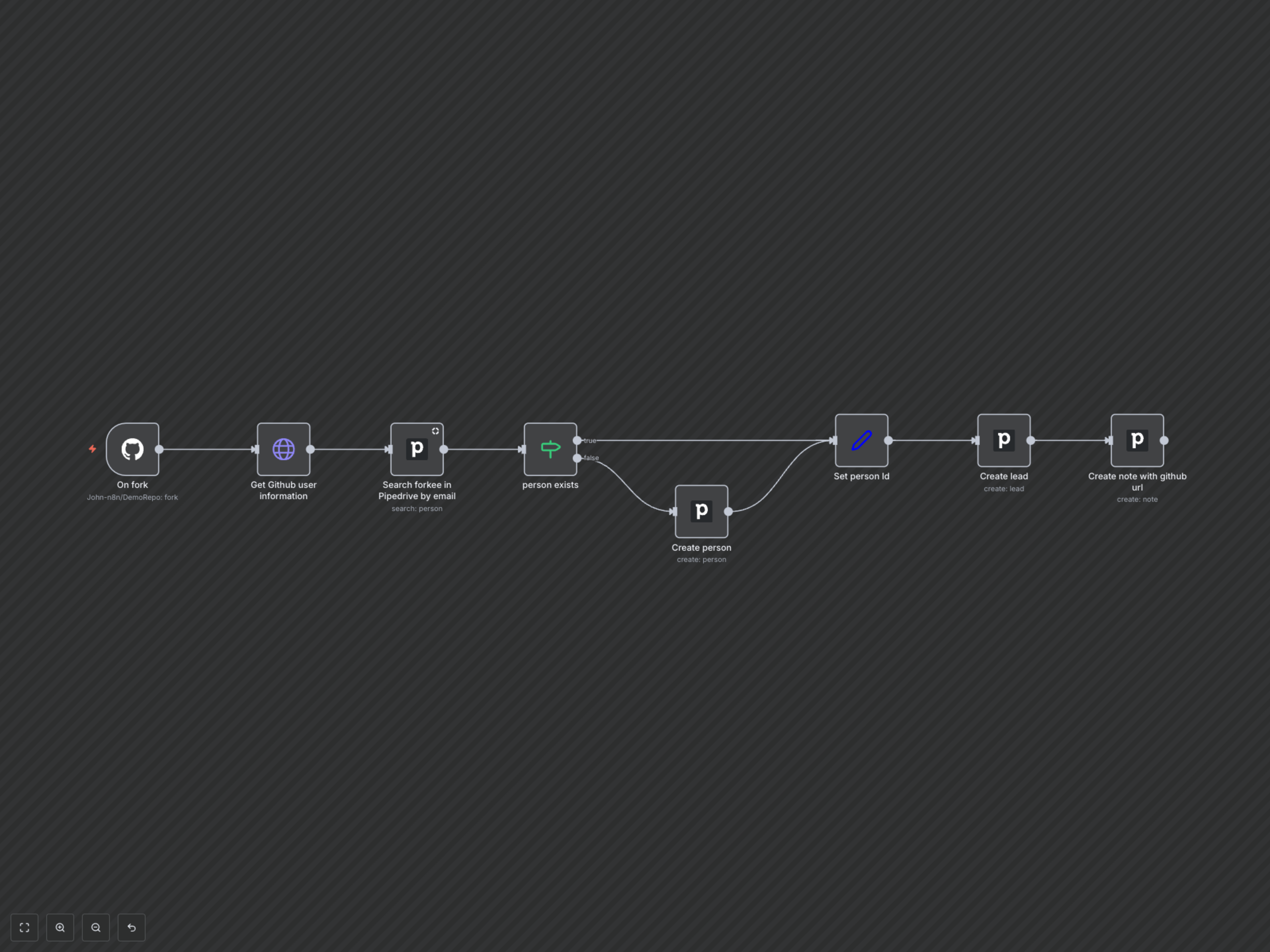
This workflow starts by listening for a fork event on a specified GitHub repository. Upon detection, it retrieves the forking user's detailed information, including their email address. It then intelligently searches Pipedrive to determine if a person with that email already exists. If not, a new Pipedrive person is created. Finally, a new lead is created in Pipedrive, associated with the identified (or newly created) person, and a note containing the forker's GitHub URL is added to the lead.