
Monitor n8n Community Keywords, Auto-Update Google Sheets Hourly
Automatically track hundreds of new n8n community topics hourly, saving hours of manual searching and ensuring timely awareness of critical discussions.
Manually tracking new discussions and solutions in the n8n community is time-consuming and prone to missing critical updates. This workflow automatically monitors the n8n community for specific keywords, compiling all relevant new topics into a Google Sheet for easy access and analysis.



Documentation
n8n Community Topic Tracker by Keyword
This workflow provides an automated solution to keep track of discussions and solutions within the n8n community. By monitoring specified keywords, it helps users stay informed about relevant topics without constant manual checking.
Key Features
- Automated hourly scanning of the n8n community for specified keywords.
- Centralized data storage of topic IDs, URLs, dates, titles, and solution status in Google Sheets.
- Instant notification via Slack or email when new topics are added to your tracking sheet (optional).
- Eliminates manual searching, saving valuable time and ensuring comprehensive coverage.
How It Works
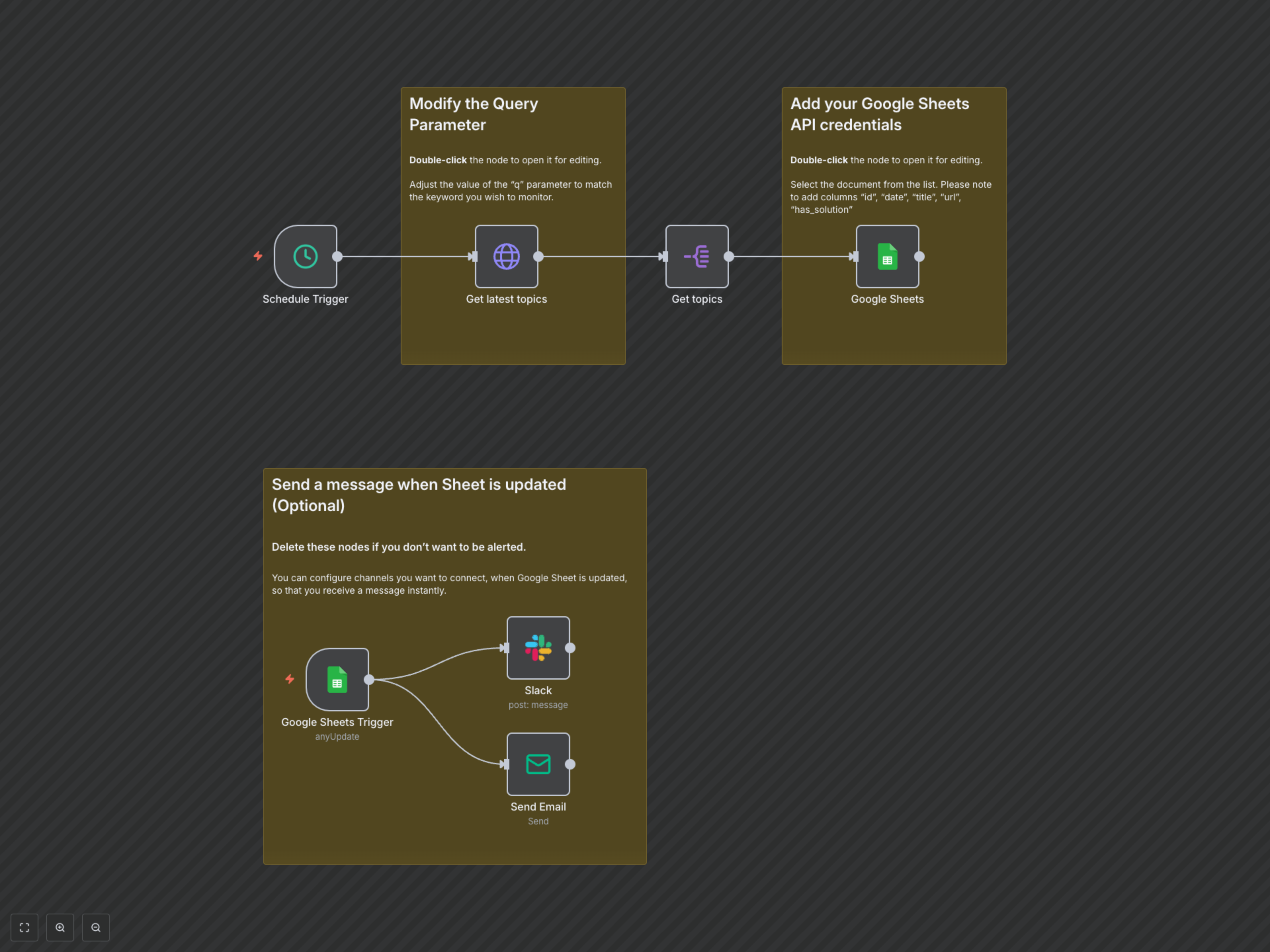
The workflow begins with a Schedule Trigger set to run hourly. It then uses an HTTP Request node to query the n8n community forum for the latest topics matching your specified keyword. The response is processed by a Split Out node to extract individual topics. Each relevant topic's details, including its ID, URL, creation date, title, and whether it has an accepted solution, are then appended or updated in your designated Google Sheet. Additionally, an optional second branch of the workflow uses a Google Sheets Trigger to detect updates to your sheet and send immediate notifications via Slack or Email, ensuring you're always up-to-date.