Meta Ads Campaign Overview & Comparative Analysis
Quickly understand Meta Ads campaign performance with automated reports, revealing key metrics and trends for optimized ad spend and improved ROI.
This workflow is designed to automate the process of generating a comprehensive report analyzing Meta Ads Campaign data. It involves data extraction, preprocessing, and visualization to help in assessing trends and performance metrics.


Documentation
Description
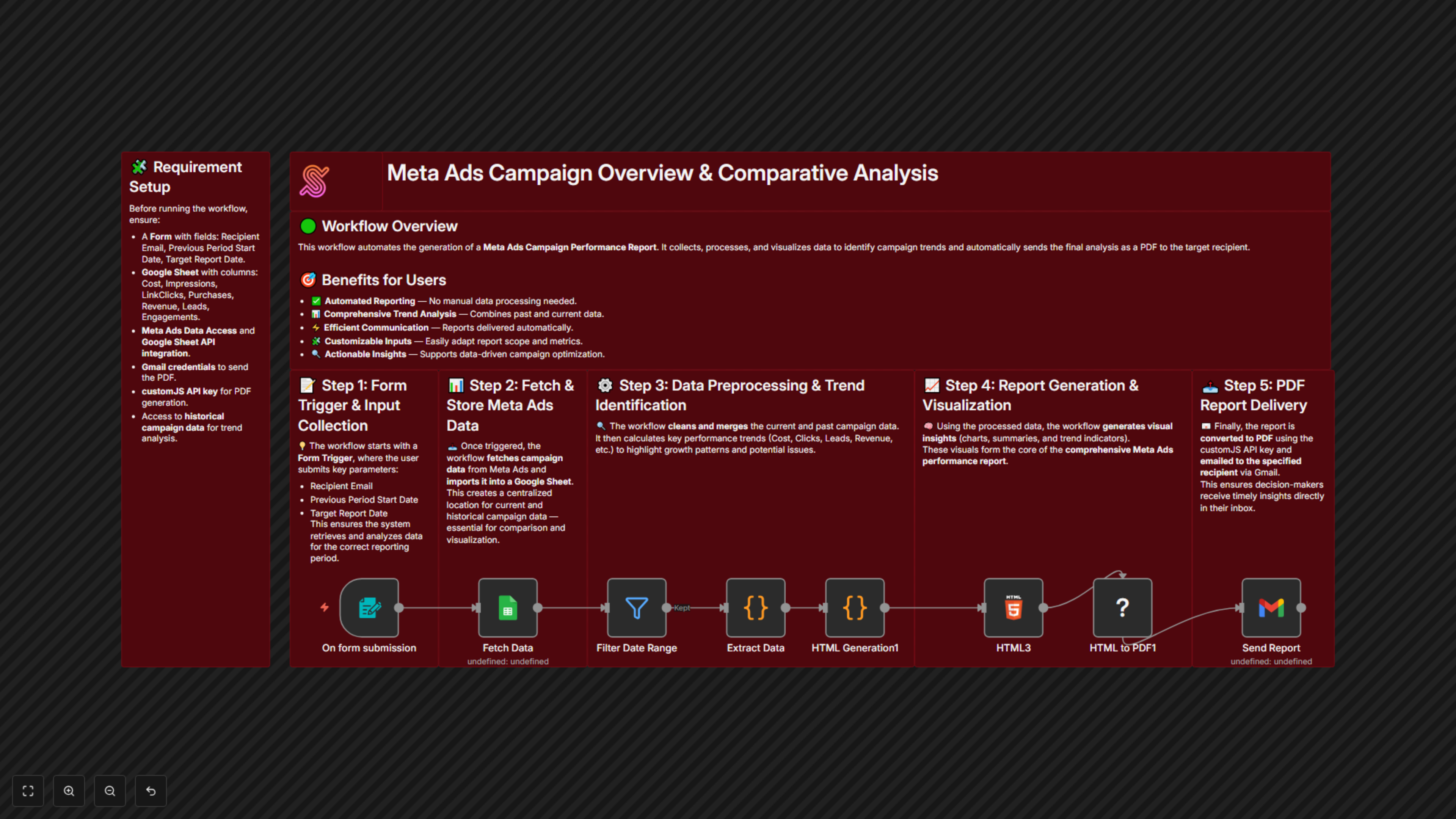
This workflow starts with a form trigger, where the user inputs details such as the recipient's email, previous period start date, and target report date. The workflow fetches Meta Ads Campaign data into a Google Sheet, pre-processes it along with historical data to identify trends, generates a comprehensive report for all active campaigns, visualizes the trends, and sends the final report to the recipient.
Workflow Steps
- Initiate workflow using a form trigger with required inputs:
- Recipient Email
- Previous Period Start Date
- Target Report Date
- Fetch Meta Ads Campaign data and import it into a Google Sheet.
- Preprocess current and historical data to identify trends for each metric.
- Generate and visualize the report for all active campaigns.
- Send the report in PDF format to the specified recipient email using a customJS API key.
Benefits for Customers / Users
- Automated Reporting – Streamlines detailed performance report generation.
- Data Preprocessing – Combines current and historical data for better insights.
- Trend Analysis – Visualizes trends for informed decision-making.
- Customizable – Inputs can be easily modified to tailor the report.
- Efficient Communication – Reports are sent directly to the specified recipient.
- Comprehensive Metrics – Covers a wide range of performance indicators for thorough evaluation.
Workflow Prerequisites
- A form with fields for Recipient Email, Previous Period Start Date, and Target Report Date.
- Access to Meta Ads Campaign data that can be transferred to Google Sheets.
- Google Sheet setup for data collection and trend analysis.
Requirements
- Data columns must include:
- Cost
- Impressions
- Link Clicks
- Purchases
- Revenue
- Leads
- Engagements
- System requirements:
- Gmail credential to send PDF reports
- customJS API Key to generate PDF from HTML content
- Integration requirements:
- Access to historical campaign data for trend analysis
- Google Sheet API access for data integration