
Extract Web Data with AI Vision & Gemini to Google Sheets
Automate structured data extraction from any webpage, reducing manual research time by up to 90% and ensuring high-accuracy data collection for analysis.
Manual web scraping and data extraction from complex webpages is time-consuming and error-prone. This workflow automates structured data extraction using a Gemini-powered vision AI agent, seamlessly storing results in Google Sheets.


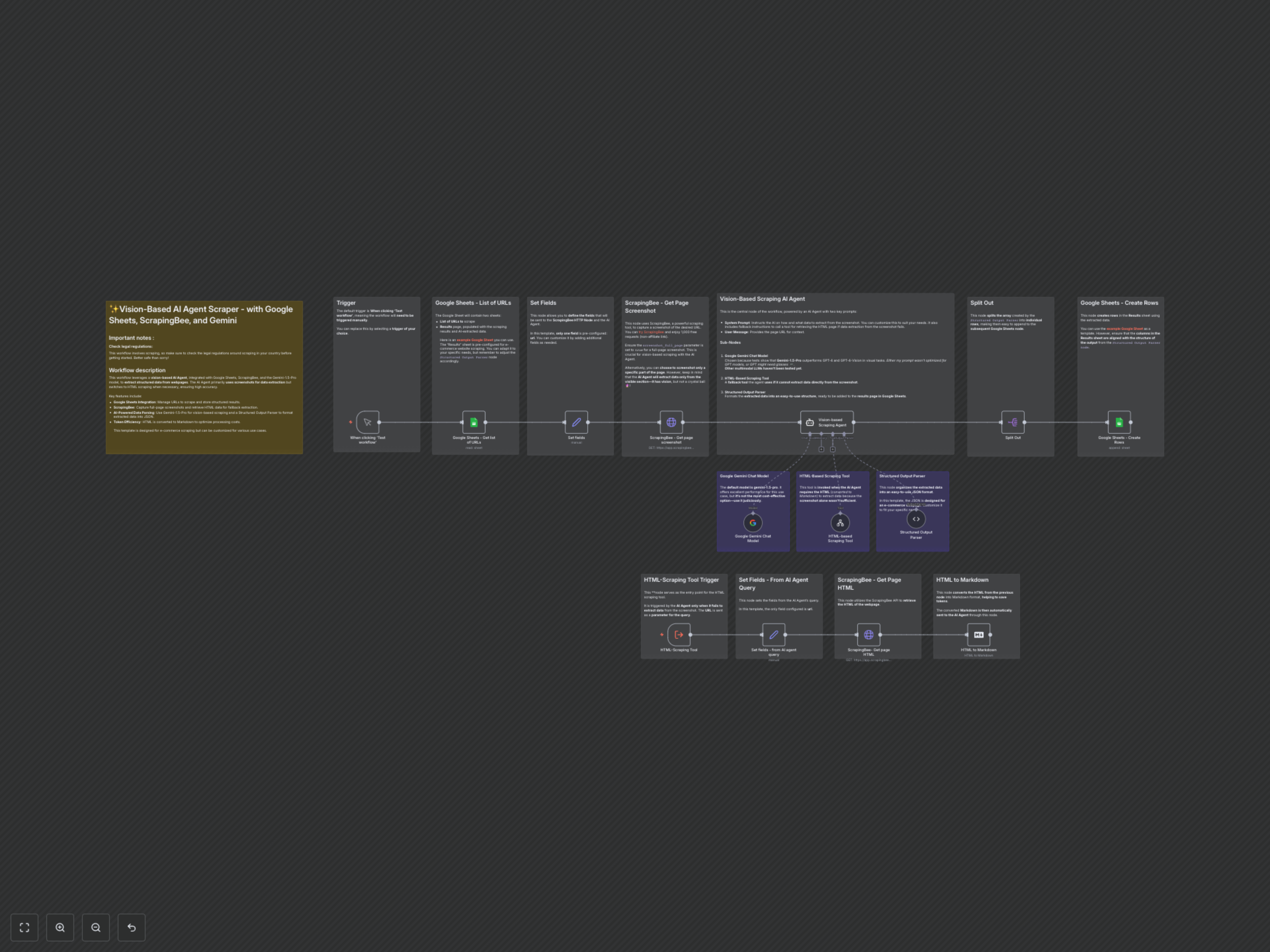

Documentation
Vision-Based AI Agent Web Scraper
This advanced n8n workflow leverages the power of AI vision to automate the extraction of structured data from any webpage. Ideal for e-commerce, market research, or competitive analysis, it intelligently scrapes information like product titles, prices, and promotional details, saving it directly into Google Sheets.
Key Features
- AI-Powered Vision Scraping: Utilizes Gemini-1.5-Pro to interpret webpage screenshots for accurate data extraction, mimicking human perception.
- Intelligent Fallback Mechanism: Automatically switches to HTML-based scraping via ScrapingBee if vision-based extraction is insufficient, ensuring comprehensive data capture.
- Google Sheets Integration: Centralize all extracted data, from product URLs to pricing and promotions, into a neatly organized spreadsheet.
- Structured Output: Data is parsed into a clear JSON format, making it ready for analysis or further automation.
- Cost-Optimized HTML Processing: Converts HTML to Markdown before AI processing to reduce token usage and optimize costs.
How It Works
1. Trigger & URL Collection: The workflow starts manually (or with your chosen trigger) by fetching a list of target URLs from a Google Sheet. 2. Screenshot Capture: For each URL, ScrapingBee captures a full-page screenshot, which is then passed to the AI agent. 3. Vision-Based AI Analysis: A Gemini-1.5-Pro powered AI agent analyzes the screenshot to identify and extract specified data points (e.g., product title, price, brand). 4. HTML Fallback (If Needed): If the AI agent cannot confidently extract all required data from the screenshot, it automatically invokes a sub-workflow to retrieve the page's HTML (converted to Markdown for efficiency). 5. Structured Data Output: The extracted data, from either vision or HTML, is then parsed into a structured JSON format. 6. Google Sheets Storage: Finally, the structured data is split into individual records and appended as new rows in a designated "Results" sheet within Google Sheets.