
Automated Digital Art Processing & Shopify Product Creation System
Eliminate 95% of manual product creation by automating image analysis, content generation, and Shopify publishing.
E-commerce teams often spend hours converting images into publish-ready products, writing descriptions, selecting categories, and uploading listings. This workflow automates the entire lifecycle: fetching raw artwork, analyzing it using AI, generating SEO-optimized product content, and pushing finished products directly into Shopify. By connecting Airtable, Google Drive, AI models, and Shopify into one seamless pipeline, teams dramatically reduce manual work while improving speed and consistency.




Documentation
Description
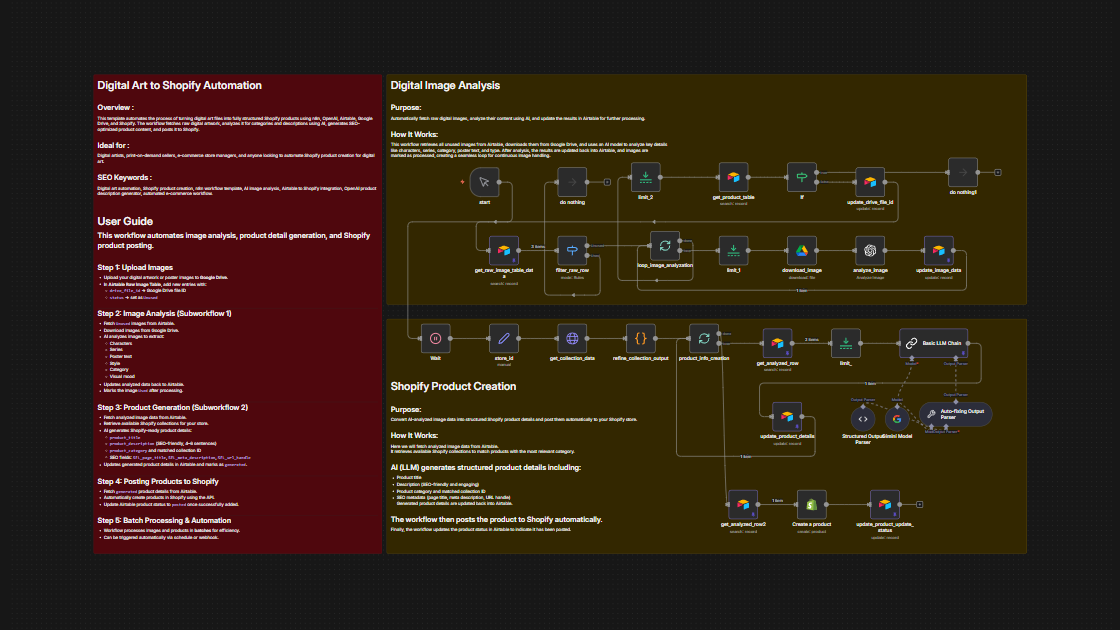
This workflow is a complete automation engine for digital art e-commerce sellers. It identifies new artwork files, analyzes their visual content using AI, generates rich product metadata, maps each item to the correct Shopify collection, and posts products directly to your store—all without manual effort. Designed for creators, print-on-demand businesses, and art marketplaces, this workflow ensures product listings are consistent, SEO-friendly, and published faster than ever.
Workflow Steps
Phase 1: Image Retrieval & Analysis
- Detect new image records marked as Unused in Airtable.
- Download associated artwork from Google Drive.
- Analyze the artwork using AI to extract:
- Character name
- Series name
- Style/category
- Poster type
- Visible text
- Store all extracted data back into Airtable and mark the image Used.
Phase 2: Product Content Generation
- Retrieve all processed images with AI metadata.
- Pull Shopify collections for category matching.
- Use LLM models to generate fully structured Shopify product details, including:
- Product title
- 4–6 sentence SEO description
- Collection match
- Page title, meta description, URL handle
- Write the generated product data to the Airtable product_details table.
Phase 3: Shopify Product Posting
- Fetch products marked as generated.
- Create Shopify products via the API using generated titles, descriptions, handles, and metadata.
- Update product status in Airtable to posted.
Phase 4: Looping & Automation
- The workflow loops batches until all images and products are processed.
- Can run via manual trigger, webhook, or scheduled interval.
Key Benefits
- Dramatically reduce manual product creation by letting AI extract artwork details and generate publish-ready content.
- Ensure consistent SEO & metadata, improving ranking, click-through rate, and conversions.
- Accelerate product launches, enabling high-volume digital art sellers to scale without adding staff.