
Automate Productboard Data to Snowflake for Deep Product Insights
Automate weekly Productboard data synchronization to Snowflake, saving hours of manual data preparation and ensuring up-to-date product insights for strategic decision-making.
Manually extracting and consolidating Productboard notes, features, and company data for analysis is a significant time sink. This workflow automatically syncs all critical Productboard data into Snowflake, providing a centralized, queryable source for advanced product insights and automated weekly reporting.


Documentation
Automate Productboard Data to Snowflake for Deep Product Insights
This powerful workflow centralizes all your Productboard data—including notes, features, and company information—directly into Snowflake. Eliminate manual exports and ensure your product analytics are always based on the most current, comprehensive data.
Key Features
- Automated, scheduled extraction of Productboard notes, companies, and features.
- Centralized and queryable Productboard data within your Snowflake data warehouse.
- Efficient batch processing for rapid and reliable updates to Snowflake tables.
- Automated weekly Slack notifications summarizing new insights and unprocessed notes.
- Foundation for advanced product analytics and custom reporting in tools like Metabase.
How It Works
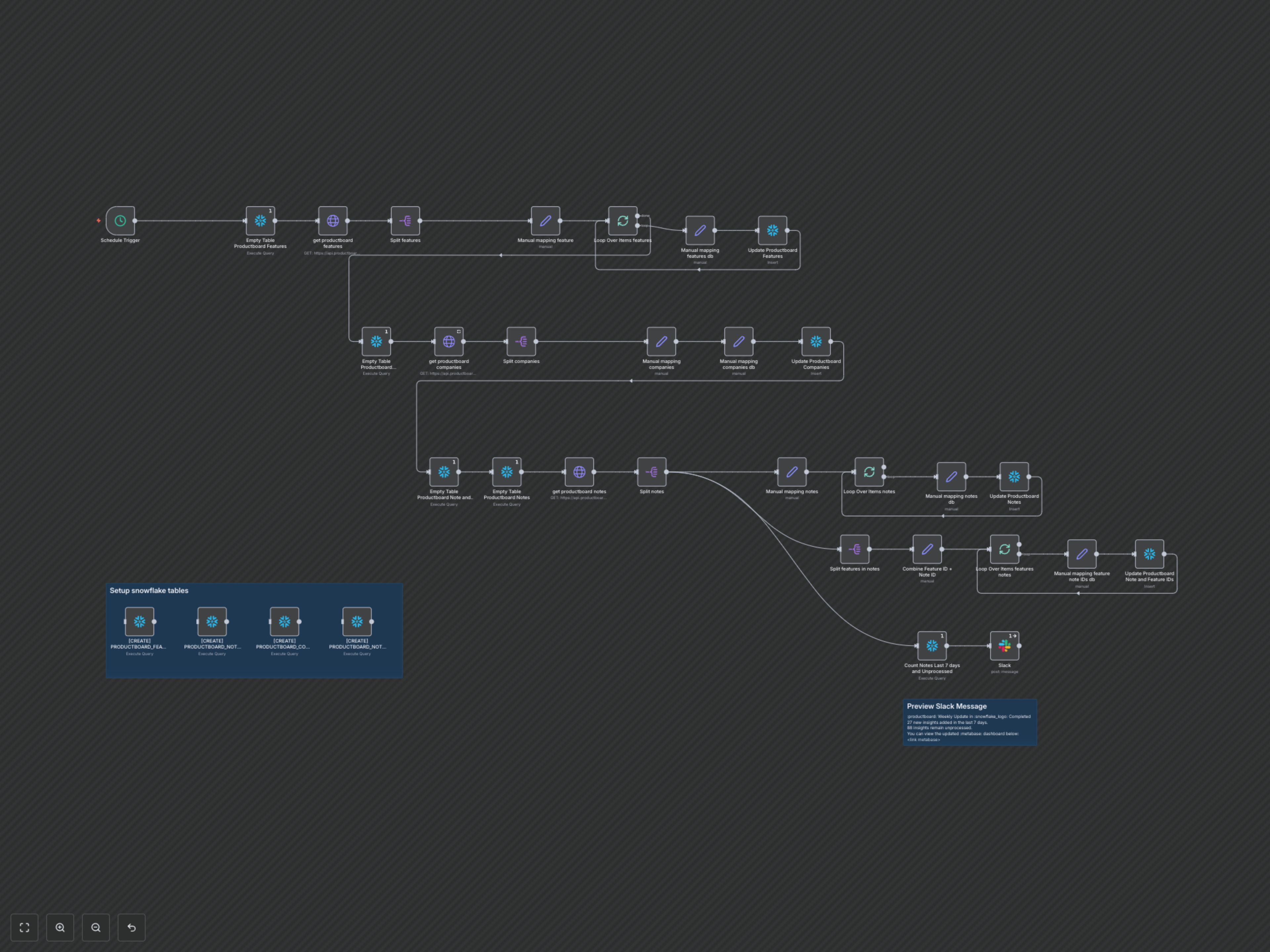
1. **Scheduled Activation**: The workflow automatically initiates every Monday morning at 8 AM, ensuring your data is fresh for the week ahead. 2. **Productboard Data Extraction**: It connects to the Productboard API to retrieve all available notes, companies, and features, handling pagination to capture complete datasets. 3. **Data Transformation & Mapping**: Extracted data is meticulously flattened and mapped into a standardized format. Notes are also processed to identify and link associated features, preparing the data for Snowflake. 4. **Snowflake Data Loading**: For each dataset (features, companies, notes, and note-feature relationships), the corresponding Snowflake table is truncated to ensure data freshness. The newly processed data is then efficiently loaded into Snowflake using batch inserts. 5. **Insight Summary & Notification**: After data loading, the workflow queries Snowflake to calculate new insights added in the last 7 days and identify any notes still marked as 'unprocessed'. This summary is then sent as a block message to a designated Slack channel, including a direct link to your Metabase dashboard for further exploration.