
Automate Outlook Email Sorting & Categorization with AI
Automatically categorize hundreds of emails daily, saving hours of manual sorting and achieving inbox zero effortlessly.
Manually sorting and categorizing Outlook emails is a time-consuming chore, leading to inbox overwhelm and missed priorities. This workflow leverages AI to automatically categorize incoming Outlook emails into predefined folders and assign labels, ensuring a perfectly organized inbox and improved focus.


Documentation
AI-Powered Outlook Email Organization
This n8n workflow revolutionizes email management by intelligently categorizing your Outlook inbox using advanced AI. It processes new, uncategorized emails, assigns appropriate labels, and moves them to designated folders, freeing you from manual sorting.
Key Features
- Intelligent AI Categorization: Automatically sorts emails into predefined categories like 'Junk', 'Receipt', 'SaaS', 'Community', 'Action', 'Business', and 'Other' using a powerful AI model.
- Automated Folder Movement: Moves categorized emails to their respective Outlook folders (e.g., Junk Email, Receipt, SaaS, Community, Actioned), ensuring a tidy inbox.
- Smart Email Sanitization: Cleans email content by removing HTML, links, and irrelevant data, optimizing it for accurate AI analysis.
- Flexible Category Customization: Easily adjust or expand email categories and subcategories to fit your specific organizational needs directly within the workflow.
- Seamless Integration: Works directly with your Microsoft Outlook 365 account to manage emails without leaving your ecosystem.
How It Works
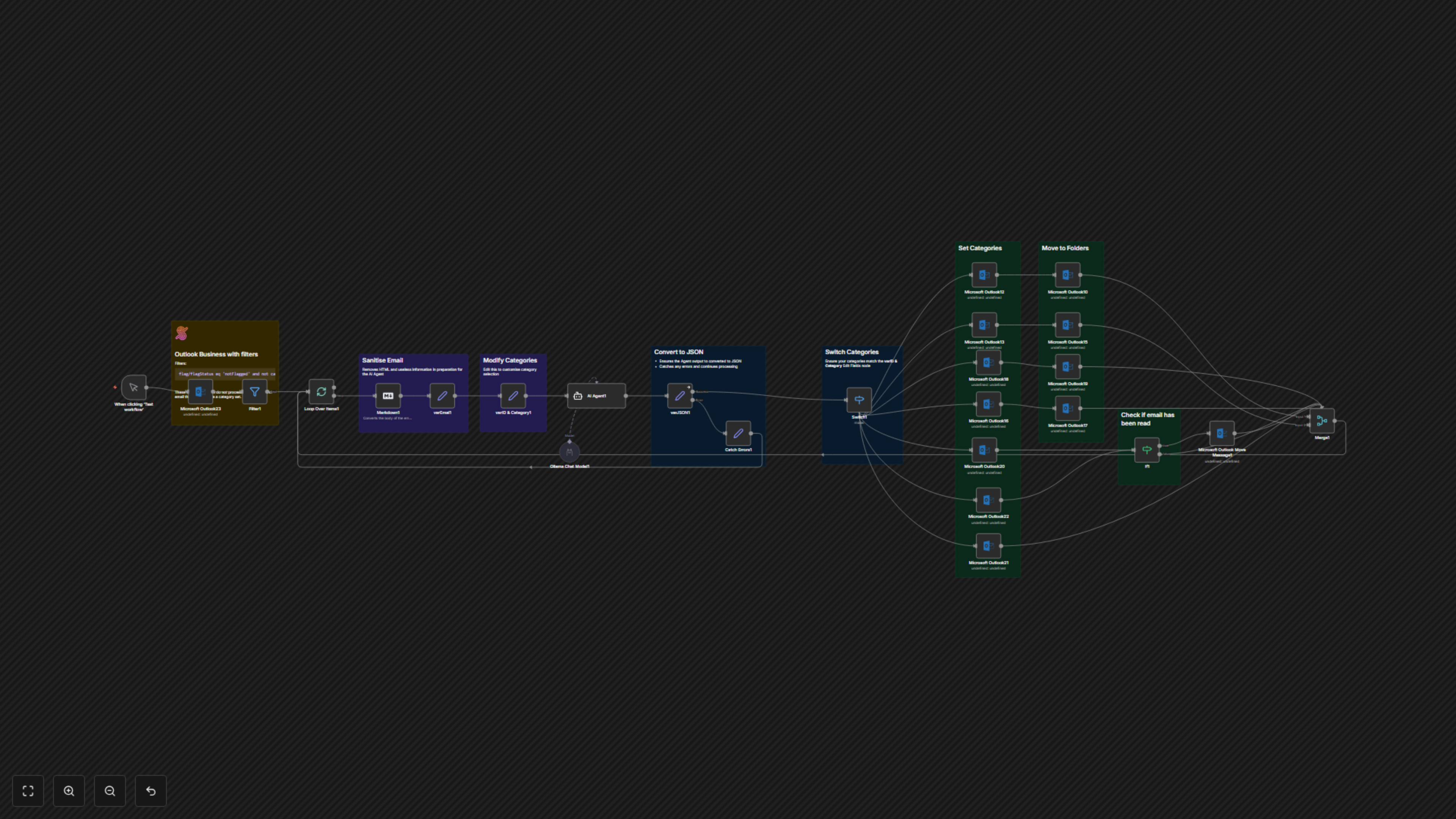
The workflow initiates by regularly checking your Outlook inbox for new emails that haven't been flagged or previously categorized. For each identified email, it first extracts the subject, sender, and body, then sanitizes the content by stripping away extraneous HTML and formatting to create a clean, AI-ready text. This prepared email data is then fed to an AI agent, powered by an Ollama chat model, which analyzes the content against your defined categories. The AI provides a categorization output, including a primary category and an optional subcategory. The workflow then uses this AI-generated classification to update the email's categories in Outlook and subsequently moves the email to its designated folder. Special handling is included for 'Action' and 'Business' emails, checking their read status to inform further processing, ensuring important communications are properly managed.