
Automate Data Breach Alerts & Cache for Proactive Security
Automatically monitor for new data breaches every 15 minutes, ensuring proactive awareness and eliminating manual security checks.
Manually checking for data breaches is inefficient and risks delayed awareness of potential exposures. This workflow automatically monitors haveibeenpwned.com for new breaches, leverages intelligent caching, and enables instant notifications for proactive security.
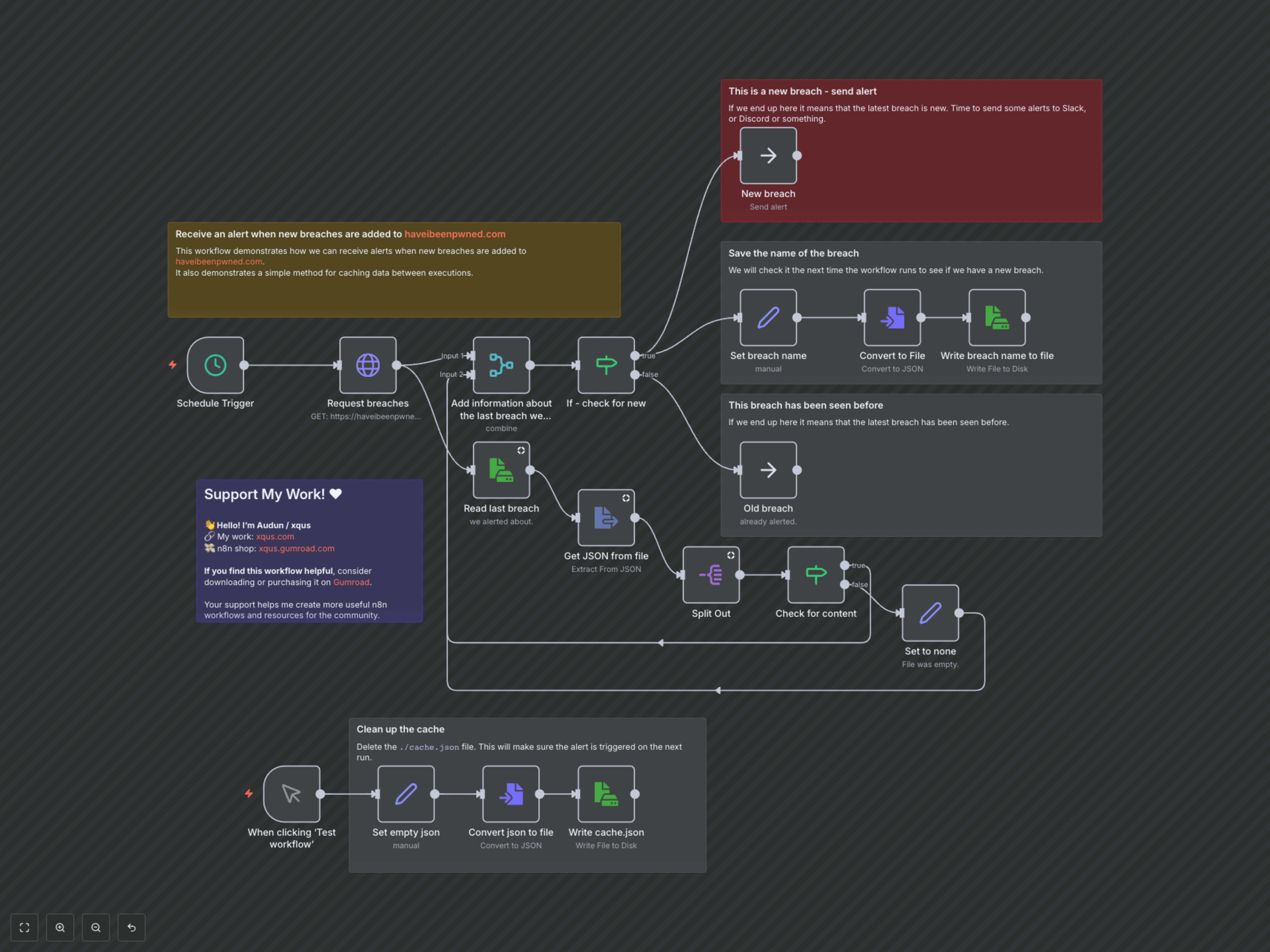

Documentation
Automated Data Breach Monitoring with Caching
This n8n workflow provides an automated solution to monitor for new data breaches listed on haveibeenpwned.com. It intelligently tracks previously seen breaches by caching data, ensuring you only get alerted about genuinely new incidents.
Key Features
- Proactive Monitoring: Automatically checks haveibeenpwned.com for the latest data breaches at regular intervals.
- Intelligent Caching: Stores the last alerted breach to prevent duplicate notifications, only flagging genuinely new incidents.
- Customizable Alerts: Designed to easily integrate with your preferred notification service (e.g., Slack, Discord) for instant breach awareness.
How It Works
The workflow automatically initiates every 15 minutes via a 'Schedule Trigger'. It fetches the very latest data breach information from haveibeenpwned.com and simultaneously retrieves the name of the last breach recorded in its local ./cache.json file. These two pieces of information are then compared. If a new breach is identified, the workflow proceeds to a path designated for sending alerts (where you can integrate your preferred notification service) and updates the cache with the new breach's name. If the latest breach matches the cached one, no alert is sent, indicating it has been previously reported. A separate manual trigger allows for cache clearing, useful for testing the alert mechanism from scratch.