
VIP Order Alert and Customer Summary Automation
Prevent missed VIP sales by 95% with instant order alerts and concise customer summaries
Quickly spot and act on high-value orders without manual triage. This workflow detects orders above your threshold, fetches recent customer order history, generates a short customer summary, and pushes an immediate Slack alert to your sales ops team. Reduce missed follow-ups, prioritize high-value buyers, and keep customer context front-of-mind for faster, smarter outreach.




Documentation
Description
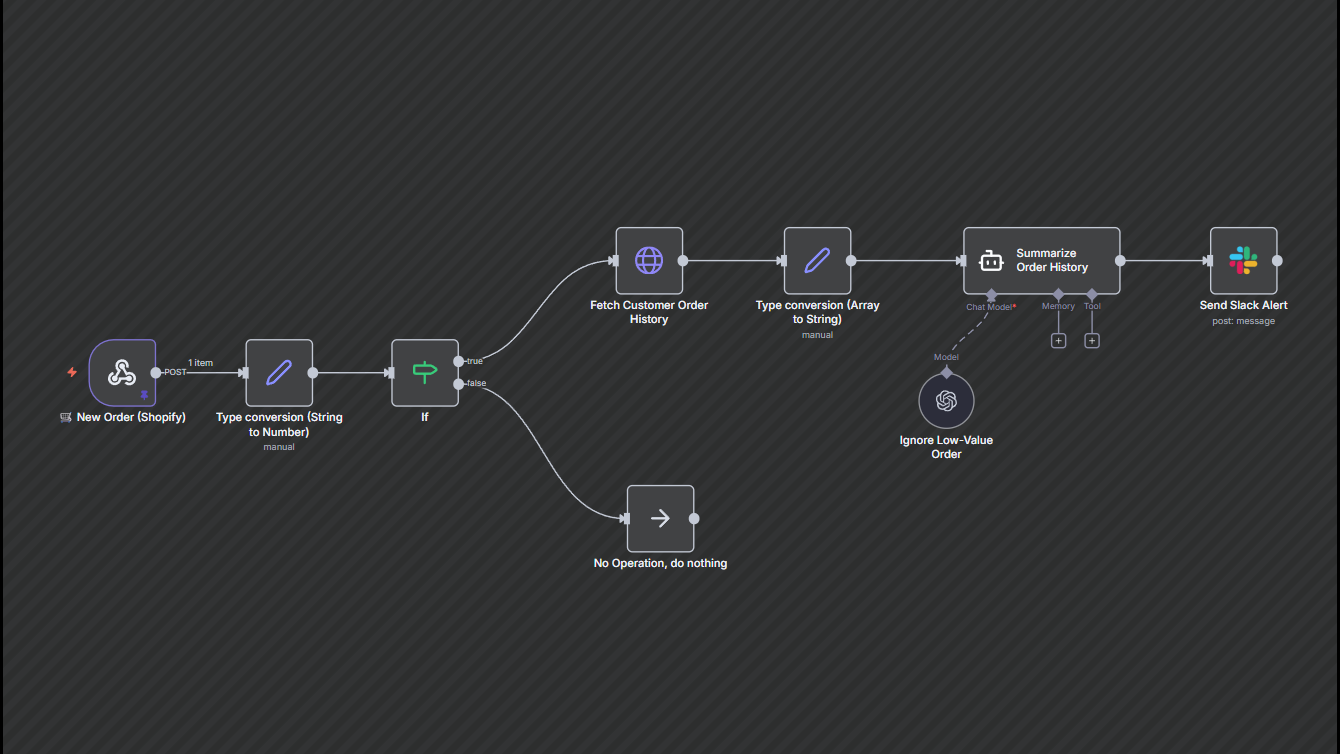
This workflow helps you quickly identify and act on high-value customer orders. It checks every new order, filters out low-value purchases, and enriches qualifying orders with the customer’s past history. A short, clear summary is then sent to Slack so your team can prioritize VIP buyers without manually checking dashboards.
Workflow Steps
- New order received — The workflow triggers automatically whenever a new order is placed.
- Convert & check total — Extracts the order amount and converts it into a number for accuracy.
- High-value check — If the total exceeds your chosen threshold (e.g., ₹200), the workflow continues; otherwise, it stops.
- Fetch customer order history — Retrieves past orders from the same customer to add context.
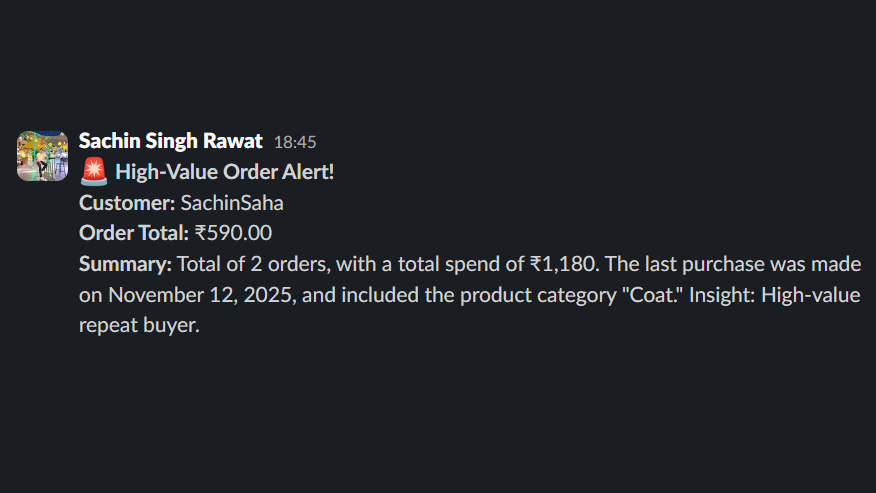
- Summarize order history — Creates a short 3–4 line summary with order count, total spend, last order date, and items purchased.
- Send Slack alert — Sends a clean, concise VIP notification to your Slack user/channel with the order amount and customer summary.
Key Benefits
- Prevent missed revenue — Quickly follow up with high-value customers to improve conversions and retention.
- Fast context for reps — Gives your team instant customer insights without digging through order data.
- Reduce manual monitoring — Automates the entire triage process so the team can focus on selling.