
Preserve Notion Rich Text Formatting for Seamless Content Management
Accurately replicate Notion page content with full rich text formatting, significantly reducing manual content re-entry and ensuring data integrity.
Manually managing Notion content or ensuring formatting integrity during transfers can be time-consuming and error-prone. This workflow automates the roundtrip conversion of Notion page content to Markdown and back, accurately preserving rich text formatting and enhancing content synchronization capabilities.


Documentation
Notion Rich Text Mirroring & Preservation
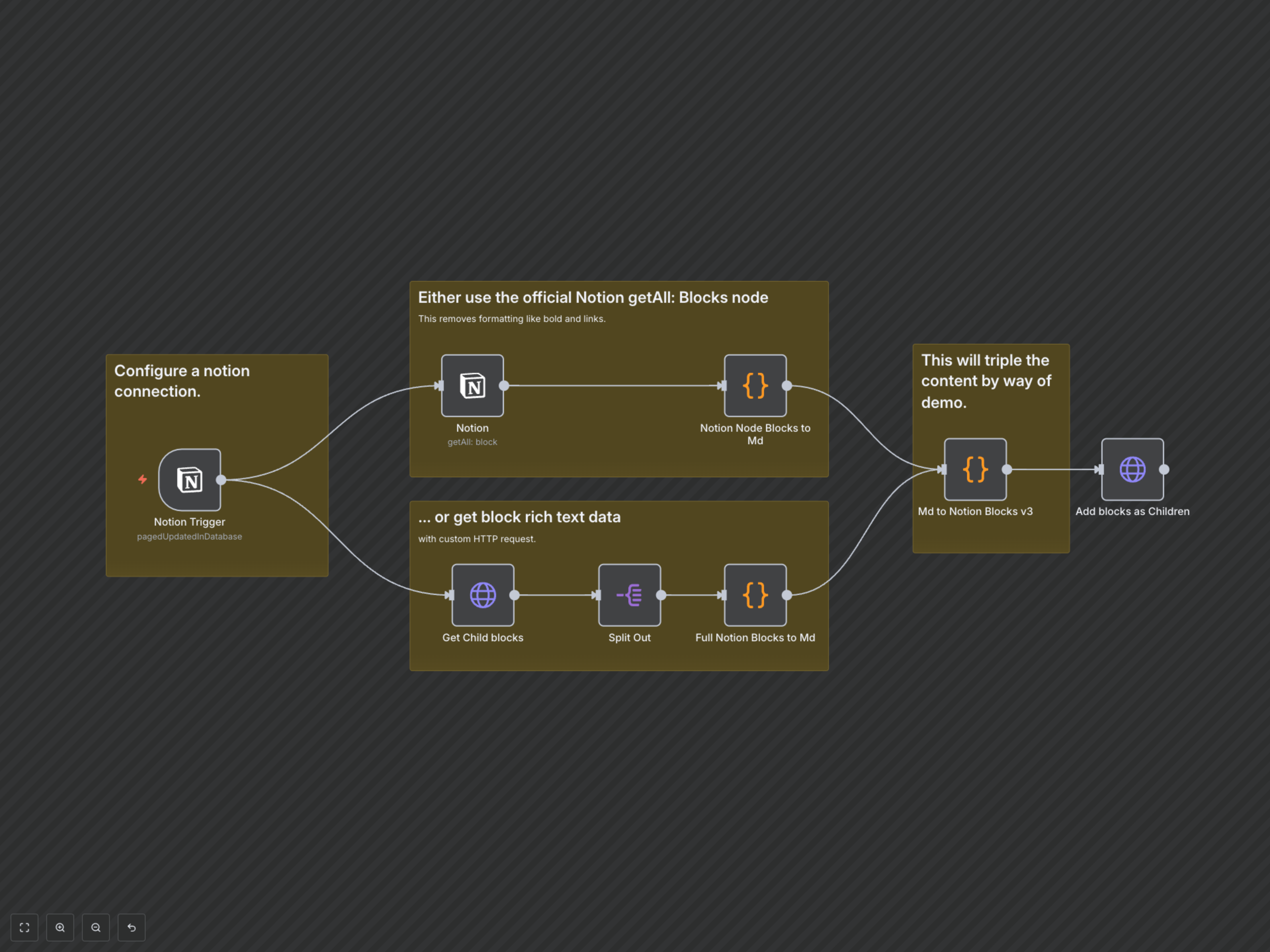
This n8n workflow demonstrates how to accurately extract Notion page content, convert it into Markdown while fully preserving rich text formatting, and then convert it back into Notion blocks to be added to the original page. It's ideal for maintaining content integrity, migrating content, or creating backups.
Key Features
- Automated content extraction from Notion pages upon update.
- Full rich text formatting preservation (bold, italic, links, code blocks) during Markdown conversion.
- Seamless conversion of Markdown back into native Notion block format.
- Demonstration of reliable content roundtrip for Notion pages.
How It Works
The workflow initiates when a page in your designated Notion database is updated. It then retrieves all child blocks of that page using the Notion API, capturing comprehensive rich text data. This data is converted into a structured Markdown format, ensuring all styling and links are retained. Finally, this Markdown is converted back into Notion-compatible blocks and appended as children to the original updated page, effectively mirroring the content while showcasing formatting fidelity.