
Monitor Linear Issue Sentiment & Get Proactive Slack Alerts
Improve issue resolution times by up to 20% by identifying critical customer sentiment shifts within minutes, preventing escalations and enhancing customer satisfaction.
Manually tracking issue sentiment and identifying escalating customer frustration is time-consuming and reactive. This workflow automatically analyzes Linear issue comments for sentiment changes, proactively alerting your team to negative shifts before they escalate into critical problems.



Documentation
Proactive Linear Issue Sentiment Monitoring with AI Alerts
This n8n template continuously monitors active Linear Issue conversations, performing sentiment analysis and alerting your team when the sentiment becomes negative. This is helpful to quickly identify difficult customer support situations early and prioritising them before they get out of hand.
Key Features
- Continuous monitoring of Linear.app issues for recent activity using a scheduled trigger.
- AI-powered sentiment analysis on issue comment threads using LangChain and OpenAI.
- Automated tracking and historical logging of current and previous sentiment in Airtable.
- Instant Slack notifications when an issue's sentiment transitions from non-negative to negative.
- Intelligent deduplication of alerts to prevent notification overload and ensure actionable insights.
How It Works
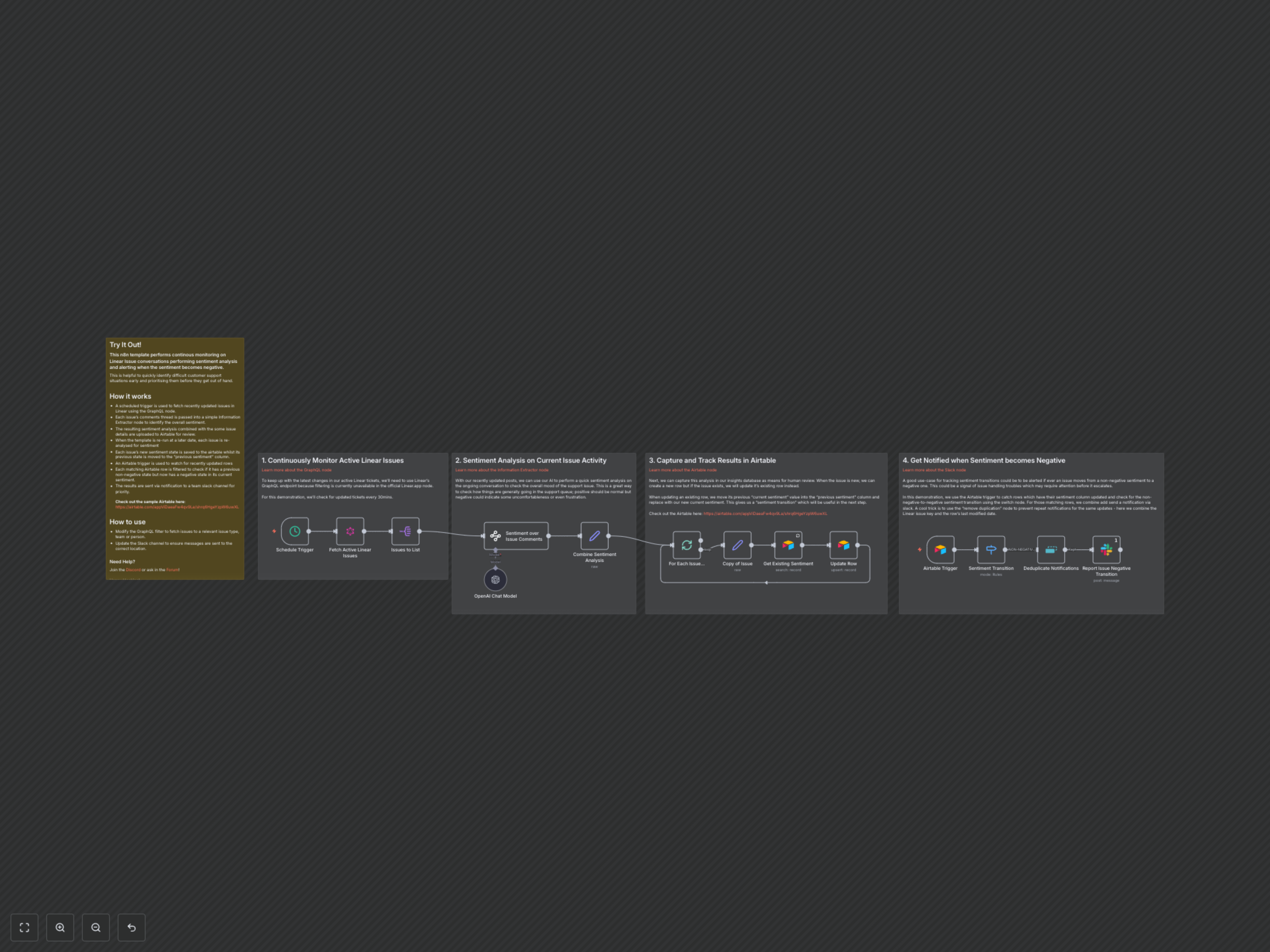
The workflow operates in a series of automated steps: 1. **Scheduled Monitoring**: A scheduled trigger (default: every 30 minutes) fetches recently updated issues from Linear using a GraphQL query, ensuring you always have the latest conversation data. 2. **AI Sentiment Analysis**: Each issue's comment thread is extracted and passed to the LangChain Information Extractor node, powered by OpenAI. This node analyzes the conversation to determine the overall sentiment (positive, negative, or neutral) and provides a concise sentiment summary. 3. **Airtable Logging & Tracking**: The sentiment analysis results, combined with key issue details like ID, title, assignee, and timestamps, are then upserted into a dedicated Airtable base. For existing issues, the previous "Current Sentiment" is automatically moved to a "Previous Sentiment" column, creating a valuable historical log of sentiment transitions. 4. **Sentiment Transition Detection**: An Airtable trigger monitors for updated rows in your sentiment tracking base. A subsequent Switch node filters these updates, specifically identifying crucial instances where an issue's sentiment has shifted from a non-negative state (positive or neutral) to a negative state. 5. **Smart Notification Deduplication**: To prevent notification fatigue, a "Remove Duplicates" node ensures that only unique negative sentiment transitions are reported, using a combination of the Linear issue key and the Airtable row's last modified date. 6. **Proactive Slack Alerts**: Finally, for each confirmed negative sentiment transition, a detailed notification is sent to a specified Slack channel. This alert includes a direct link to the Linear issue and the sentiment summary, enabling your team to quickly identify and address potentially escalating customer situations before they worsen.