
Instantly Restore n8n Workflows from GitHub Backups
Restore critical n8n workflows in minutes, eliminating hours of manual recovery and ensuring minimal downtime for your automations.
Accidental deletions or system failures can lead to significant data loss and operational disruption for your n8n workflows. This workflow automates the swift restoration of all your n8n workflows directly from GitHub backups, ensuring business continuity and peace of mind.


Documentation
Restore n8n Workflows from GitHub Backups
This powerful n8n workflow allows you to quickly and efficiently restore all your n8n instance workflows from backups stored in a GitHub repository, ensuring seamless recovery and business continuity.
Key Features
- Automated Workflow Recovery: Swiftly restores all n8n workflows from a specified GitHub repository path.
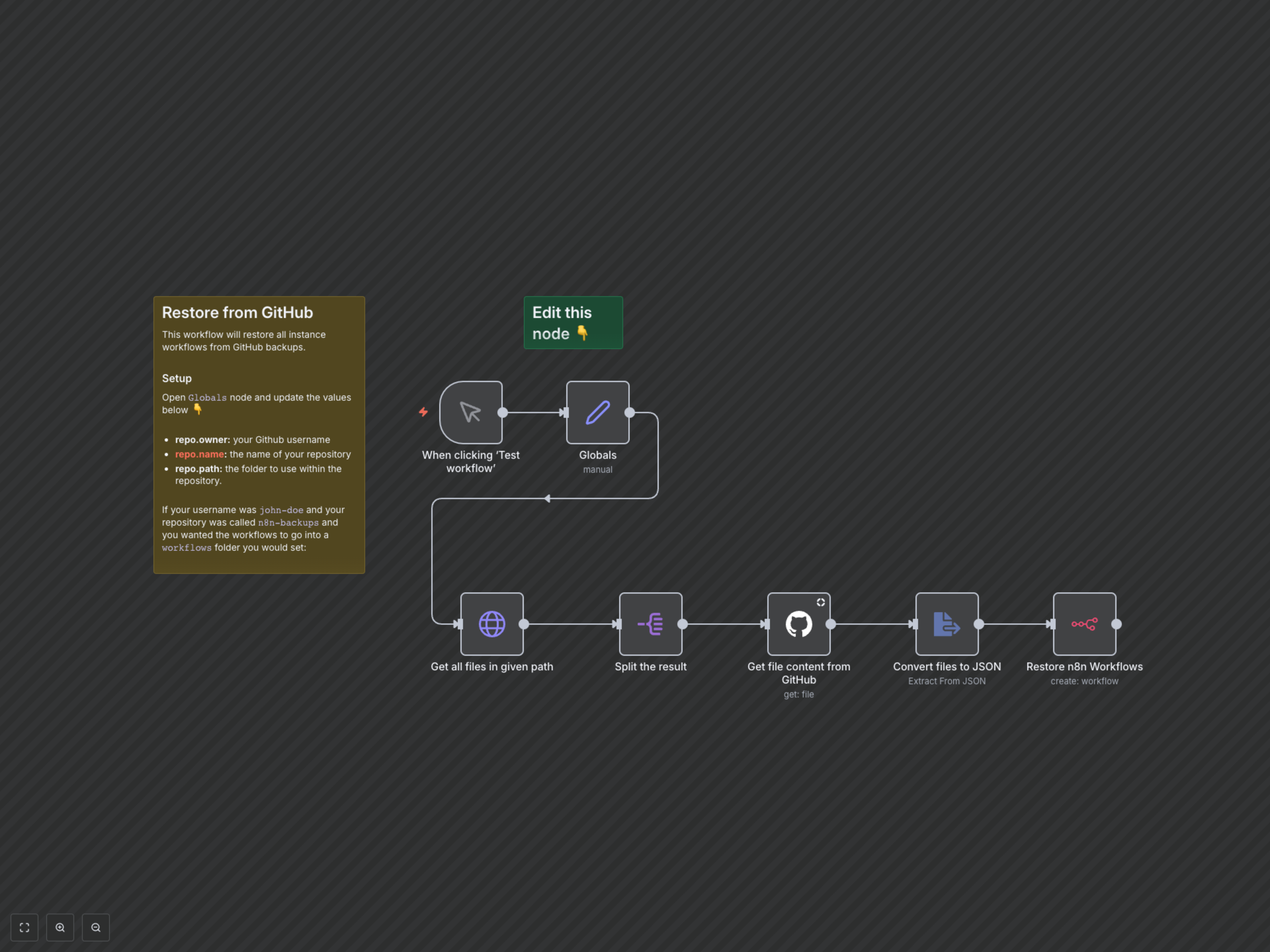
- Centralized Configuration: Easily define your GitHub repository details (owner, name, path) within a single `Globals` node.
- Minimized Downtime: Quickly recover from accidental deletions or system issues, ensuring your automations are back online fast.
- Secure Integration: Leverages n8n's robust credential system for secure access to GitHub and your n8n instance.
How It Works
Upon activation (or manual trigger), the workflow retrieves your GitHub repository details from the `Globals` node. It then uses these details to fetch a list of all workflow files from the specified path in your GitHub repository. Each file's content is then retrieved, converted from text to JSON, and subsequently used by the n8n node to create a new workflow in your n8n instance. This ensures a streamlined, automated restoration process.