
Generate AI-Powered Study Notes and Briefings Automatically
Generate detailed study notes and strategic briefings in minutes, transforming complex documents into actionable insights 80% faster than manual methods.
Manually extracting key information and synthesizing it into structured notes like study guides or briefings is incredibly time-consuming. This workflow automates the entire process, using AI to instantly generate comprehensive, publication-ready documents from any source material.



Documentation
Automate AI-Powered Document Analysis and Note Generation
This workflow streamlines the creation of various analytical documents, such as study guides, briefing documents, and timelines, directly from new source files. It leverages advanced AI models and vector databases to process information, summarize content, and intelligently generate structured output tailored to specific needs, dramatically improving productivity for research, learning, and information dissemination.
Key Features
- Automated document ingestion: Automatically detects new files in a specified folder and processes them.
- AI-powered summarization: Quickly condenses lengthy documents into concise summaries.
- Intelligent content vectorization: Stores document content in a Qdrant vector store for efficient retrieval and contextual understanding by AI.
- Customizable document generation: Produces multiple types of notes (study guides, briefings, timelines) based on predefined templates and AI-driven queries.
- Retrieval Augmented Generation (RAG): Enhances AI accuracy and relevance by retrieving context from vectorized documents.
- Markdown output: Exports generated documents in a universally readable Markdown format.
How It Works
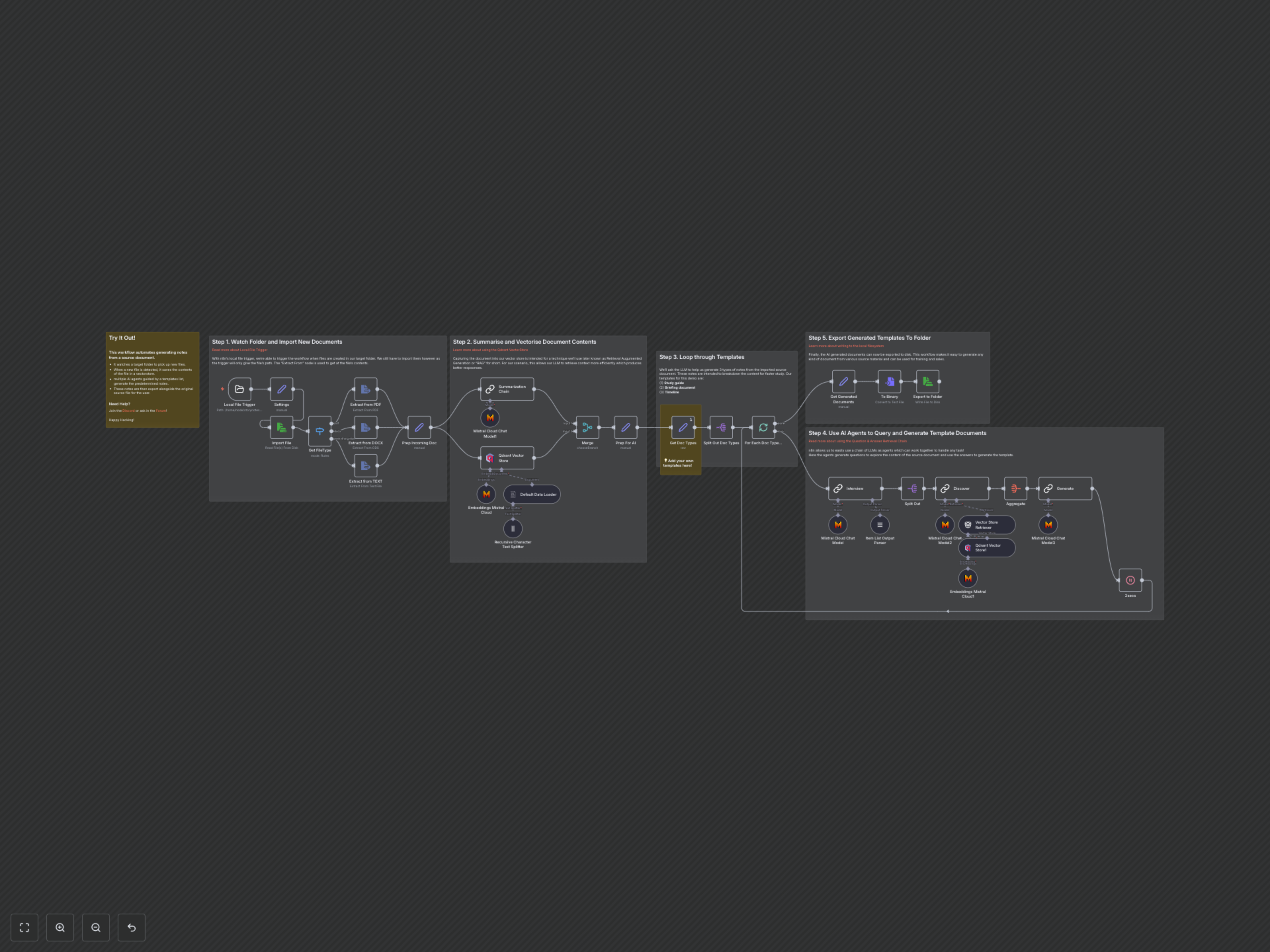
1. File Monitoring & Ingestion: The workflow starts by continuously monitoring a designated local folder for new file additions. Once a file is detected, its content is imported and its type (PDF, DOCX, or plain text) is determined.
2. Document Preparation & Summarization: The raw document content is extracted, then sent to a Mistral Cloud LLM for summarization. Concurrently, the document content is broken down into smaller chunks, embedded using Mistral Cloud Embeddings, and stored in a Qdrant vector store. This prepares the document for Retrieval Augmented Generation (RAG).
3. Template-Driven Document Generation: The workflow then iterates through a predefined list of document templates (e.g., Study Guide, Briefing Doc, Timeline). For each template, an AI agent first queries the document's summary to formulate relevant questions.
4. AI-Powered Content Creation: These questions are then used in a Retrieval-Augmented Generation (RAG) chain. Another AI agent retrieves relevant context from the Qdrant vector store using embeddings, answers the questions, and synthesizes the information to generate the desired document type, following the specific structure and description of the chosen template.
5. Export & Storage: Finally, each AI-generated document is converted into Markdown format and exported back to the local filesystem, ready for immediate use.