
Enhance Customer Review Management with Custom Qdrant AI Agent
Transform raw customer feedback into actionable business intelligence, gaining up to 50% faster insights through advanced review search, comparison, and recommendation capabilities.
Standard AI agent integrations often limit advanced vector database functionalities, preventing deep customer insights. This n8n workflow creates a custom Qdrant-based AI agent server, enabling enhanced review management with advanced search, comparison, and personalized recommendations for superior business intelligence.



Documentation
Custom Qdrant MCP Server for Enhanced Review Management
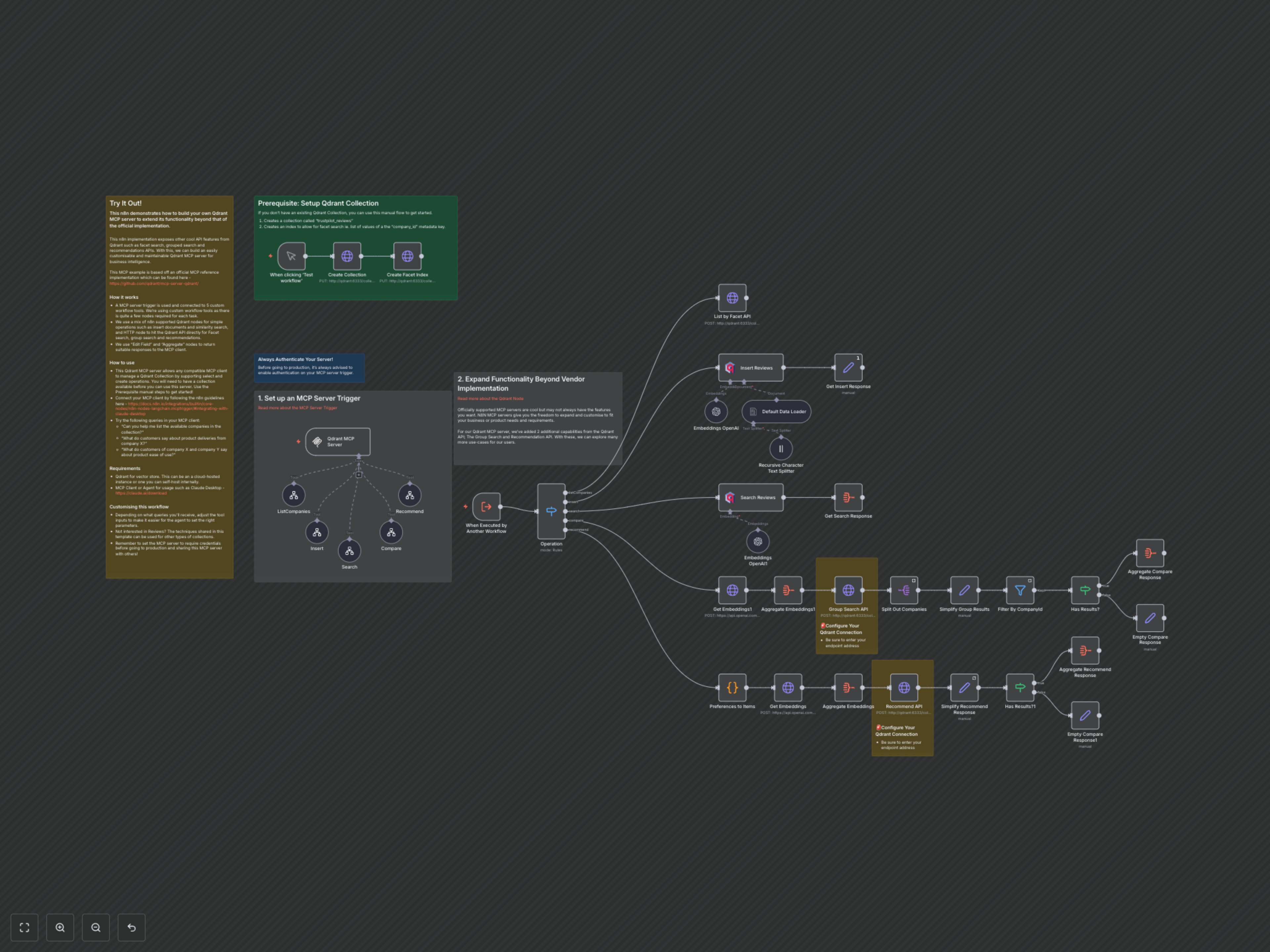
This n8n workflow demonstrates how to build a powerful, customizable Qdrant Multi-Modal Chat Protocol (MCP) server. It extends the standard capabilities of AI agents, allowing you to integrate advanced Qdrant API features for deeper customer review analysis and business intelligence.
Key Features
- Insert Reviews: Easily add customer reviews to your Qdrant vector database.
- Search Reviews: Perform similarity searches on review content to find relevant feedback.
- Compare Reviews: Analyze customer feedback across multiple companies with grouped search.
- Recommend Reviews: Generate personalized review recommendations based on positive and negative preferences.
- List Companies: Instantly retrieve a list of all companies available in your review database.
- Extended Qdrant Functionality: Leverage advanced Qdrant APIs like Group Search and Recommendations not typically available in basic integrations.
How It Works
The workflow is triggered by an MCP Server, acting as the central hub for your custom AI agent. It utilizes five dedicated workflow tools, each handling a specific operation: insert, search, compare, recommend, and list companies. Simple operations like inserting and basic searching are managed by n8n's native Qdrant nodes, while advanced functions like facet search, grouped search, and recommendations directly interact with the Qdrant API via HTTP requests. OpenAI is used to generate text embeddings for vector operations. Finally, "Set" and "Aggregate" nodes are employed to format and return clear, concise responses to your connected MCP client.