
Automate Spotify Downloads Playlist & Optimize Device Storage
Automatically refresh your Spotify 'Downloads' playlist with up to 50 of your latest liked tracks daily, eliminating manual updates and optimizing device storage.
Manually maintaining a 'download-ready' Spotify playlist consumes valuable time and often leads to outdated songs wasting device storage. This workflow automatically curates a dynamic 'Downloads' playlist, ensuring it always contains your most recent liked tracks while optimizing your device's available space.

Documentation
Automated Spotify Downloads Playlist Management
This n8n workflow intelligently manages a dedicated "Downloads" playlist in your Spotify account. It ensures this playlist is always up-to-date with a predefined number of your latest liked songs, removing older tracks to keep your downloaded content fresh and optimized for storage. Perfect for users who want to automatically sync their favorite music for offline listening without constant manual intervention.
Key Features
- Automatic Playlist Creation: If the "Downloads" playlist doesn't exist, the workflow creates it for you.
- Dynamic Liked Track Sync: Continuously updates the playlist with your most recently liked songs from Spotify.
- Storage Optimization: Automatically removes older tracks when the defined limit is reached, saving precious device storage space.
- Customizable Limit: Easily configure the maximum number of songs to keep in your "Downloads" playlist (currently up to 50 tracks).
- Scheduled Automation: Set it to run at your desired interval, from daily to weekly, keeping your playlist effortlessly updated.
How It Works
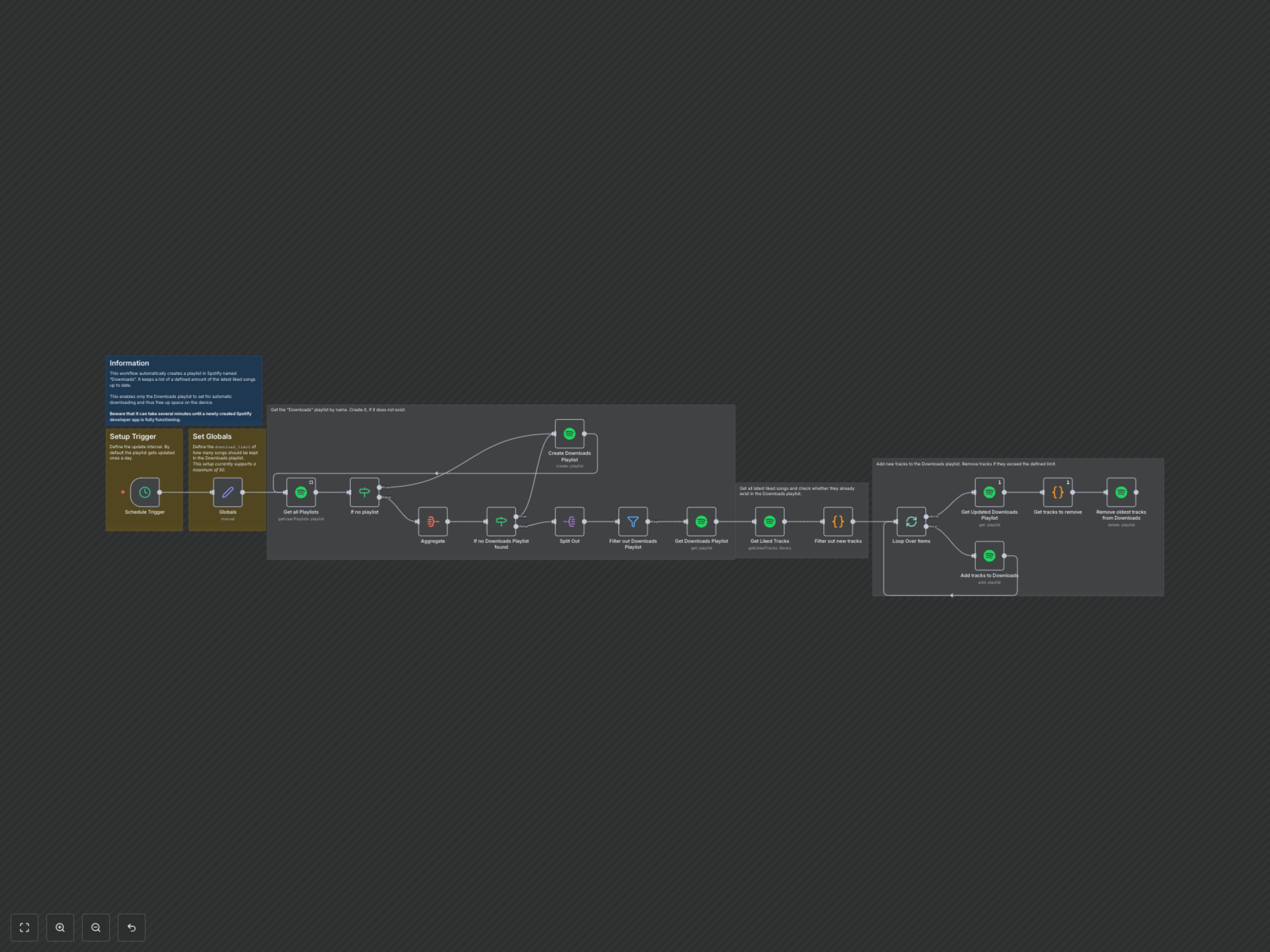
The workflow triggers on a schedule (e.g., daily). It first checks your Spotify account for a playlist named "Downloads." If not found, it creates one. Then, it retrieves your current "Downloads" playlist and your latest liked songs. It compares these two lists to identify new liked songs that aren't yet in "Downloads" and adds them. Simultaneously, it identifies any songs in "Downloads" that are no longer among your recent likes or exceed your defined limit and removes them, maintaining an optimal and current selection for offline use.