
Automate Sitemap Reading & Filter URLs for Targeted Content
Streamline sitemap analysis and reduce manual URL identification time by up to 90%, ensuring efficient content discovery.
Manually sifting through large sitemap files to find specific content types is time-consuming and prone to errors. This workflow automatically fetches any sitemap.xml, converts it to a usable format, and filters URLs based on your precise criteria, saving significant manual effort.

Documentation
Sitemap URL Extraction and Filtering
This workflow automates the process of fetching an XML sitemap, parsing its contents, and filtering the URLs based on custom criteria. It's ideal for SEO specialists, content managers, or developers needing to quickly identify specific content types within a website.
Key Features
- Automatically fetches sitemap.xml from any specified URL.
- Transforms XML sitemap data into an easily parsable JSON format.
- Efficiently extracts all individual URLs from the sitemap for detailed analysis.
- Customizable filtering logic to identify URLs matching specific patterns (e.g., .pdf files, specific subdirectories).
- Provides a structured output of filtered URLs for further processing or reporting.
How It Works
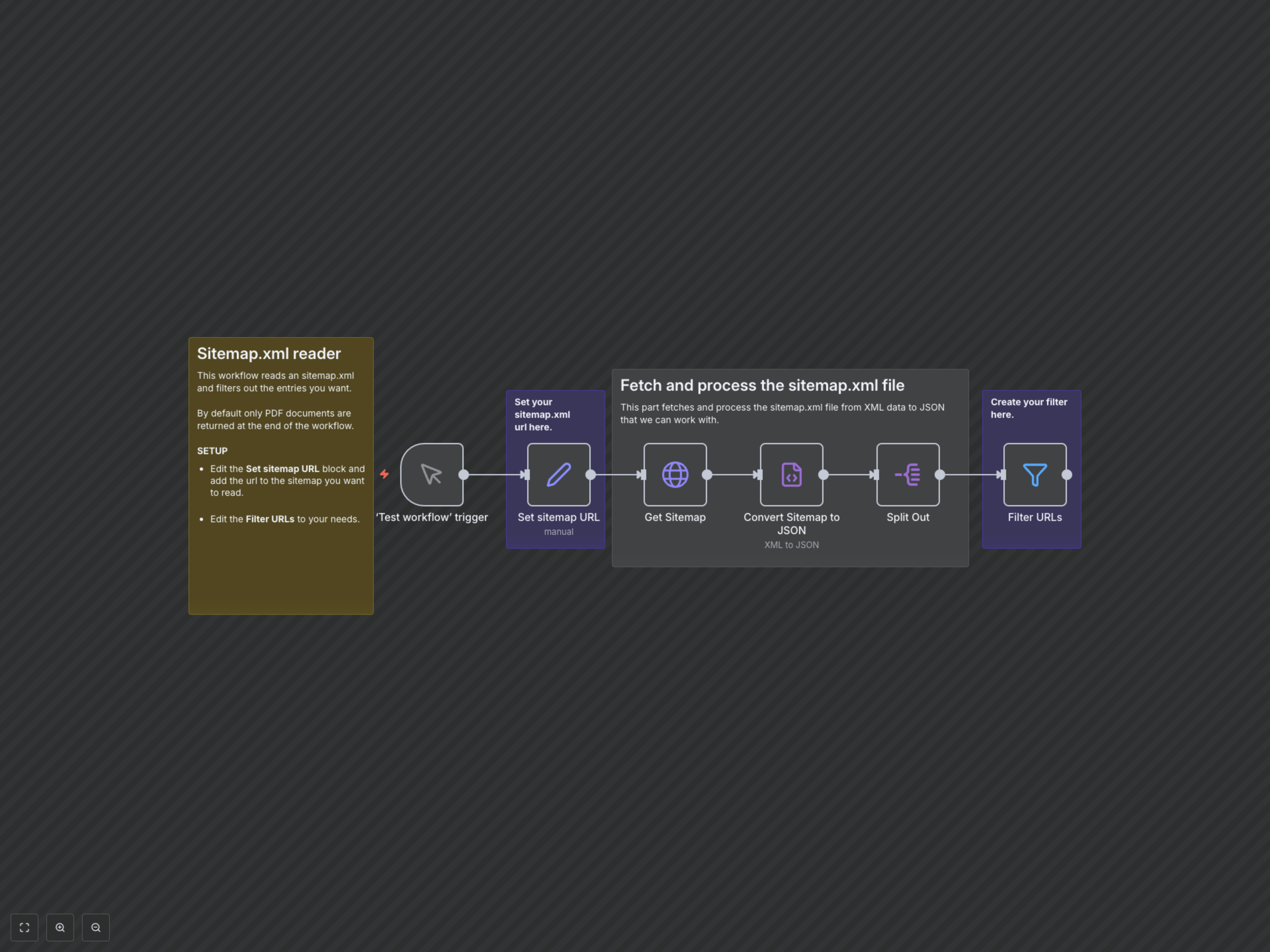
1. The workflow starts with a manual trigger, allowing you to run it on demand.
2. A 'Set sitemap URL' node defines the target sitemap.xml URL, which you can easily configure.
3. An 'HTTP Request' node fetches the XML content from the specified sitemap URL.
4. The 'Convert Sitemap to JSON' (XML) node transforms the fetched XML data into a structured JSON object for easier manipulation.
5. The 'Split Out' node then separates each 'url' entry from the 'urlset' array into individual items, preparing them for filtering.
6. Finally, a 'Filter URLs' node applies a user-defined condition (by default, checking if the URL ends with '.pdf') to return only the desired URLs.