
Automate Shodan Scans, Detect Open Ports, Enhance Security Response
Detect unexpected open ports within minutes of their appearance, drastically reducing the window of exposure and manual monitoring effort by over 90%.
Manual monitoring for unexpected open ports is time-consuming and risks critical security vulnerabilities. This workflow automates weekly Shodan scans to identify new or unapproved open ports, instantly creating alerts in TheHive for rapid incident response.

Documentation
Weekly Shodan Scan & TheHive Alert Workflow Overview
This n8n workflow provides automated network security monitoring by regularly scanning for unexpected open ports on your designated IPs and escalating findings to TheHive for immediate incident response. It's an essential tool for ongoing surveillance of network integrity, designed to proactively identify and report security anomalies.
Key Features
- Automated weekly scans for continuous security posture assessment.
- Dynamic IP and port monitoring sourced from your existing security systems or databases.
- Leverages Shodan for comprehensive service detection on exposed ports.
- Intelligent filtering to identify only unexpected or unauthorized open ports.
- Seamless integration with TheHive for streamlined incident creation and management.
- Automated reporting in Markdown table format for clear communication.
How It Works
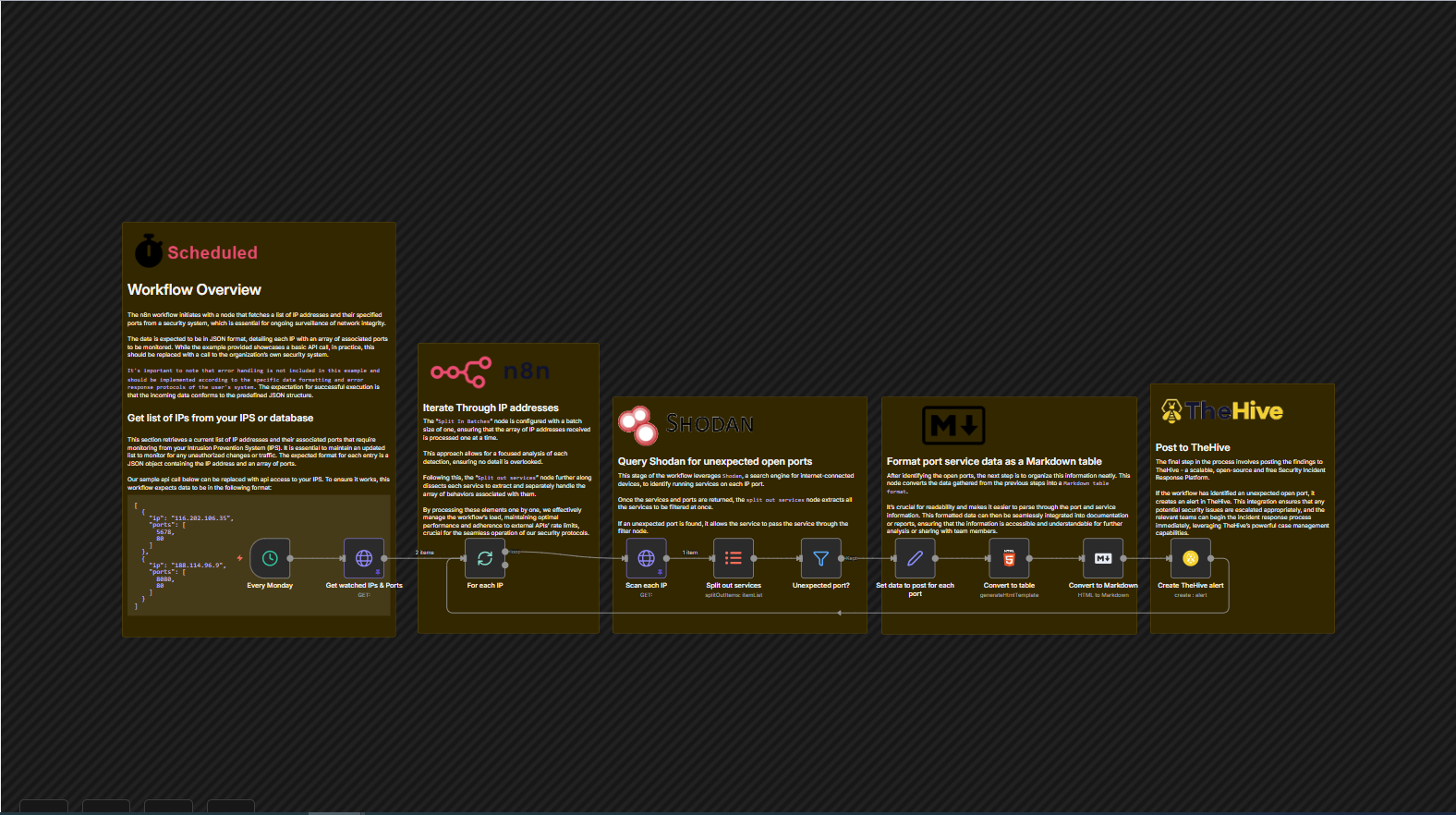
This workflow is triggered every Monday at 5 AM to ensure regular security posture assessment. It begins by fetching a list of monitored IP addresses and their expected open ports from your internal security system or database. Each IP is then processed individually using the "Split In Batches" node, ensuring focused analysis and adherence to API rate limits. For each IP, the workflow queries Shodan to discover all currently open ports and services. The results are meticulously compared against your known, approved ports using the "Unexpected port?" filter. If an unexpected port is detected, the relevant service data (including IP, hostnames, port, description, and raw data) is extracted, set, and then formatted into a clear Markdown table. Finally, an alert detailing the unexpected open port is automatically created in TheHive, ensuring your security team is promptly notified to investigate and respond.
Data Format for Watched IPs & Ports
The 'Get watched IPs & Ports' node expects incoming data in a specific JSON format, detailing each IP with an array of associated ports to be monitored. An example is provided below: