
Automate n8n Credential Recovery from GitHub Backups
Automate the restoration of n8n credentials in minutes, drastically reducing recovery time and minimizing downtime during instance migrations or rebuilds.
Manually restoring n8n credentials after an instance rebuild or migration is time-consuming and prone to errors. This workflow automates the recovery of all your n8n instance credentials directly from GitHub backups, ensuring rapid setup and continuous operation.


Documentation
Automate n8n Credential Recovery from GitHub Backups
This workflow provides a robust solution for businesses and developers to quickly restore critical n8n instance credentials from GitHub repositories. It ensures business continuity and significantly reduces manual effort during instance setup, migration, or recovery.
Key Features
- Automated GitHub Integration: Seamlessly connect to your GitHub repository to fetch credential backup files.
- Intelligent Credential Filtering: Automatically skips empty files and predefined credentials (e.g., "n8n account") to prevent conflicts.
- Rapid Restoration: Efficiently import all backed-up credentials directly into your n8n instance.
- Customizable Paths: Easily configure your GitHub repository owner, name, and specific path for credential files.
How It Works
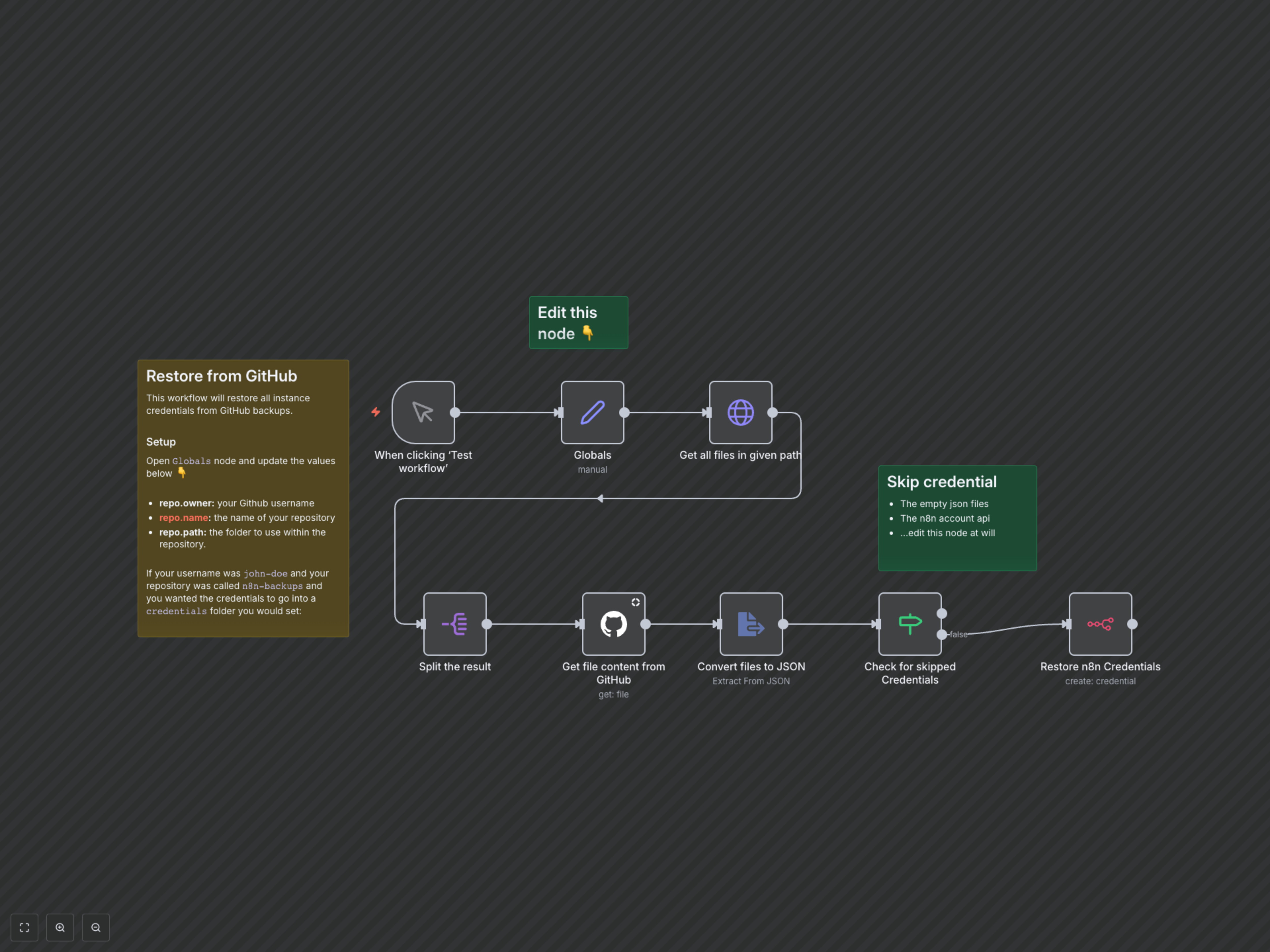
This workflow initiates with a manual trigger or scheduled execution. It first retrieves global configuration variables for your GitHub repository (owner, name, and path). Using these details, it connects to GitHub to list all files within the specified backup directory. Each file's content is then fetched, converted to JSON format, and intelligently filtered to exclude any invalid or predefined n8n credentials. Finally, valid credentials are automatically imported and restored into your n8n instance via the n8n API.