
Automate LINE Chat with AI, Calendar & Gmail for Instant Productivity
Streamline daily tasks, saving hours weekly by automating scheduling, email summarization, and information lookup directly from LINE.
Juggling chat messages, calendar events, and email replies manually consumes valuable time and attention. This workflow deploys an intelligent LINE chatbot, leveraging AI to manage your Google Calendar, process Gmail queries, and provide instant information, centralizing your daily operations.




Documentation
Empower Your LINE Communications with AI
This n8n workflow transforms your LINE account into a powerful personal assistant, seamlessly integrating artificial intelligence with your Google Calendar and Gmail. It enables dynamic responses, efficient scheduling, and instant information access, all within your chat interface.
Key Features
- Intelligent Chat Responses: Leverage an AI agent powered by OpenAI to understand and respond to complex queries within LINE.
- Effortless Calendar Management: Create and retrieve Google Calendar events directly through LINE chat commands.
- Streamlined Email Access: Query your Gmail account for specific information or summaries of recent emails.
- Instant Knowledge Retrieval: Access information from Wikipedia on demand, enhancing the assistant's knowledge base.
- Personalized Conversations: Maintain context across interactions using AI memory, providing a more natural user experience.
How It Works
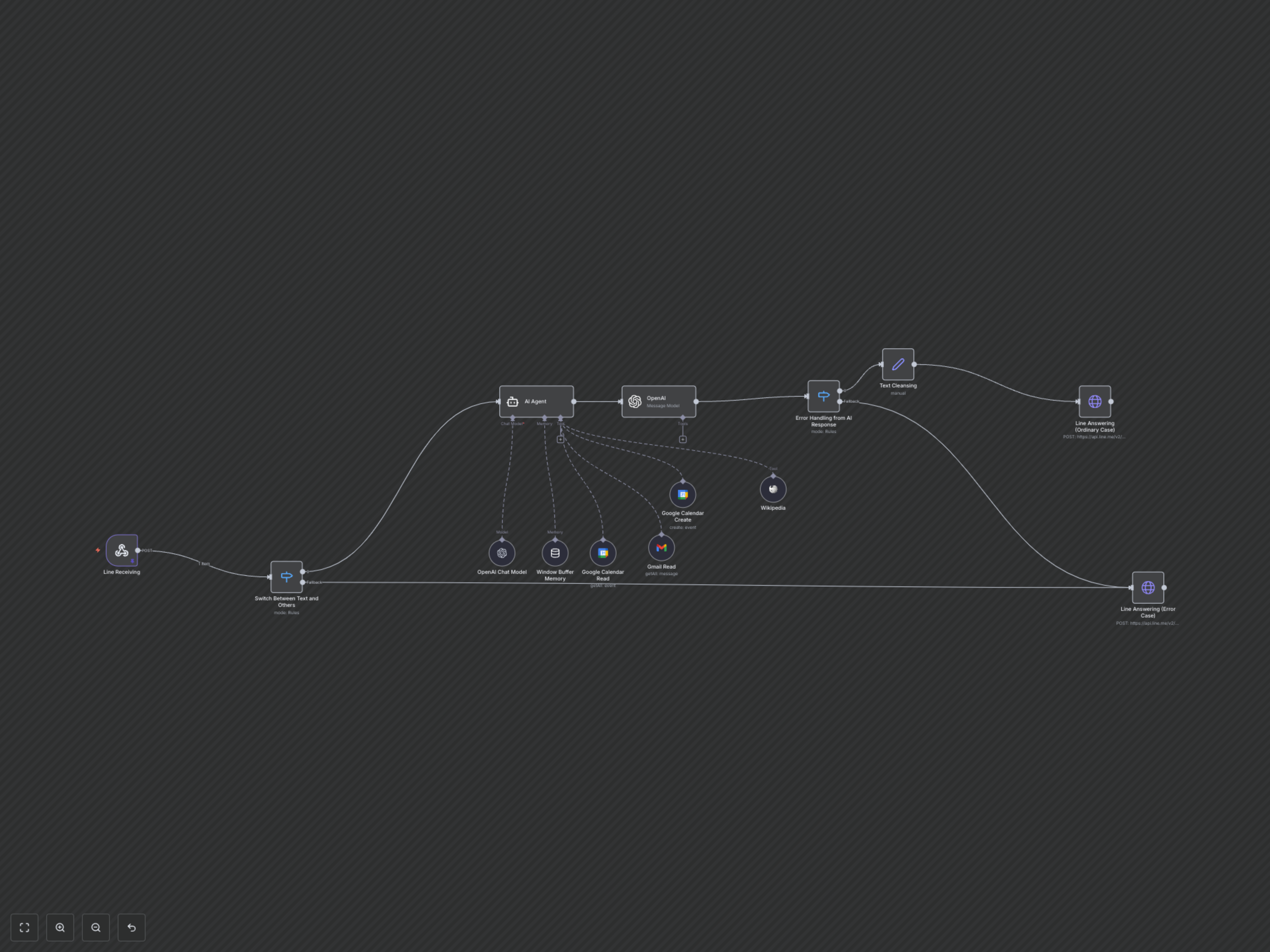
The workflow starts by receiving incoming LINE messages. If the message is text, it's routed to an AI Agent. This agent uses an OpenAI language model and a memory buffer to maintain conversation context. It's equipped with tools to interact with Google Calendar (create/read events), Gmail (read emails), and Wikipedia for information lookup. The AI processes the user's intent, executes the necessary actions via the tools, and then condenses the output using another OpenAI model. Finally, the processed response is cleansed and sent back to the user via LINE. The workflow also includes error handling for non-text messages or AI response issues.