
Automate Invoice Notifications & High-Value Alerts
Accelerate invoice processing by 70%, ensuring timely payments and minimizing manual review for routine transactions.
Manual invoice tracking leads to missed payments and inefficient finance operations. This workflow automates the detection of new invoices in emails, extracts key details, and sends real-time Slack notifications while alerting finance managers to high-value invoices.


Documentation
Automated Invoice Email Notifications
This n8n workflow revolutionizes how your finance team handles incoming invoices. By automatically monitoring a designated email inbox, it identifies new invoices, intelligently extracts crucial financial data using AI, and routes actionable notifications to the right team members, ensuring no invoice goes unnoticed and critical approvals are sought promptly.
Key Features
- Automated Email Monitoring: Continuously scans a specified inbox for new emails containing invoice documents.
- Intelligent Data Extraction: Leverages AI to accurately extract the total amount from invoice attachments.
- Instant Team Alerts: Sends real-time notifications to a designated Slack channel for every new invoice detected.
- High-Value Invoice Escalation: Automatically emails your finance manager with the invoice attachment for any invoice exceeding a predefined threshold.
How It Works
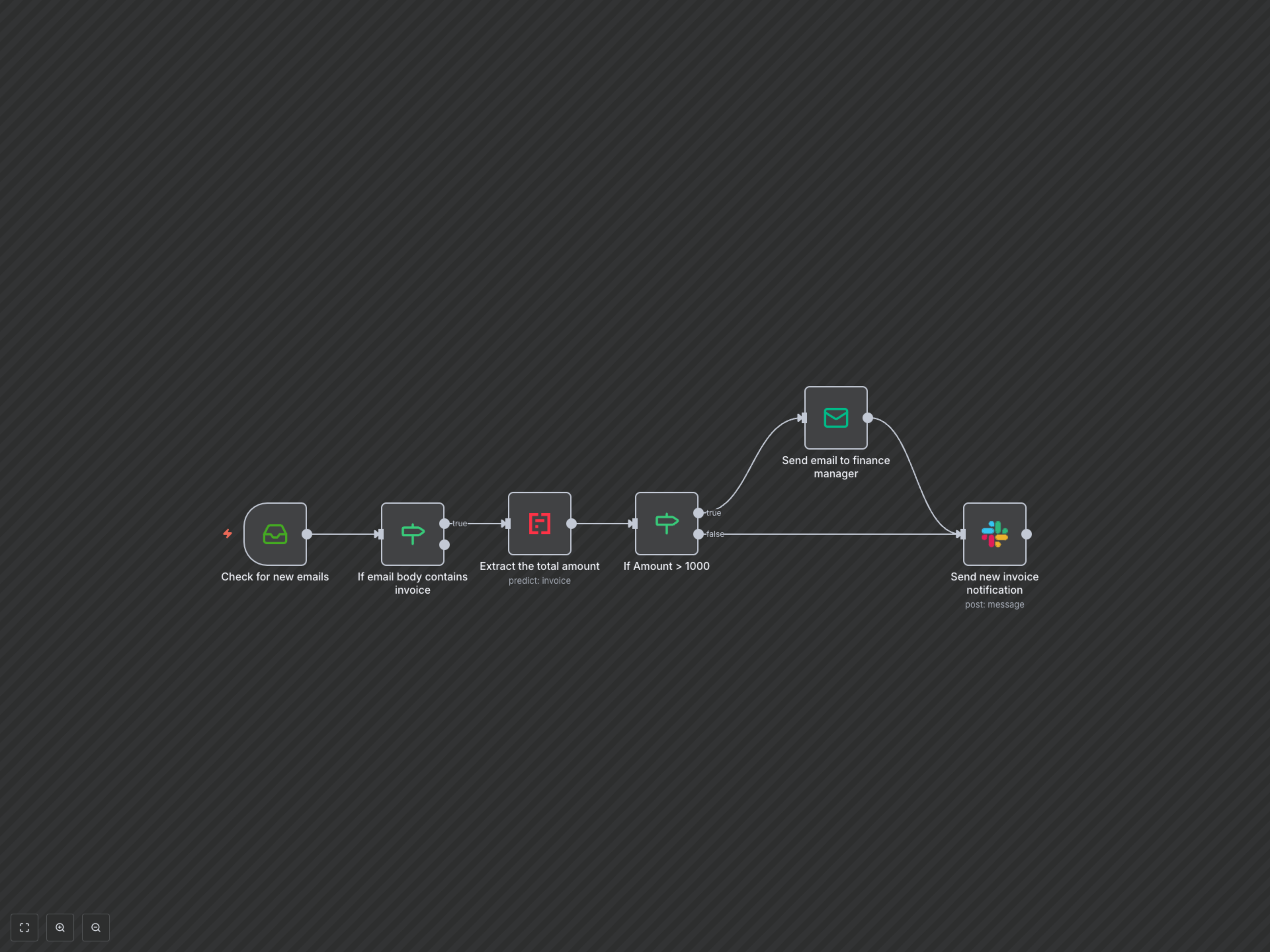
The workflow begins by continuously checking a specified email inbox for new messages. Upon detecting an email whose body contains keywords like 'invoice', it proceeds to extract the total amount from any attached invoice document using an AI-powered OCR service. This extracted amount is then evaluated against a predefined threshold. If the invoice amount exceeds this threshold, an email containing the invoice attachment is automatically sent to your finance manager for urgent review. Simultaneously, for every invoice detected (regardless of value), a detailed notification is posted to a dedicated Slack channel, providing your accounts team with instant visibility into incoming financial obligations, including the invoice amount, sender, subject, and date.