
Automate Instagram Reels & Posts with Google Drive & AI Captions
Reduce manual Instagram content publishing time by up to 70%, streamlining uploads, AI captioning, and direct posting for a consistent and efficient social media presence.
Manually uploading Instagram posts, crafting engaging captions, and tracking content is a time-consuming and inconsistent process. This workflow automates your entire Instagram content pipeline, from seamless Google Drive uploads to AI-generated captions and direct publishing.



Documentation
Automate Instagram Reels & Posts with Google Drive & AI Captions
Manual Instagram content scheduling and caption writing consumes valuable time, hindering a consistent online presence. This workflow provides a robust solution, automating the entire content pipeline from a simple Google Drive upload to AI-generated captions and direct publishing to Instagram.
Key Features
- Trigger Instagram posts automatically by uploading media to a designated Google Drive folder.
- Generate engaging, relevant captions using OpenAI, tailored to your content based on file names.
- Maintain a centralized content log in Google Sheets, capturing post details, AI captions, and media links.
- Directly publish both photos and Reels to your Instagram Professional account via the Facebook Graph API.
- Eliminate manual data entry and repetitive tasks, allowing your team to focus on strategic social media growth.
How It Works
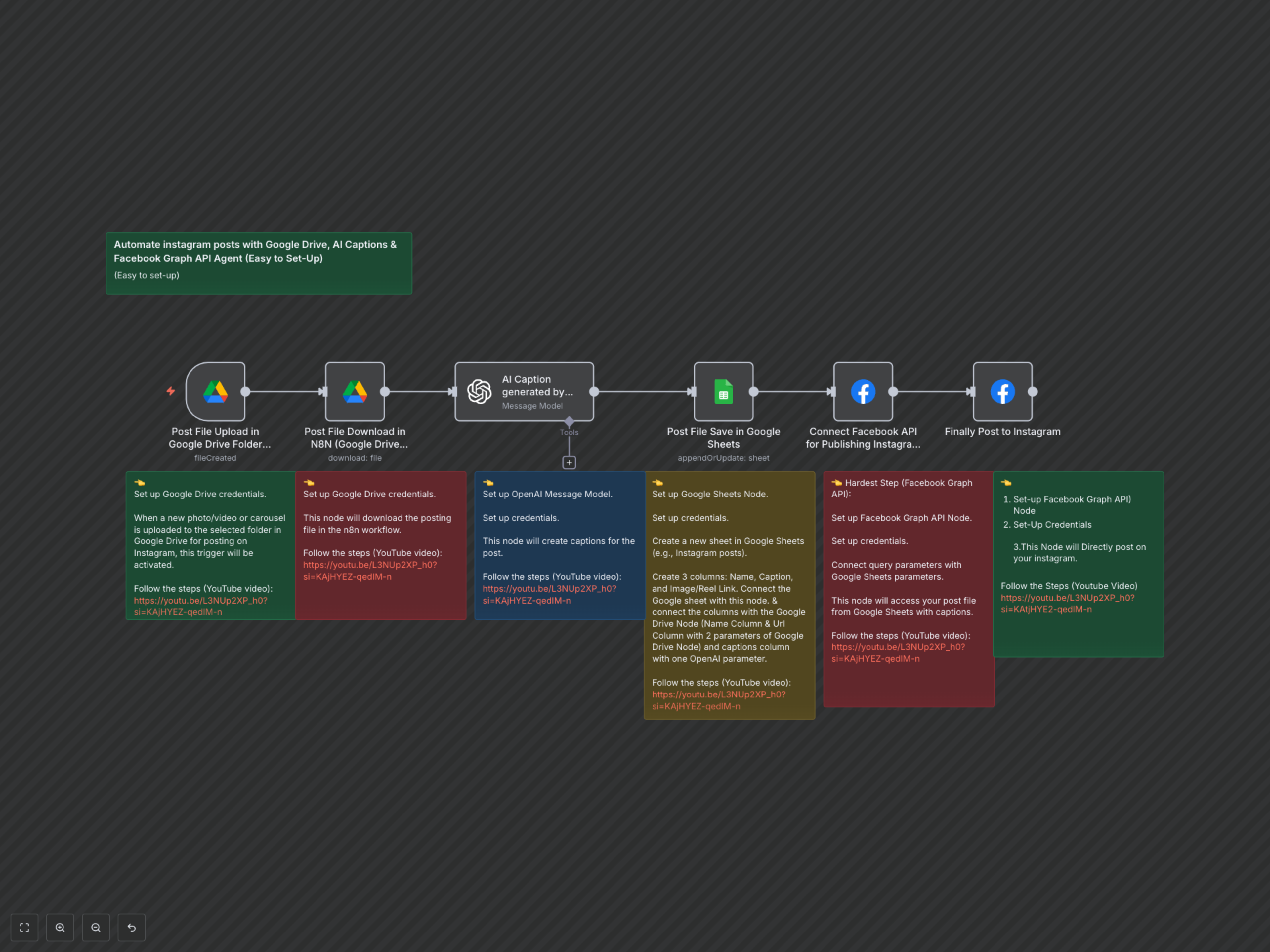
This workflow initiates when a new photo or video file is uploaded to your specified Google Drive folder. n8n then automatically downloads the file, passes its details to OpenAI for intelligent caption generation, and records all pertinent information (including the AI-generated caption and media links) into a Google Sheet. Finally, the workflow utilizes the Facebook Graph API to first prepare the media content and then publish the post directly to your Instagram Professional account, ensuring a smooth and automated content delivery process.