
Automate Google Drive Image Background Removal & Enhance Visuals
Automatically process hundreds of images daily, reducing manual background removal time by up to 90% and accelerating content delivery.
Manually removing image backgrounds is a tedious, time-consuming task that slows down content creation and product workflows. This n8n workflow automatically detects new images in Google Drive, removes their backgrounds using AI, and saves polished versions back to a specified folder, streamlining your visual asset management.


Documentation
Automate Google Drive Image Background Removal
This powerful workflow streamlines your visual content pipeline by automatically processing images uploaded to Google Drive. It detects new images, intelligently removes their backgrounds, and saves the enhanced versions back to Google Drive, ensuring consistent, high-quality visuals without manual effort. Ideal for e-commerce, marketing, and design teams.
Key Features
- Automated Background Removal: Instantly remove complex backgrounds from images using advanced AI technology.
- Customizable Output: Choose between transparent, solid color (e.g., white), or original backgrounds.
- Flexible Sizing: Maintain original image dimensions or resize to a fixed output, perfect for various platforms.
- Adjustable Padding: Add custom padding around your subjects for professional presentation.
- Google Drive Integration: Seamlessly monitor input folders and save processed images directly to Google Drive.
How It Works
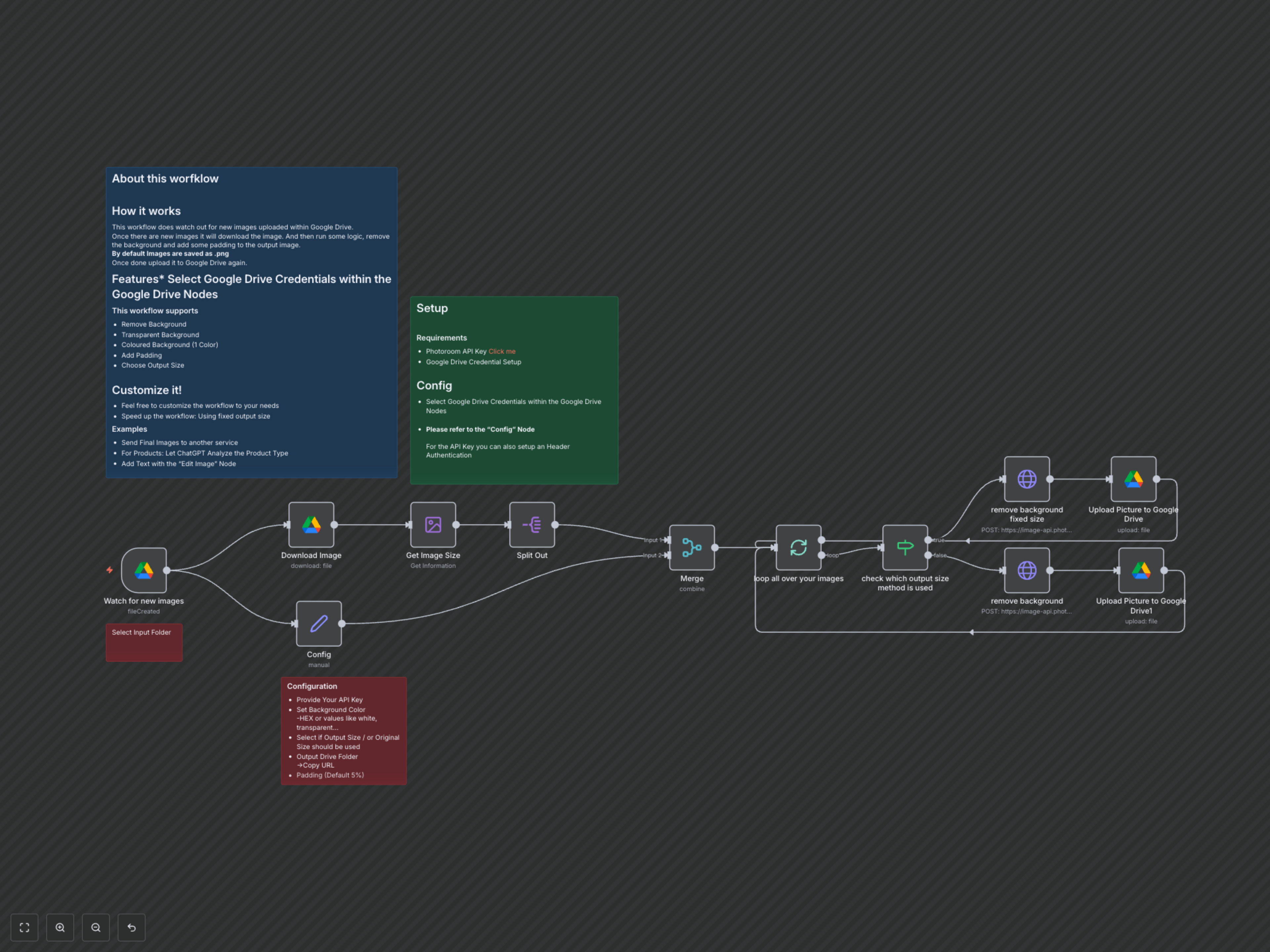
The workflow starts by watching a designated Google Drive folder for new image uploads. Upon detection, it downloads the image, extracts its dimensions, and then applies background removal via the Photoroom API. Based on your configuration, it either preserves the original size or resizes the image to a predefined output, adds any specified padding and background color (or transparency), and finally uploads the refined PNG image back to a specified Google Drive output folder, ready for immediate use.