
Automate Exam Question Creation from Google Docs & Save Hours
Generate 20 comprehensive open-ended and multiple-choice exam questions from any Google Doc in minutes, saving educators hours of manual question creation per document.
Manually creating diverse exam questions (open-ended, multiple-choice) from extensive study materials is time-consuming and labor-intensive for educators. This workflow leverages AI with RAG to automatically generate high-quality, comprehensive open-ended and multiple-choice questions from Google Docs, drastically reducing preparation time.



Documentation
Automate Exam Question Creation from Google Docs
This n8n workflow revolutionizes assessment creation by automating the generation of both open-ended and multiple-choice questions directly from your Google Docs content. Designed for educators and content creators, it integrates AI language models and vector databases to produce high-quality, relevant exam materials efficiently.
Key Features
- Automatically extracts content from Google Docs for analysis.
- Generates 10 open-ended questions that promote critical thinking.
- Creates 10 multiple-choice questions with one correct answer and three plausible distractors.
- Leverages Retrieval Augmented Generation (RAG) with Qdrant to ensure factual accuracy for answers and options.
- Stores all generated questions and answers neatly in Google Sheets for easy review and distribution.
- Utilizes Google Gemini and OpenAI for advanced natural language processing and embeddings.
How It Works
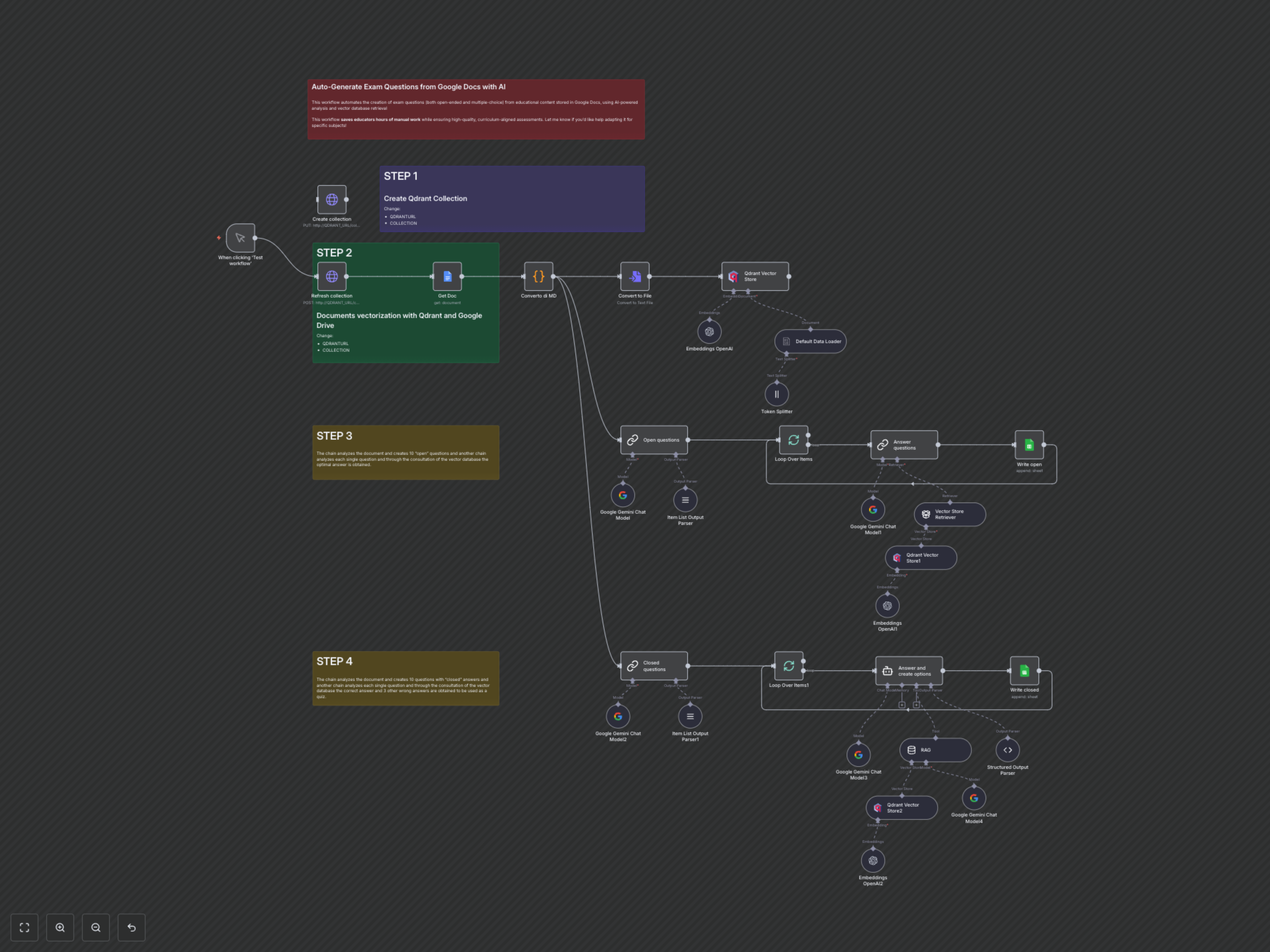
The workflow begins by fetching the content of a specified Google Doc and converting it into a clean markdown format. This processed text is then chunked, embedded using OpenAI, and stored in a Qdrant vector database, creating a searchable knowledge base. Next, two parallel AI-powered chains activate. The first chain uses Google Gemini to generate 10 open-ended questions based on the document. Each question is then passed to a RAG chain that consults the Qdrant database to formulate a precise answer, which is then recorded in a Google Sheet. Simultaneously, a second chain generates 10 multiple-choice questions. For each MCQ, an AI agent utilizes the RAG tool to identify the correct answer and invent three plausible, incorrect distractors. These structured MCQs, including the correct answer, are then saved to a separate sheet within the same Google Spreadsheet. This ensures a robust and factually grounded output for all your assessment needs.