
Automate AI Phone Agents: Instant Answers, Bookings & Call Summaries
Automate phone call handling, scheduling, and information retrieval, reducing manual agent workload by up to 80% and ensuring instant, accurate customer service.
Manual handling of customer phone inquiries and scheduling appointments consumes significant staff time, leading to delayed responses and potential errors. This workflow deploys an intelligent AI phone agent that instantly answers questions using a RAG system, automatically books appointments in Google Calendar, and sends concise call summaries to Telegram.



Documentation
AI Phone Agent with RetellAI: Instant Answers & Automated Bookings
This n8n workflow empowers businesses to deploy a sophisticated AI phone agent using RetellAI, seamlessly integrating with knowledge bases for instant answers and automating appointment scheduling. It transforms customer interactions by handling inquiries and bookings efficiently, while also providing valuable call summaries.
Key Features
- Intelligent AI Phone Agent: Leverages RetellAI to create dynamic, conversational AI agents capable of understanding and responding to natural language.
- Automated Appointment Scheduling: Books meetings directly into Google Calendar based on caller requests and availability.
- Retrieval-Augmented Generation (RAG): Accesses a vector store (Qdrant) containing company knowledge (from Google Drive documents) to provide accurate, context-aware answers to complex queries.
- Real-time Call Summaries: Automatically processes call transcripts using OpenAI to extract key information and sends detailed summaries to Telegram.
- Customizable Knowledge Base: Easily update your AI agent's knowledge by adding documents to Google Drive, which are then vectorized and indexed in Qdrant.
- Efficient Call Management: Filters call events (e.g., call_ended, call_analyzed) to trigger specific automation flows.
How It Works
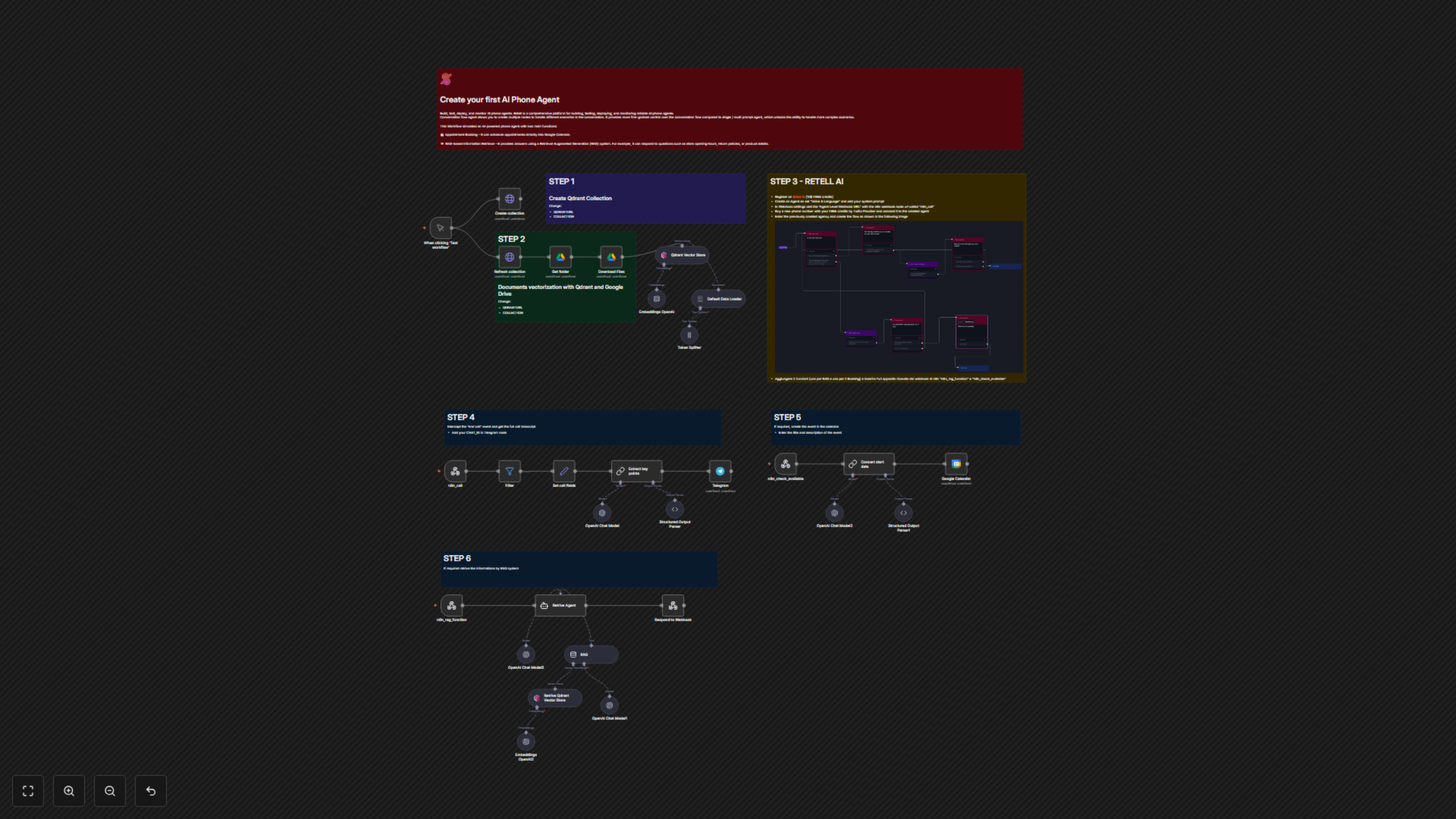
The workflow is divided into two main sections: an initial setup for the RAG knowledge base and the live AI phone agent functionality. 1. **RAG Knowledge Base Setup (Manual Trigger):** * 'When clicking ‘Test workflow’' triggers the creation or refreshing of a Qdrant collection. * 'Create collection' or 'Refresh collection' interacts with Qdrant to manage the vector store. * 'Get folder' and 'Download Files' retrieve documents (e.g., from a Google Drive folder 'test-whatsapp'). * 'Embeddings OpenAI' generates vector embeddings for the downloaded document content. * 'Default Data Loader' and 'Token Splitter' prepare the text into chunks suitable for vectorization. * 'Qdrant Vector Store' inserts these vectorized document chunks into the Qdrant database, building the knowledge base for the AI agent. 2. **AI Phone Agent Live Operations (Webhook Triggers):** * 'n8n_call' (Webhook) receives real-time events from RetellAI, specifically for call-related updates. * 'Filter' node checks for 'call_ended' or 'call_analyzed' events to proceed with post-call processing. * 'Set call fields' extracts critical call details like transcript, duration, numbers, and recording URL. * 'Extract key points' (OpenAI Chat Model + Structured Output Parser) analyzes the full call transcript to generate a structured summary, including contact details and a general overview. * 'Telegram' sends this extracted call summary and contact information to a specified Telegram chat. * 'n8n_check_available' (Webhook) receives requests from the RetellAI agent for appointment booking. * 'Concert start date' (OpenAI Chat Model + Structured Output Parser) processes the requested date from the call, formats it, and calculates an end time for the event. * 'Google Calendar' then creates a new event in the specified calendar with the parsed details. * 'n8n_rag_function' (Webhook) is triggered by the RetellAI agent when it needs to retrieve information from the RAG system. * 'Retrive Agent' (OpenAI Chat Model + RAG Tool) processes the query, uses 'RAG' (which leverages 'Retrive Qdrant Vector Store' and 'Embeddings OpenAI2') to search the knowledge base, and formulates a response. * 'Respond to Webhook' sends the RAG response back to the RetellAI agent to continue the conversation.