
Automate AI Document Parsing & Extract Invoice Data with LlamaParse
Automate document processing and invoice data extraction, reducing manual data entry by 90% and accelerating insight delivery.
Manually extracting structured data and insights from documents is time-consuming and prone to errors. This workflow leverages advanced AI with LlamaParse to automate document parsing, classify content, and extract complex data into structured JSON, delivering actionable insights directly to your tools.




Documentation
Advanced AI Document Parsing & Text Extraction with LlamaParse
Manually extracting structured data and insights from documents is time-consuming and prone to errors. This workflow leverages advanced AI with LlamaParse to automate document parsing, classify content, and extract complex data into structured JSON, delivering actionable insights directly to your tools and saving countless hours.
Key Features
- Document Ingestion & Processing: Automatically fetches attachments from Gmail or accepts documents via webhook, validates file types, and sends to LlamaParse for advanced text extraction.
- Intelligent Document Analysis: Classifies documents (e.g., invoices, reports), extracts structured data using customizable AI prompts, generates comprehensive summaries, and converts unstructured text into organized JSON.
- Invoice Processing Automation: Precisely extracts critical invoice details, organizes financial data, calculates tax breakdowns and payment information, and maintains detailed records for accounting.
- Multi-Channel Delivery: Saves extracted data and summaries to Google Sheets and Google Drive, and sends instant notifications and insights via Telegram for timely review.
How It Works
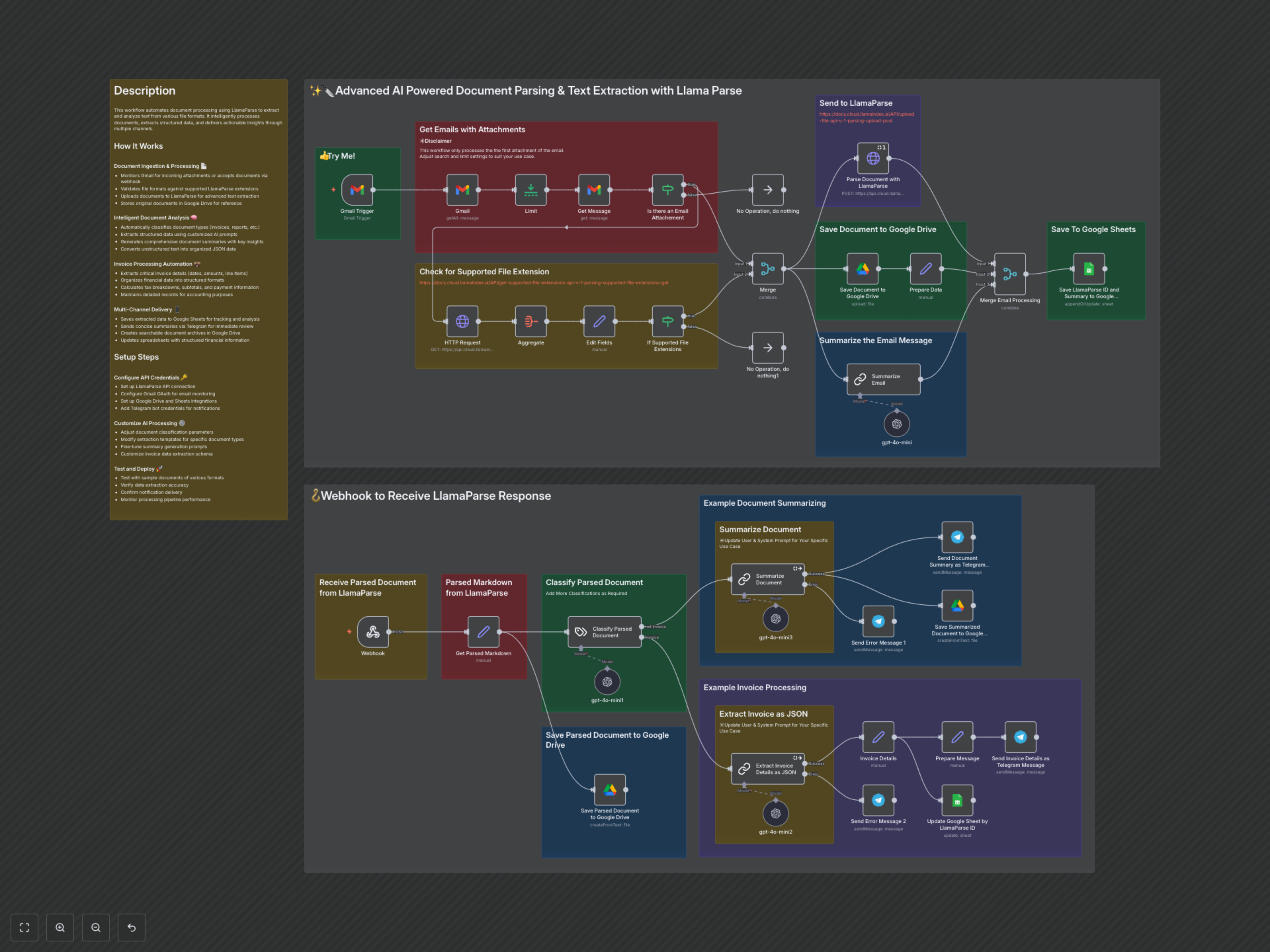
This workflow operates in two primary modes: processing new email attachments or responding to LlamaParse webhook callbacks. When a new email with an attachment arrives, the workflow checks if the file type is supported by LlamaParse. If so, it uploads the document to LlamaParse for advanced markdown conversion, simultaneously saving the original to Google Drive and summarizing the email. Once LlamaParse completes its processing, it triggers a dedicated webhook endpoint within this workflow, delivering the parsed markdown. The workflow then classifies the document (e.g., as an invoice), either extracting detailed structured JSON data using a powerful large language model (LLM) or generating a comprehensive summary. Finally, all relevant data, summaries, and extracted details are automatically saved to Google Sheets and Google Drive, and critical updates are dispatched via Telegram notifications, ensuring seamless data flow and instant insights.
Setup Instructions
Follow these steps to configure and deploy the workflow successfully.