
Scan n8n Workflows for Outdated Nodes & Boost Reliability
Proactively identify all outdated nodes across your n8n instance, saving hours of manual auditing and significantly reducing the risk of workflow failures.
Manually tracking and updating n8n node versions across numerous workflows is time-consuming and prone to overlooking critical updates. This workflow automatically scans all your n8n workflows, identifies outdated nodes, and compiles a clear report to help you maintain optimal performance and compatibility.

Documentation
Maintain Your n8n Workflows with Automated Node Version Checks
Keep your n8n automations running smoothly by ensuring all your workflow nodes are up-to-date. This essential workflow automatically scans your entire n8n instance or a specific workflow for any outdated nodes, providing a clear, actionable report so you can address potential issues before they impact your operations.
Key Features
- Automatically scans all or individual n8n workflows for node version discrepancies.
- Identifies nodes currently running on older versions compared to the latest available.
- Generates a consolidated report detailing each outdated node per workflow.
- Ensures your automations leverage the most stable and feature-rich node versions, preventing compatibility issues.
How It Works
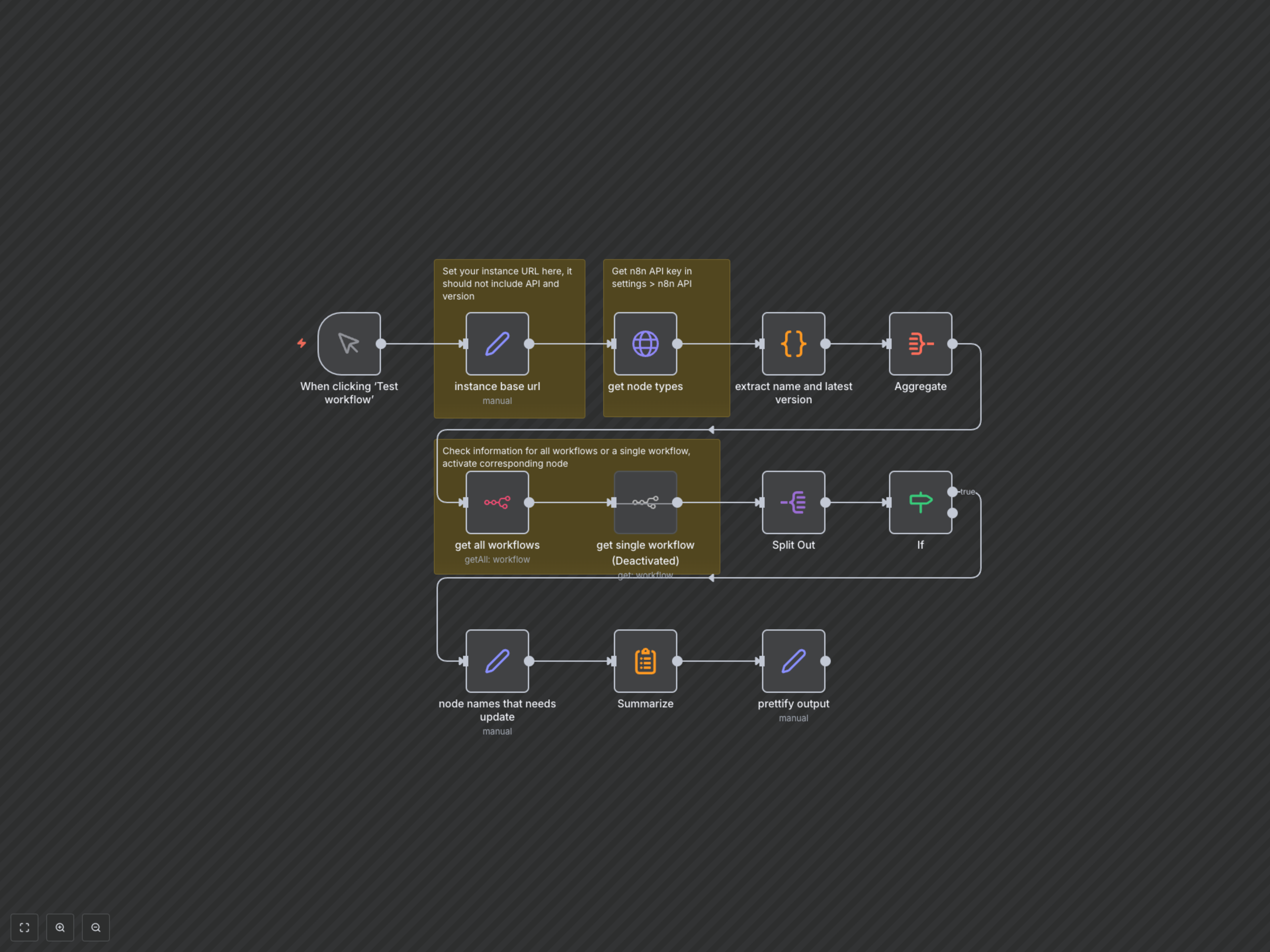
Upon manual trigger, the workflow first fetches the latest version information for all available n8n node types from your instance's API. It then connects to your n8n instance to retrieve data for all active workflows (or a specified single workflow). For each node within your workflows, it performs a comparison against the latest official version. Any nodes found to be running an older version are meticulously collected, aggregated, and formatted into a clear, actionable report, detailing the workflow name, ID, and information about each outdated node.