
Google Workspace HR Assistant Workflow
Employees receive instant, accurate HR support and policy information directly in their inbox, freeing up HR staff to focus on more complex issues.
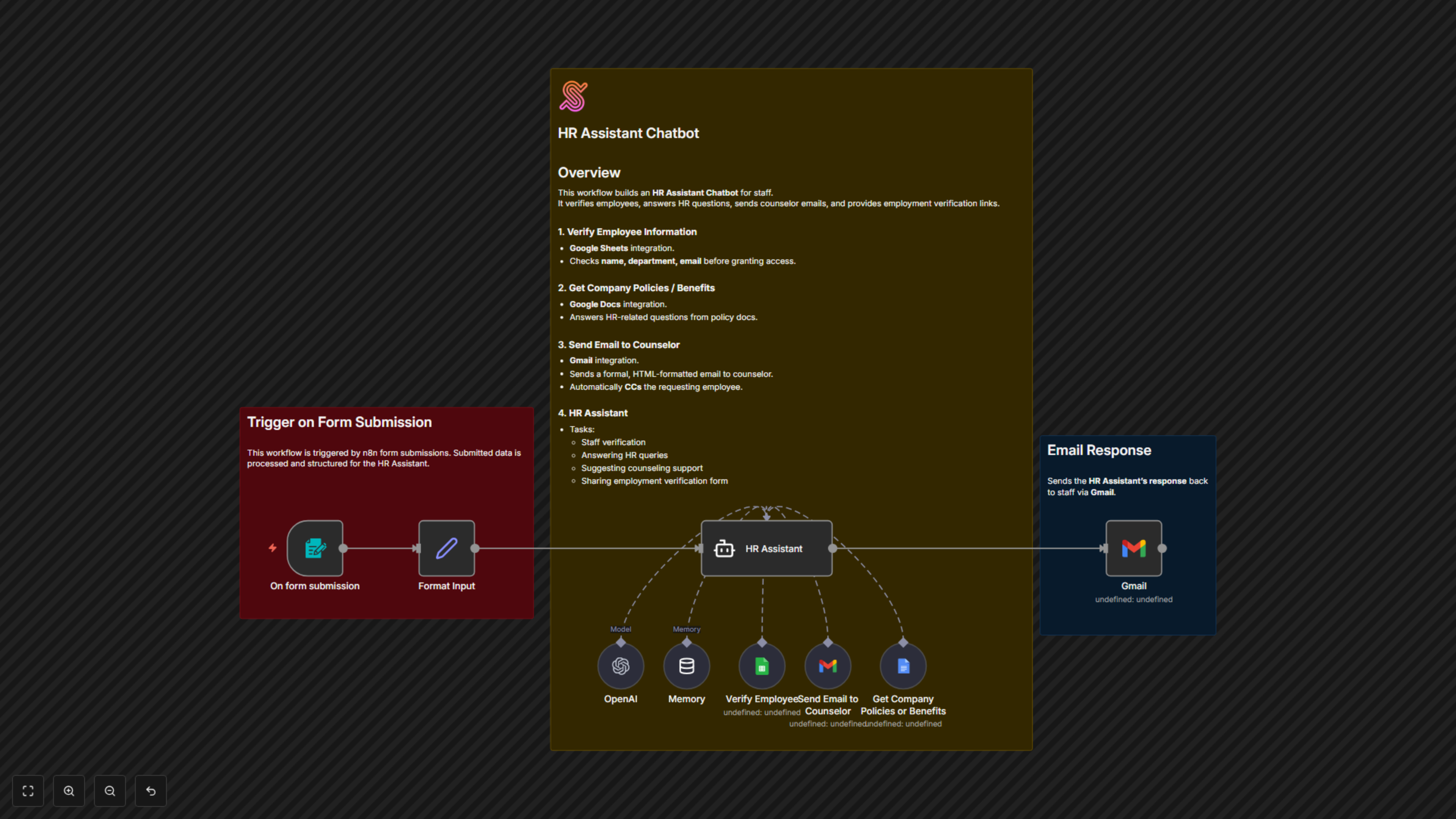
This workflow automates HR support by verifying employees, answering HR policy questions, providing counseling support, and sending responses directly via email.


Documentation
Documentation
Managing HR requests can be time-consuming, especially when employees have recurring questions about policies, benefits, or need quick support. The Google Workspace HR Assistant Workflow streamlines this process by acting as a digital HR assistant. Employees simply fill out a form, and the assistant verifies their details, retrieves policy information, connects them with a counselor if needed, or provides employment verification links. All responses are delivered quickly and professionally, saving HR teams time while ensuring employees always feel supported.
Workflow Steps
- An employee submits a form with their details and request.
- The workflow verifies the employee’s information against the staff database.
- Depending on the request, the assistant:
- Retrieves HR policy or benefits information.
- Sends a formal email to the counselor and CCs the employee.
- Provides a link to request employment verification.
- The final response is automatically delivered to the employee’s email.
Key Benefits
- Reduces repetitive HR tasks by automating responses and support.
- Provides employees with fast, professional assistance anytime.
- Ensures HR teams can focus on higher-priority work instead of manual requests.