
Google Ads Campaign Performance Tracker Automation
Reduce wasted ad spend by 90% with automated daily cost and CTR alerts
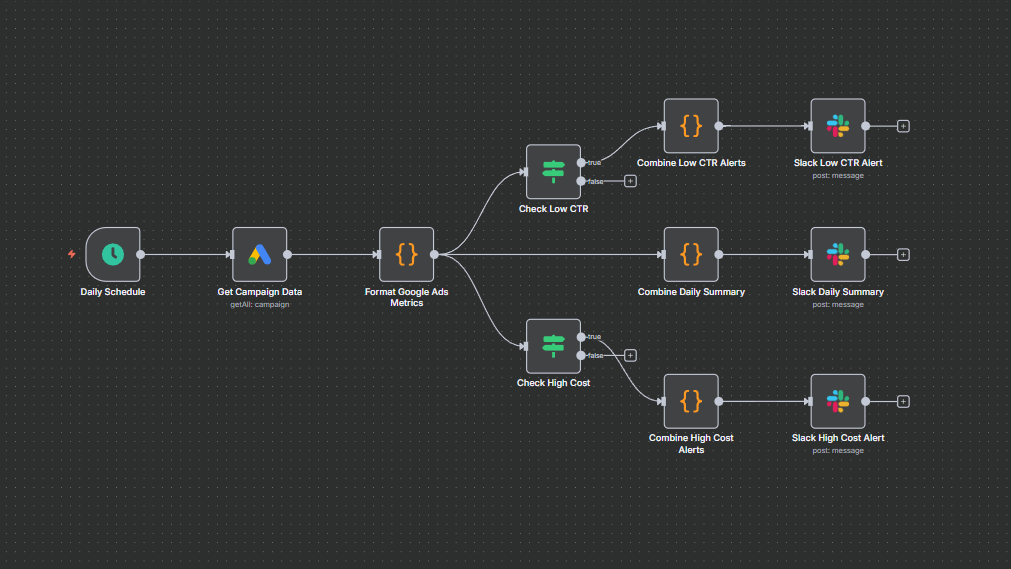
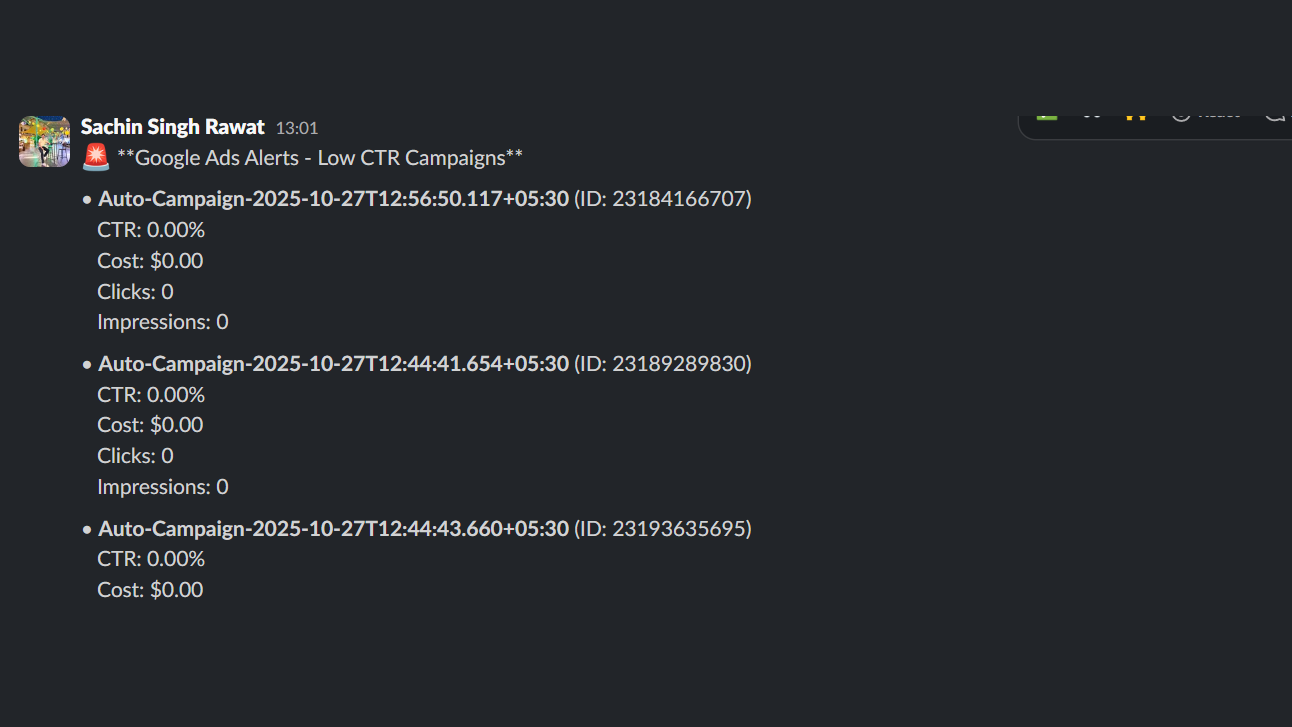
Automatically monitor daily Google Ads campaign health and get instant alerts for underperforming or costly campaigns. This workflow pulls yesterday’s campaign metrics, formats key KPIs, and sends targeted Slack alerts for low CTRs and high daily costs — plus a consolidated daily summary. Cut time spent on manual checks, prevent overspend, and accelerate optimizations with actionable, timely alerts.


Documentation
Description
This workflow gives you a quick daily pulse on your Google Ads performance. It reviews yesterday’s campaign metrics, highlights low-CTR or high-cost campaigns, and sends simple Slack alerts along with a clear daily summary. It helps you spot problems early, avoid unnecessary spend, and stay updated without manually checking dashboards.
Workflow Steps
- Daily run: Fetches yesterday’s campaign performance automatically.
- Collect metrics: Pulls impressions, clicks, cost, CTR, and conversions.
- Process data: Formats KPIs for easy reading and comparison.
- Flag issues: Detects low-CTR or overspending campaigns.
- Send alerts: Pushes grouped alerts and a daily summary to Slack.
Key Benefits
- Avoid wasted spend with early alerts on high-cost campaigns.
- Fix issues faster by identifying low-CTR ads quickly.
- Save daily effort with automated monitoring and summaries.