
Gmail + Google Sheets New Hire Onboarding Workflow
Automatically onboard new hires with personalized communications and automated IT setup requests directly from Google Sheets, saving time and ensuring a seamless experience.
This workflow streamlines new hire onboarding by automatically sending personalized emails, notifying managers, and triggering IT setup requests—all from a single candidate confirmation in Google Sheets.


Documentation
📖 DocumentationOnboarding new employees doesn’t have to be a time-consuming back-and-forth between HR, managers, and IT. With this automated workflow, the entire process runs seamlessly from the moment a candidate confirms their offer. HR can rest assured that welcome emails are sent, managers are notified, and IT receives setup requests—without manual follow-ups. This ensures every new hire feels welcomed and ready from day one, while internal teams stay aligned and efficient.
⚙ Workflow Steps
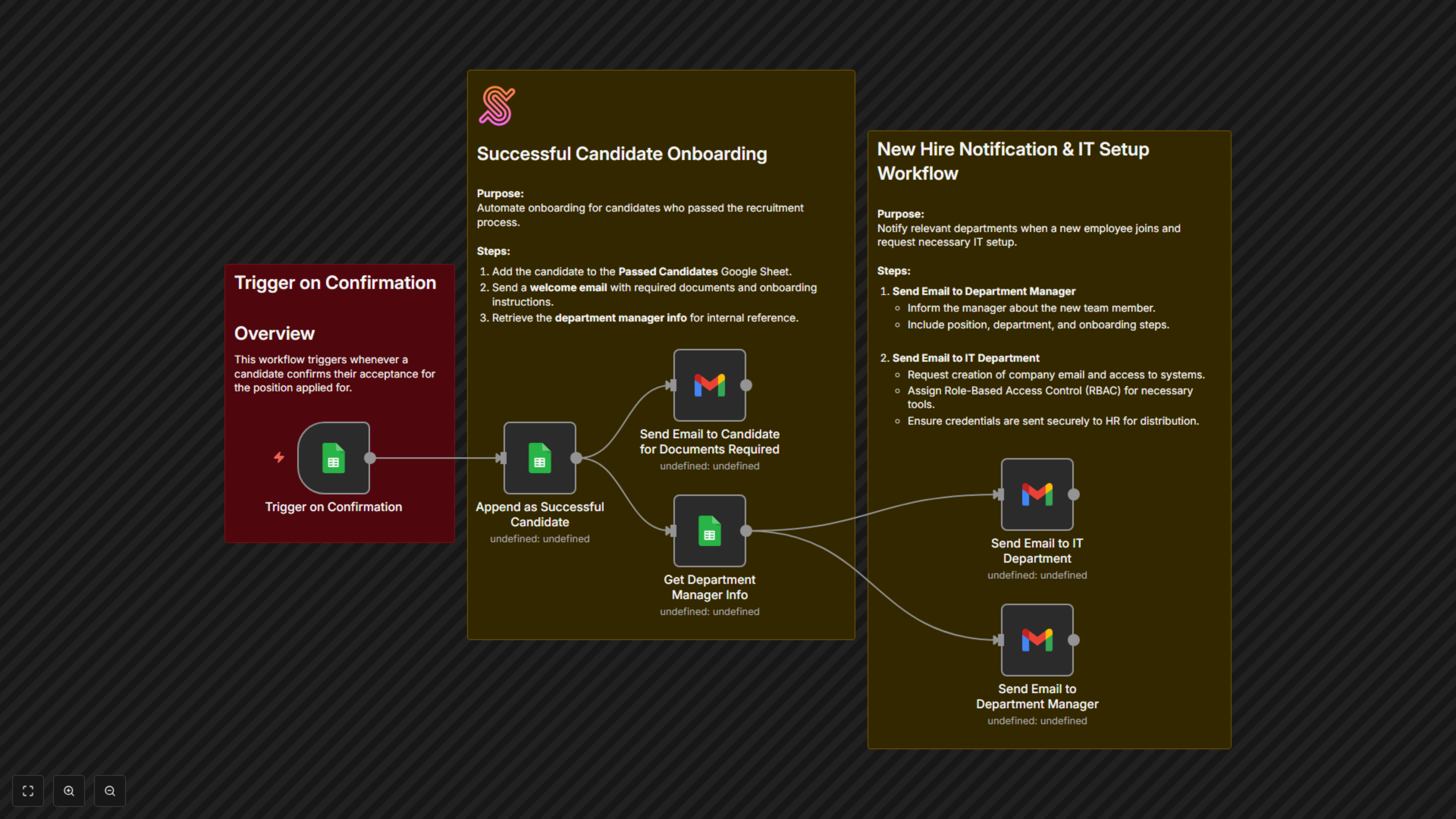
- The workflow starts when a candidate confirms their acceptance in Google Sheets.
- The candidate’s details are automatically added to a “Passed Candidates” sheet.
- A personalized welcome email is sent to the candidate with document upload links and onboarding instructions.
- The system looks up the department manager’s details for reference.
- An email is sent to the IT team with setup instructions (accounts, access, email creation).
- An email is also sent to the department manager with onboarding steps and team preparation guidance.
✅ Key Benefits
- Faster onboarding: Eliminate delays between HR, managers, and IT with instant notifications.
- Professional first impression: New hires receive a warm, structured welcome from day one.
- Seamless coordination: Ensure managers and IT never miss a step in the onboarding process.