
Boost Printify Sales: AI Titles & Descriptions from Google Sheets
Streamline product content creation by generating and updating Printify titles and descriptions up to 10x faster, ensuring consistent brand voice and SEO optimization across your listings.
Manually crafting unique product titles and descriptions for Printify products is time-consuming and challenging to scale. This workflow leverages AI to automatically generate SEO-optimized titles and engaging descriptions, dramatically accelerating your e-commerce product listing process.


Documentation
Printify AI Product Content Optimizer
This powerful n8n workflow automates the creation and update of product titles and descriptions for your Printify store using advanced AI. It helps e-commerce businesses maintain a consistent brand voice, optimize for search engines, and significantly reduce the manual effort involved in product listing management. Ideal for store owners, marketers, and product managers.
Key Features
- AI-powered generation of engaging, SEO-optimized product titles and descriptions.
- Centralized content management and review using Google Sheets.
- Customizable brand guidelines and AI instructions for tailored content.
- Automated Printify product updates triggered by your selections in Google Sheets.
- Flexible integration, allowing adaptation for similar print-on-demand services like Printful or Vistaprint.
How It Works
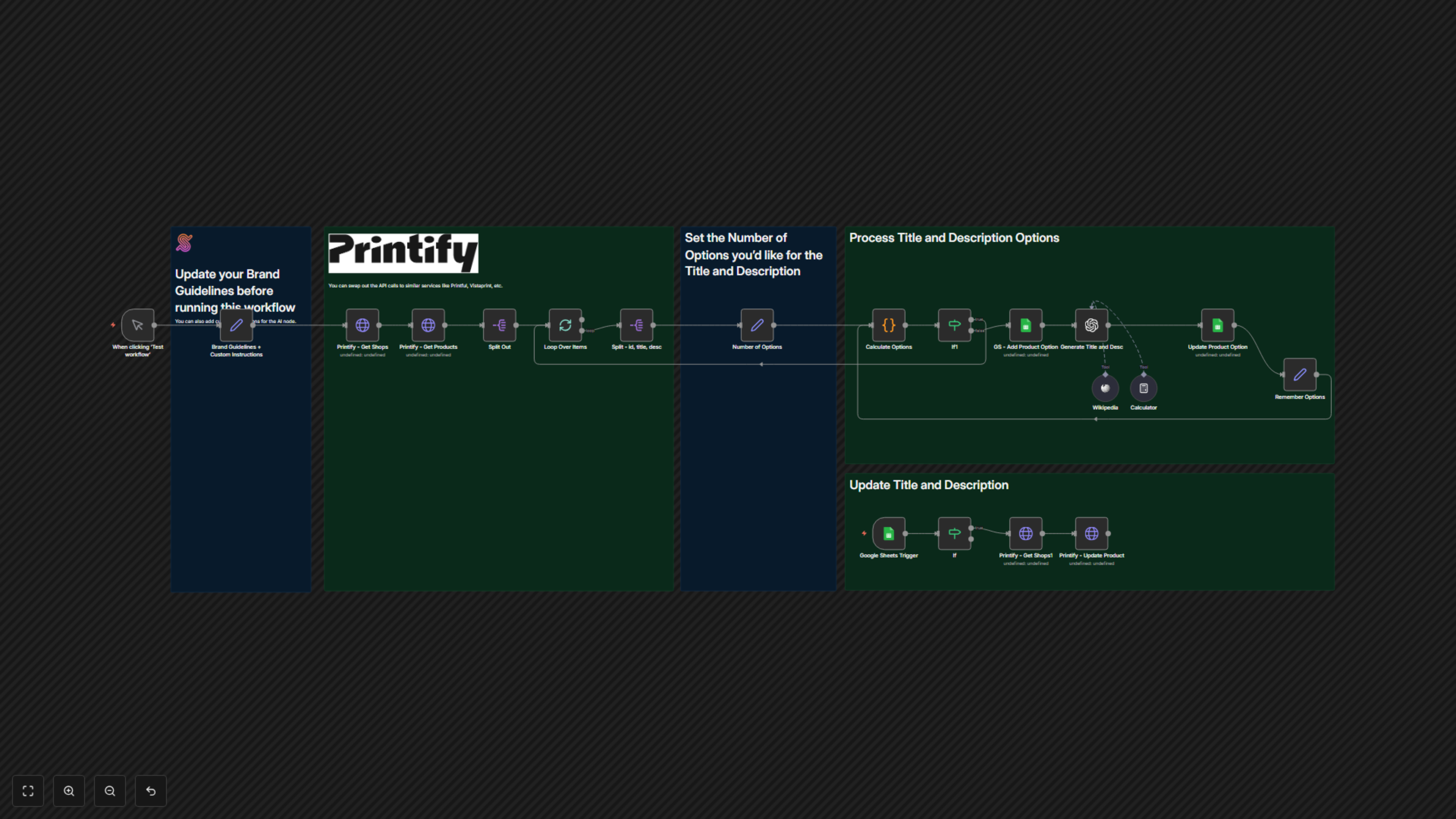
This workflow operates in two main phases. First, upon manual activation, it fetches products from your Printify store. For each product, it records its original details in a designated Google Sheet, then sends the title and description to OpenAI. The AI, guided by your custom brand guidelines and instructions (e.g., 're-write for the coming Christmas season'), generates a new, optimized title, description, and keyword. These AI-generated suggestions are then used to update the corresponding row in your Google Sheet, providing you with a centralized hub to review and manage product content.
The second phase is triggered automatically: when you mark a product row in your Google Sheet with 'yes' in the 'upload' column, the workflow takes the approved AI-generated title and description from that row and automatically updates the corresponding product in your Printify store, ensuring your listings are always fresh and optimized.