
Automate PII Removal from Google Drive Files for Enhanced Data Security
Automatically sanitize new data files for PII upon upload, ensuring instant data privacy compliance and eliminating manual review time.
Manually identifying and redacting Personally Identifiable Information (PII) in data files is a slow, error-prone process that risks compliance breaches. This workflow automatically detects and removes PII from new files uploaded to Google Drive, securing your data and streamlining privacy compliance.



Documentation
Remove PII from Google Drive Files with AI
This powerful n8n workflow leverages artificial intelligence to automatically identify and remove Personally Identifiable Information (PII) from files as soon as they are uploaded to Google Drive. It helps organizations maintain data privacy, ensure compliance with regulations, and streamline data handling without manual intervention. Ideal for teams working with sensitive customer or internal data that needs sanitization before processing or sharing.
Key Features
- Automated PII detection using advanced AI (OpenAI via LangChain).
- Real-time monitoring of a specified Google Drive folder for new file uploads.
- Automatic removal of identified PII columns from tabular data files.
- Secure storage of sanitized files in a designated 'processed' Google Drive folder.
- Ensures data privacy and regulatory compliance effortlessly upon file ingestion.
How It Works
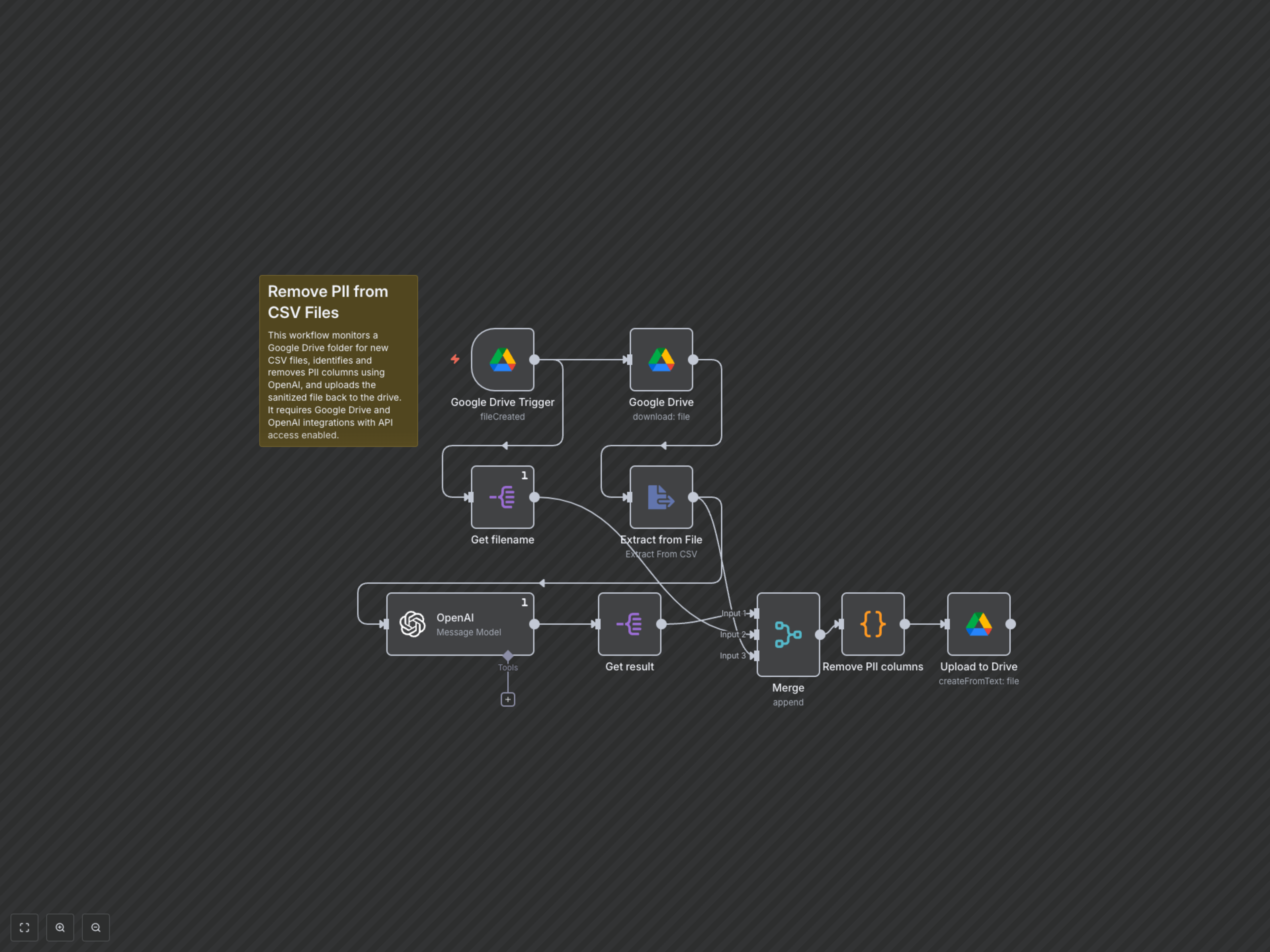
This workflow initiates whenever a new file is added to a designated 'incoming' Google Drive folder. It downloads the file, extracts its content, and sends a sample of the tabular data to OpenAI. OpenAI then analyzes the data to identify columns containing PII, returning a list of these column names. A custom code node receives this list, removes the identified PII columns from the entire dataset, converts the sanitized data back to a CSV format, and uploads the new, PII-free file to a separate 'processed' Google Drive folder with an appended '_PII_removed' suffix.