
Automate PII Redaction & Secure Data in Google Drive
Automatically redact PII from newly uploaded data files, eliminating manual review and reducing compliance risk by 99%.
Manually identifying and removing Personally Identifiable Information (PII) from data files is time-consuming and risks compliance violations. This workflow automates PII redaction by using AI to detect and remove sensitive columns from new tabular files in Google Drive, delivering sanitized data for secure use.



Documentation
Automate PII Redaction for Google Drive Files
Streamline your data privacy efforts by automatically identifying and removing Personally Identifiable Information (PII) from files stored in Google Drive. This powerful workflow ensures compliance and reduces manual processing, making your data ready for secure use or analysis.
Key Features
- Automated PII Detection: Utilizes advanced AI (OpenAI) to intelligently scan tabular data and pinpoint columns containing sensitive PII.
- Seamless Google Drive Integration: Monitors a designated Google Drive folder for new file uploads and automatically saves sanitized files to another specified folder.
- Effortless Data Redaction: Automatically removes identified PII columns, transforming raw data into a privacy-compliant format without manual intervention.
- Compliance Assurance: Helps meet data privacy regulations (e.g., GDPR, CCPA) by ensuring PII is removed before further processing or sharing.
How It Works
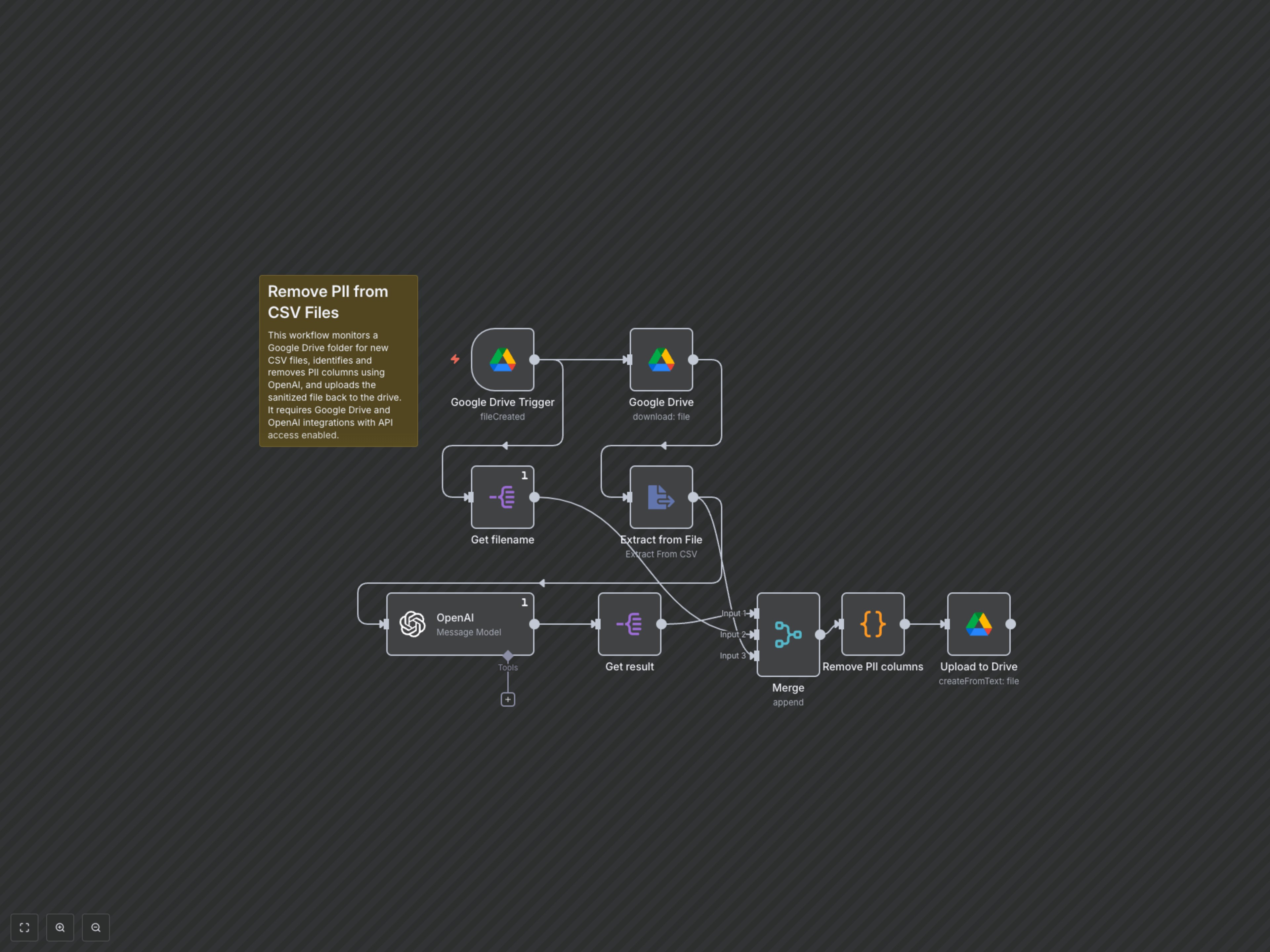
This workflow begins by continuously monitoring a specified Google Drive folder for new file uploads. Once a file is detected, it is downloaded and its content is extracted. The workflow then sends the file's column headers and sample data to OpenAI, which intelligently identifies columns containing Personally Identifiable Information (PII). After receiving the list of PII columns, the workflow processes the original data, removing all identified sensitive columns. Finally, a new, sanitized version of the file, with "_PII_removed" appended to its name, is automatically uploaded to a designated "processed" folder in Google Drive.