
Streamline Invoice Archiving to Google Drive with Automated PDFs
Automate Paddle invoice archiving to Google Drive, reducing manual effort by 100% and ensuring instant, organized record-keeping.
Manually downloading and organizing Paddle invoice PDFs is a time-consuming and error-prone task. This workflow automatically detects Paddle invoice emails, converts the embedded receipt link into a PDF, and saves it to a designated Google Drive folder.



Documentation
Automated Paddle Invoice Archiving to Google Drive
Manually tracking and storing Paddle invoices can be a tedious and error-prone task for businesses and individuals alike. This n8n workflow completely automates the process, ensuring every Paddle invoice is automatically converted to a PDF and securely stored in your Google Drive.
Key Features
- Smart Email Detection: Automatically identifies incoming emails from help@paddle.com with "Your invoice" in the subject line.
- Invoice Link Extraction: Accurately extracts the unique receipt link from the email's HTML content.
- On-the-Fly PDF Conversion: Leverages pdflayer to convert web-based invoice receipts into standardized PDF documents.
- Automated Google Drive Storage: Uploads, renames, and organizes converted PDF invoices directly into a specified Google Drive folder.
- Time-Saving & Error-Free: Eliminates manual downloading, conversion, and filing, significantly boosting efficiency and reducing human error.
How It Works
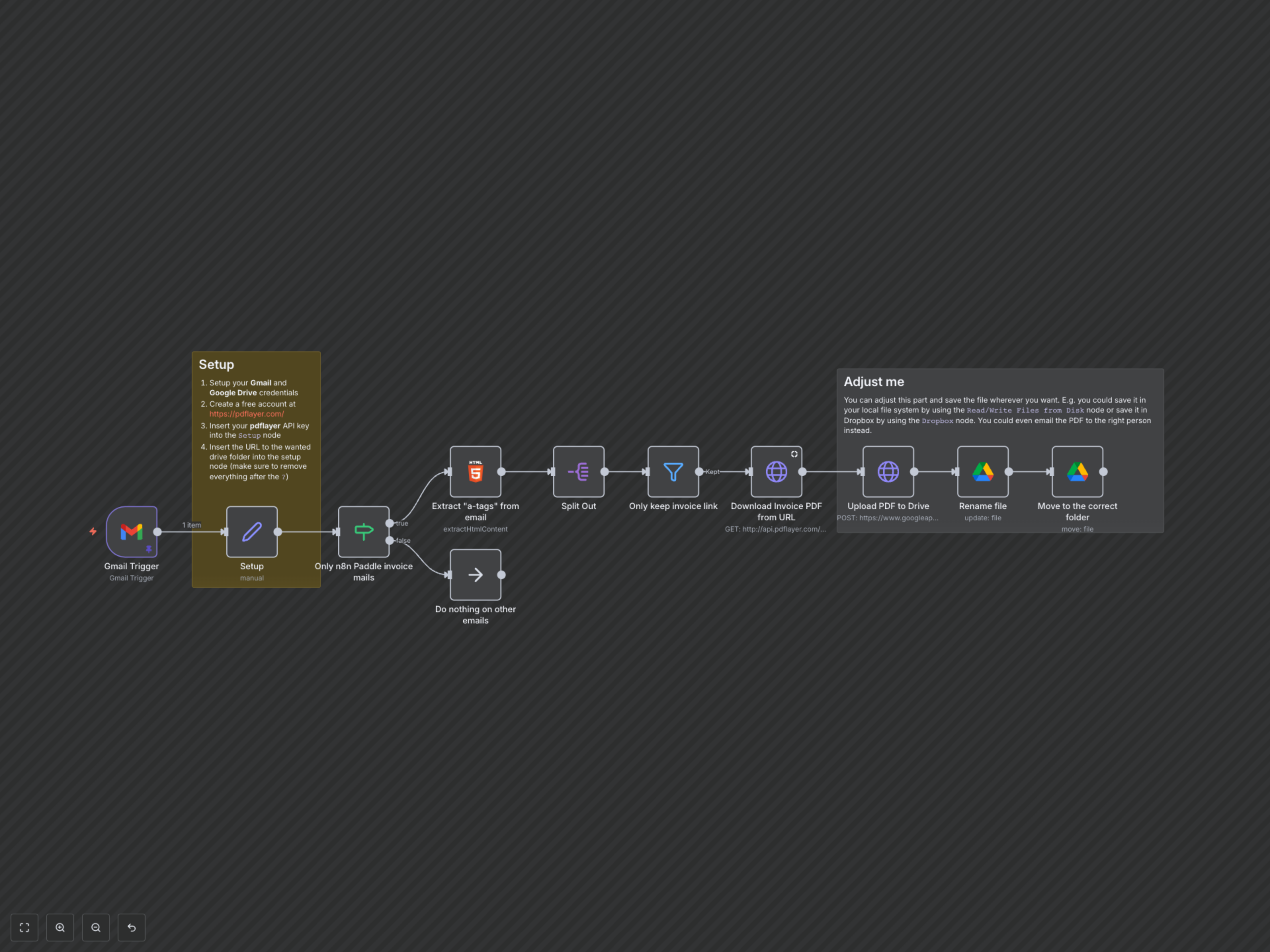
This workflow starts by continuously monitoring your Gmail inbox for new emails. When an email from Paddle containing an invoice is detected, it extracts the hidden invoice link. This link is then sent to pdflayer for conversion into a clean, storable PDF. Finally, the generated PDF is uploaded to your Google Drive, automatically renamed with the current date, and moved into your designated archive folder. Any other emails are simply ignored, keeping your automation focused and efficient.