
Automate n8n Workflow Backups to Google Drive for Data Safety
Ensure all n8n workflows are backed up daily, reducing manual effort to zero and guaranteeing rapid disaster recovery capabilities.
Manually backing up your n8n workflows is a time-consuming and often overlooked task, risking critical data loss. This workflow automates daily backups of all your n8n workflows to Google Drive, ensuring continuous data safety and effortless disaster recovery.


Documentation
Automate n8n Workflow Backups to Google Drive
Manually backing up your n8n workflows is a tedious, error-prone, and often forgotten task that puts your critical automations at risk. This workflow provides a robust solution by automating the daily export of all your n8n workflows as JSON files directly to your Google Drive, guaranteeing data safety and simplifying disaster recovery.
Key Features
- Ensures consistent, scheduled daily backups of all n8n workflow definitions.
- Automatically exports each workflow as a separate, self-contained JSON file.
- Securely stores all backups in your designated Google Drive folder.
- Provides a reliable foundation for rapid disaster recovery and version control for your automations.
How It Works
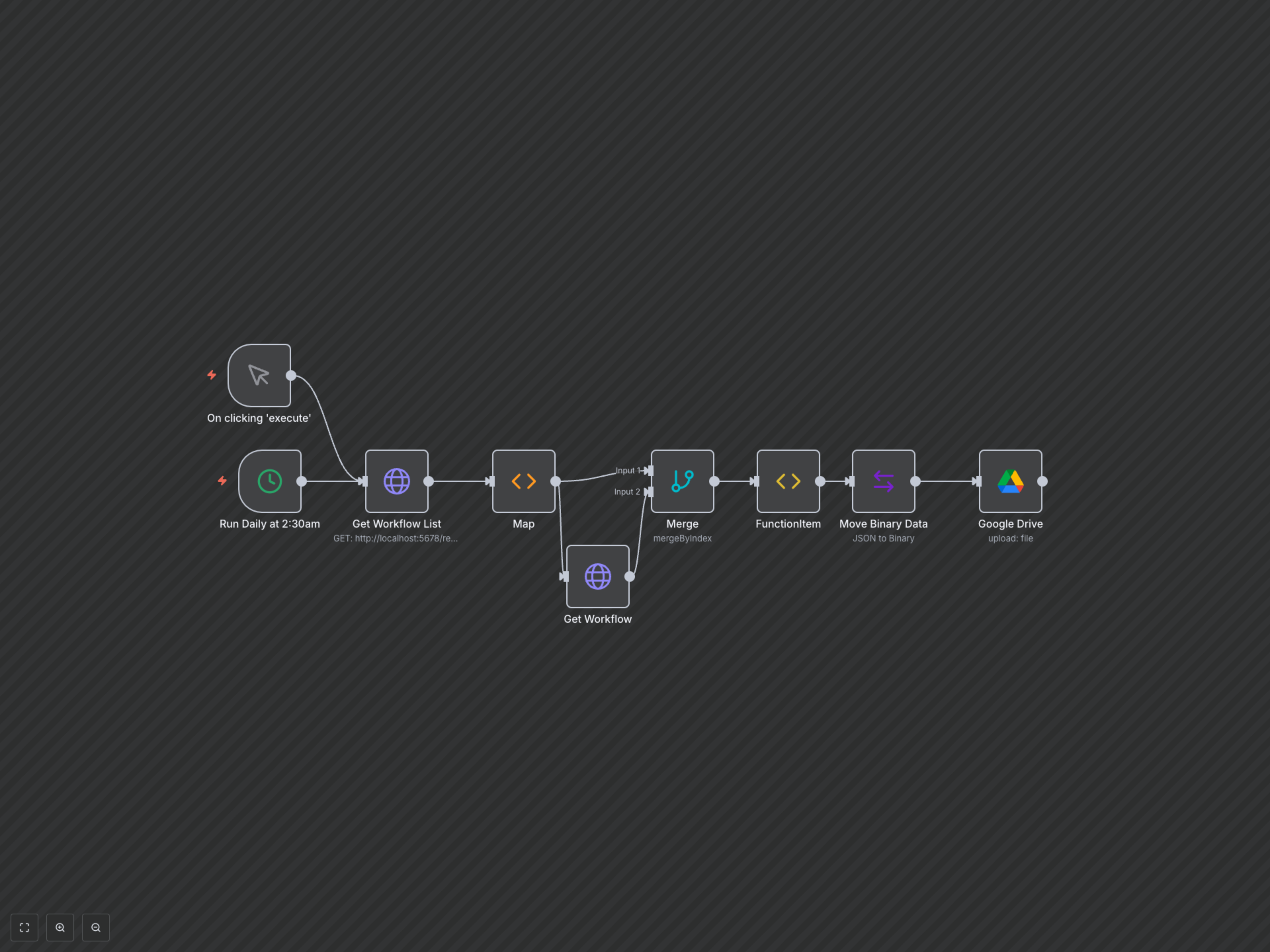
This workflow is triggered either manually or on a daily schedule. It first retrieves a list of all active workflows from your n8n instance via its API. For each workflow found, it fetches its complete definition. The workflow definitions are then converted into a binary JSON format and uploaded to a specified folder in your Google Drive, named precisely after the original workflow.