
Automate n8n Library Installs & Optimize Workflow Readiness
Eliminate manual library installation time entirely, ensuring immediate workflow execution and consistent environment readiness across n8n instances.
Manually installing Node.js libraries in n8n environments for custom scripts is time-consuming and prone to inconsistencies. This workflow automates the installation of specified npm packages, ensuring all necessary libraries are present for streamlined setup and reliable workflow execution.

Documentation
Automated n8n Node.js Library Installation
This n8n workflow provides a robust solution for automatically installing essential Node.js libraries (npm packages) directly within your n8n environment. It's ideal for developers and automators who rely on custom code nodes or external libraries to power their advanced workflows, eliminating manual setup and ensuring consistent execution.
Key Features
- Automated Library Installation: Installs specified npm packages with a single trigger.
- Dependency Management: Ensures all required Node.js libraries are present before workflow execution.
- Efficiency & Consistency: Eliminates manual installation steps, saving time and ensuring uniform environments.
- Intelligent Installation: Checks for existing installations to prevent unnecessary re-installation.
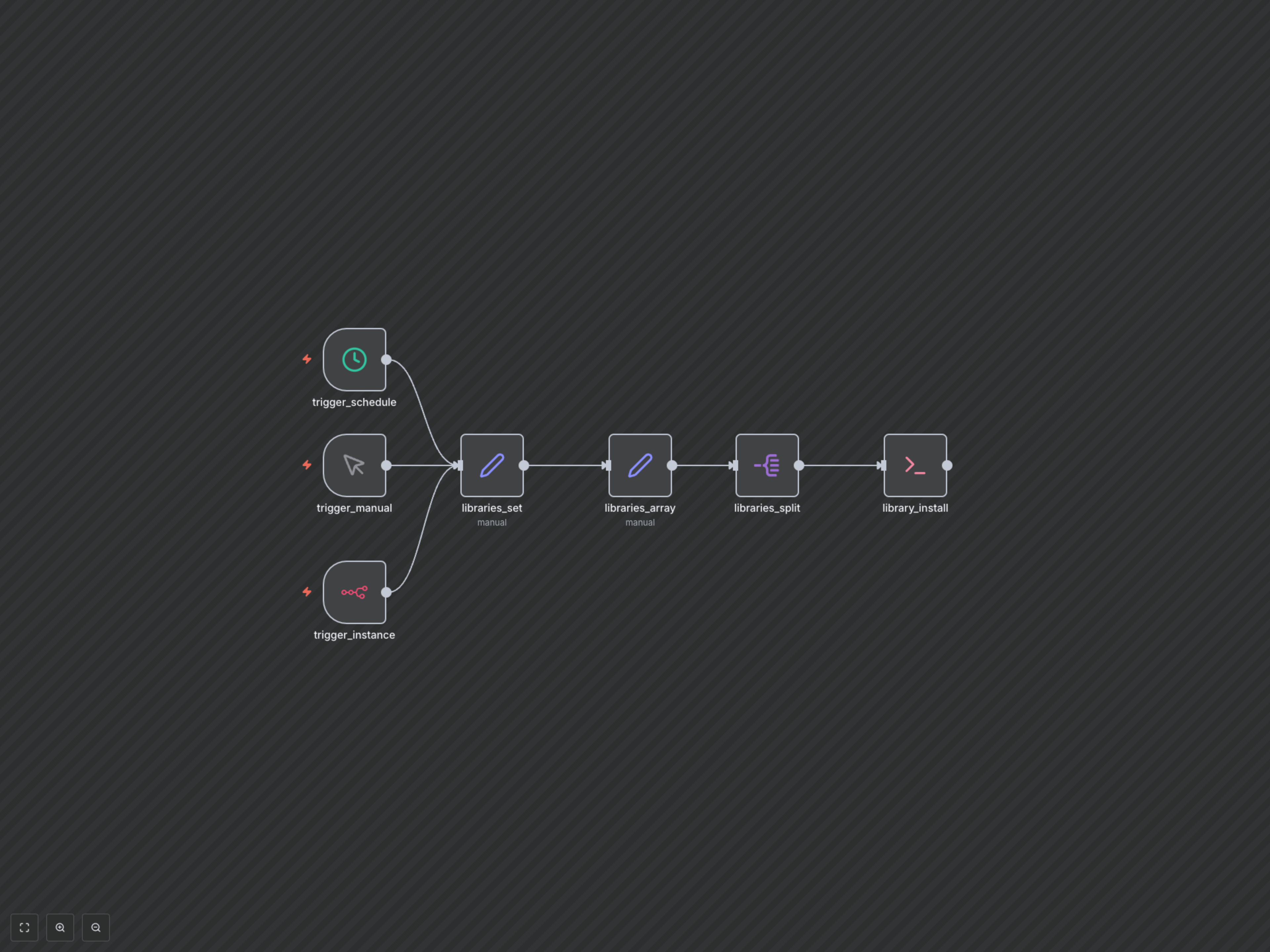
- Flexible Triggering: Can be activated manually, on a schedule, or upon n8n instance initialization.
How It Works
The workflow begins with a trigger (manual, scheduled, or instance initialization). It then defines a comma-separated list of Node.js library names, converts this list into an array, and processes each library individually. For each library, an Execute Command node runs a bash script that checks if the library is already installed in the n8n environment's node_modules directory. If not found, it proceeds to install the library using 'npm install'. This intelligent check prevents redundant installations, ensuring your n8n instance is efficiently set up with all necessary dependencies.