
Automate Emailing Obsidian Notes with Attachments & YAML
Streamline Obsidian note sharing, reducing manual email composition and attachment management time by up to 90%.
Manually sharing detailed Obsidian notes and attachments via email is inefficient and time-consuming. This workflow seamlessly sends your Obsidian notes, complete with attachments and customizable email details via YAML, directly from your vault.



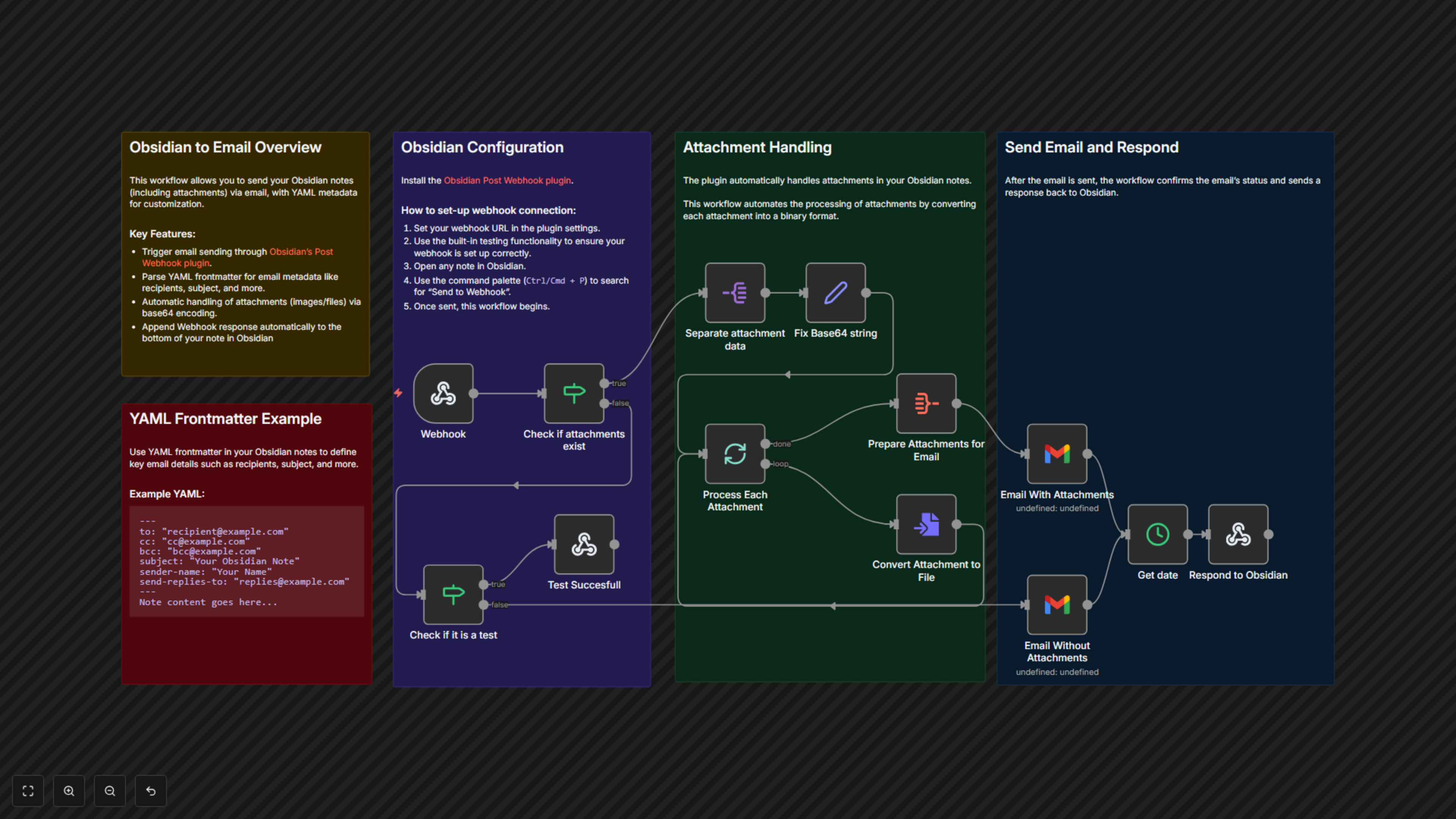
Documentation
Obsidian to Email Workflow Overview
This powerful n8n workflow bridges your Obsidian knowledge base with your email communications. It empowers you to effortlessly send your notes, along with any embedded attachments, directly from Obsidian using custom email configurations defined right in your note's YAML frontmatter. Ideal for professionals, students, and anyone needing to quickly disseminate information from their Obsidian vault.
Key Features
- Trigger emails directly from Obsidian using the Post Webhook plugin.
- Customize recipients, subject, sender, and reply-to addresses using YAML frontmatter in your notes.
- Automatically encode, process, and attach files (images, documents) from your Obsidian notes to outgoing emails.
- Receive instant confirmation and status updates directly within your Obsidian note after sending.
How It Works
The workflow starts with a webhook triggered by Obsidian's Post Webhook plugin. It intelligently parses your note's YAML frontmatter for email metadata (recipients, subject, sender, etc.) and extracts any base64-encoded attachments. The workflow then processes these attachments, converts them to binary files, and sends the email via Gmail, including all specified attachments. Finally, it sends a confirmation message back to your Obsidian note, updating you on the successful dispatch.